

The Best Medical Alert Systems of 2026: Tested and Reviewed
We put the best medical alert system brands to the test—see which 6 rose above the rest to make our list.

- We chose Medical Guardian as the best medical alert system of 2026 for its fast response time, unique features, and competitive pricing.
- Our top picks range in monthly subscription fees from $24.95–$36.95.
- Each brand on our list of the best medical alert systems offers a variety of devices so you can choose the best match for your lifestyle.
- Choosing the right medical alert system can help you maintain your independence and enjoy peace of mind, knowing help is always available.
- Adding fall detection to a medical alert device typically costs an extra $8–$12 a month.
- Most people buy a medical alert system after experiencing a fall or other emergency. But buying one before an event may allow you to maintain your independence longer.
At NCOA, we take the time to research, test, and recommend products that can help you live a healthier life. We’ve spent more than 3,000 hours researching medical alert systems to give you the most accurate product reviews. To find the best medical alert systems, we:
- Consulted with doctors and licensed adult caregivers who specialize in working with older adults
- Put more than 35 devices through a series of 16 different tests at our in-house lab
- Mystery shopped more than 15 brands
- Surveyed more than 1,000 medical alert system users and caregivers
- Interviewed experts on older adults falls risk
- Worked with older adults to test medical alert systems and get their opinion
- Read thousands of verified customer reviews
We’re constantly testing new medical alert systems to give you the most accurate and up-to-date recommendations. Read more about our medical alert system review methodology.
50+
medical alert systems tested
200+
medical alert system buyers surveyed
70
testing criteria


Knowing you’re prepared no matter what comes your way can help your peace of mind. Whether you stock up on extra canned goods in case of a weather event, or choose one of the best medical alert systems so you know help is always available, feeling prepared can provide a sense of security.
Still, our research shows most people who purchase a medical alert system (sometimes called a Life Alert due to the brand’s popular “I’ve fallen and I can’t get up” commercials) do so after they experience a fall or a medical emergency. In our February 2025 survey of people who recently purchased a medical alert system, almost 75% of our respondents said they decided to buy a device after a fall or medical emergency.1
Choosing a medical alert system before something bad happens can save you from injury and costly medical bills. And devices that help you maintain your independence, like a medical alert system or a high-quality stair lift, can improve your quality of life. Plus, today’s medical alert systems address many of the reasons people avoided these devices in the past. They look sleeker and more discreet. And they offer advanced features, like fall detection or health tracking.
Medical Guardian
Best OverallNCOA Exclusive Sale
Free equipment on our MGMini with the code: NCOAFREE

NCOA Exclusive Sale
Free equipment on our MGMini with the code: NCOAFREE
- Our top pick for best medical alert system
- Fast average response time
- Longest in-home device range
- Highest customer service score
- Most options for contacting customer service
- Rare 15-day free trial
MobileHelp
Best AffordableSweet Savings Sale:
Free month of service and savings of up to $230 with code: SAFE4FREE

Sweet Savings Sale:
Free month of service and savings of up to $230 with code: SAFE4FREE
- Low starting monthly cost
- No hidden fees
- Clear, two-way voice communication
Our picks for the best medical alert systems of 2026:
- Medical Guardian: Best Overall
- Bay Alarm Medical: Best Customer Service
- MobileHelp: Best Affordable
- Medical Alert: Easiest Setup
- LifeStation: Best for Insurance Discounts
- LifeFone: Longest Battery Life
Comparing the best medical alert systems of 2026
| Comparison Features | ||||||
|---|---|---|---|---|---|---|
| Our rating (out of 10) | 9.9 |
9.8 |
9.7 |
9.2 |
8.9 |
9.4 |
| Avg. response time (seconds) | 29 |
51 |
49 |
42 |
27 |
22 |
| Max. battery life (days) | 5 |
3 |
6 |
2 |
5 |
10 |




*Response times can vary based on connectivity type, location, and more. We consider an average response time of less than 60 seconds as passing the test.
How we test medical alert systems
When reviewing medical alert systems, we consider several features, including:
Our reviews of the top medical alert systems
Medical Guardian: Best Overall
We chose Medical Guardian as our Best Overall medical alert system because it has one of the fastest average response times, a long battery life, and a great mix of helpful features and a variety of device types and styles. When we evaluated features and tested the devices ourselves, we gave Medical Guardian a score of 9.9/10.
Medical Guardian
Best OverallNCOA Exclusive Sale
Free equipment on our MGMini with the code: NCOAFREE
NCOA Exclusive Sale
Free equipment on our MGMini with the code: NCOAFREE
- Medical Guardian Review
- Offers multiple wearable styles: necklace, wrist button, belt clip, or smartwatch
- Beginner-friendly setup with clear manuals and simple unboxing
- Avg. response time: 29 seconds
- Max. in-home device range: 1,400 feet
- Max. battery life: 5 days
- Fall detection: Yes
- GPS tracking: Yes
Pros
- Caregiver app
- GPS options
- Longest in-home range
- 5 days of battery
Cons
- Visual appeal: More functional than fashionable
- One-time equipment fee of up to $149.95
Why our testers chose Medical Guardian as the Best Overall Medical Alert System
What we like: From the well-designed packaging that was easy for our testers to open and unbox to the step-by-step instructions for charging and getting the device up and running, everything about getting started with Medical Guardian’s products is simple and straightforward.
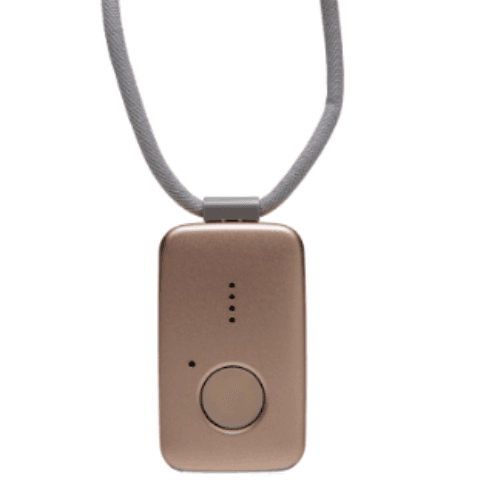
Medical Guardian devices come in a variety of styles, so users who want an on-the-go device can choose from the MGMini, which can be worn as a necklace or attached to a belt, the MGMini Lite, which is worn on the wrist with a single button to press in an emergency, or the MGMove, which is a smartwatch that earned a spot on our best medical alert watches list. The brand’s at-home devices also offer the option to wear the help button as a necklace or on the wrist.
Other things we like:
- Caregiver app: The MyGuardian Portal and app come with all of the brand’s devices, allowing users to connect with their Care Circle (contacts they add to the app), pay subscription fees, follow the device’s location history, if applicable, and more. We particularly like the Care Circle, which allows care partners to connect with each other and coordinate care in an emergency.
- GPS options: All of Medical Guardian’s on-the-go devices include GPS location tracking, so if you have an emergency requiring immediate help, they can find you, even if you can’t tell the care center where you are.
- Longest in-home range: The MG Home Cellular has the industry’s longest in-home range: 1,400 feet.
- Five days of battery: We appreciate Medical Guardian’s focus on providing devices with a long battery life. The MGMini Lite and the MG Move can be charged for the day in just a couple of hours. And the MGMini includes five days of battery life.
What could be better: Medical Guardian does have the highest starting cost on our list: the MGHome Landline costs $36.95 per month. That’s $12 more per month than the starting monthly cost for in-home devices from Bay Alarm Medical and MobileHelp ($24.95). While the monthly cost for Medical Guardian’s home devices is higher than other brands on this list, the monthly cost of Medical Guardian’s on-the-go devices are similar to other brands.
Other things we wish were better:
- Visual appeal: As one of our testers notes, the MGMini, Medical Guardian’s small device which can be worn as a necklace or clipped onto a belt or purse strap, is “more functional than fashionable,” and is not discreet.
- Hidden fees: Medical Guardian did lose points in our testing process for having hidden fees. While no equipment fees are mentioned as you choose the device and add features to the cart, when you go to checkout, all devices (except MG Classic) have equipment fees ranging from $149–$199. Check out our Alert1 medical alert review for an option with no equipment fees.
Medical Guardian's performance in our tests
We tested Medical Guardian’s entire range of products, including their at-home devices, the MGHome Landline and MGHome Cellular, and their on-the-go devices, the MGMove, MGMini, and the MGMini Lite. We evaluated each device according to 16 different criteria. Here’s what we learned.
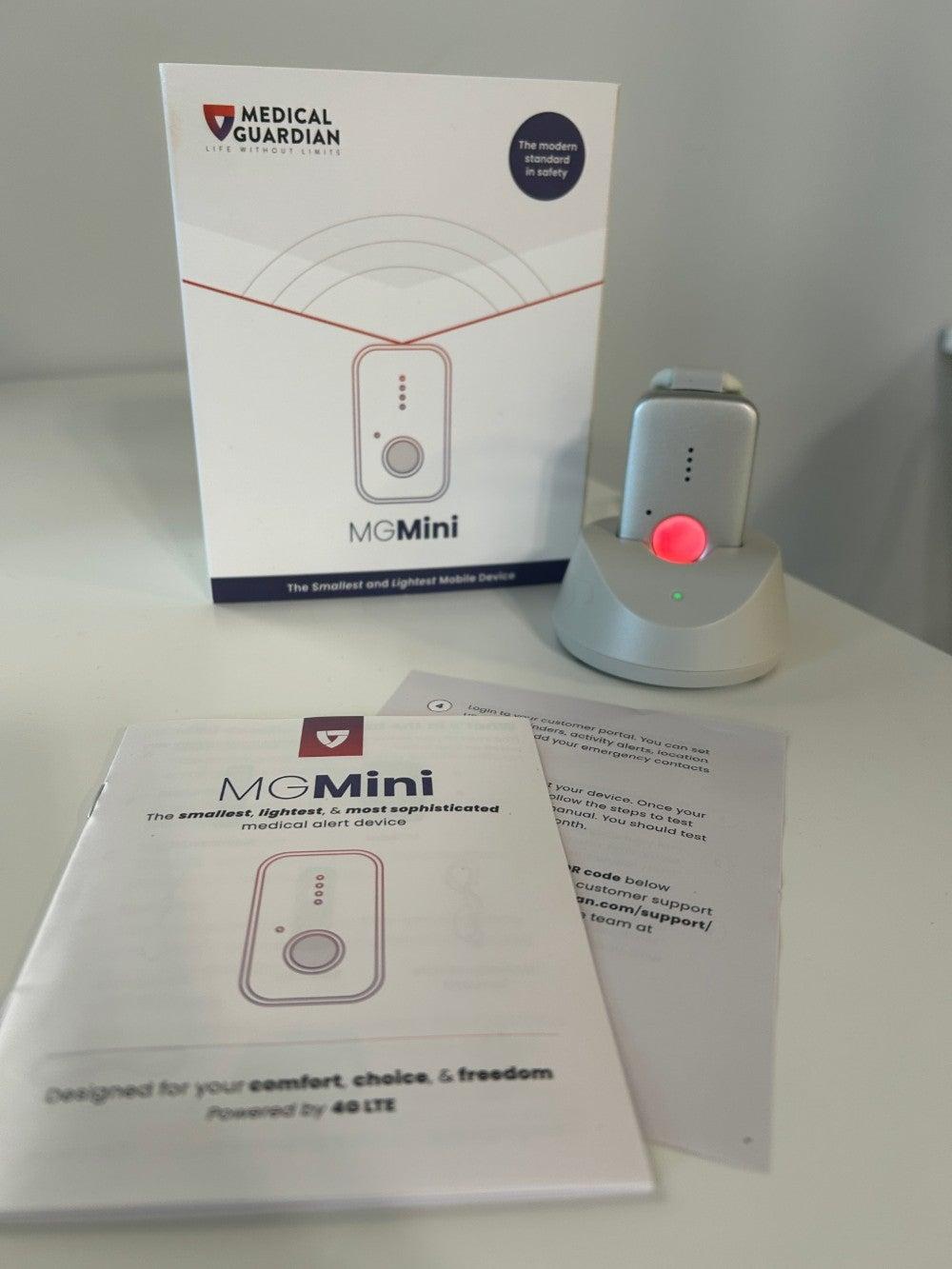
Unboxing and setting up the devices was easy, earning the brand a 5/5 in unboxing. While some brands package devices in a way that makes it difficult for those with hand dexterity issues, that wasn’t a problem with Medical Guardian’s devices. As one of our testers reported, “I had no issues taking everything out. The soft foam cushioning that the device and charging cradle were in was easily pulled out so I could get to the materials underneath.”
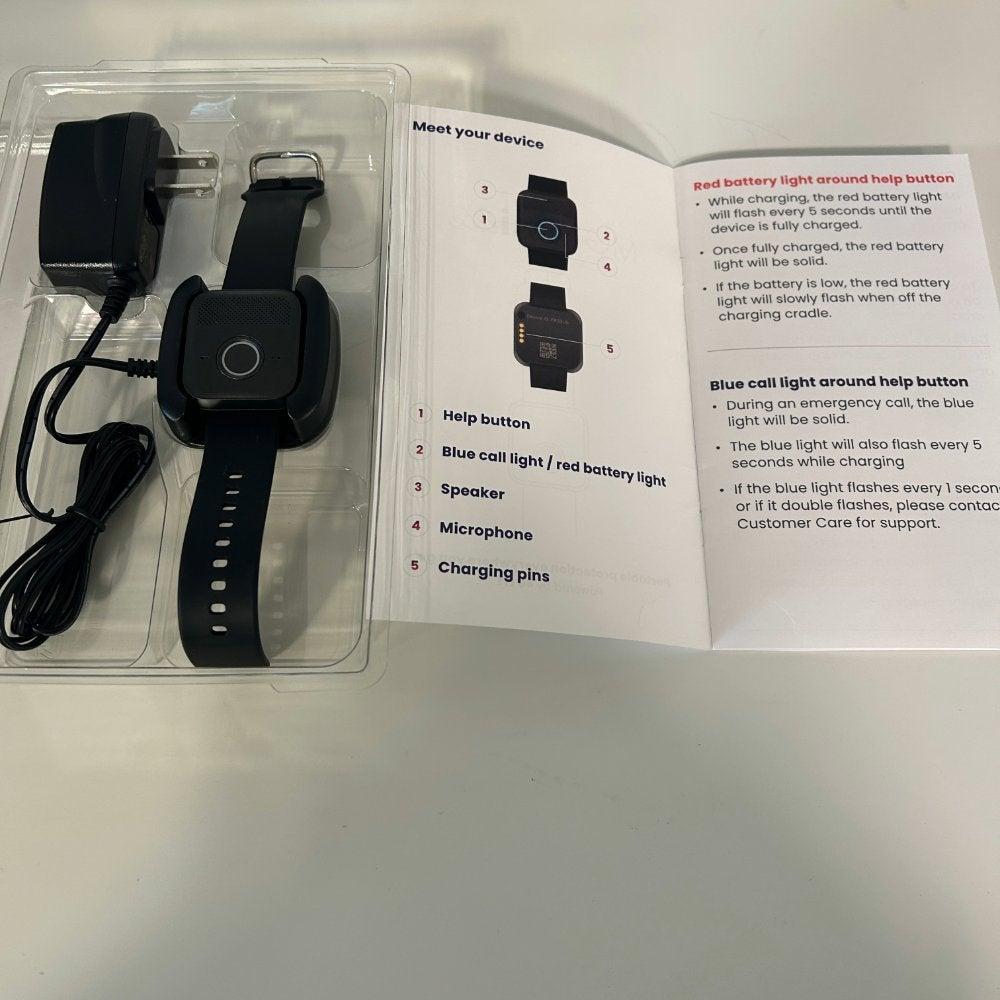
Once we got our Medical Guardian devices out of their boxes, it was time to set up our devices, which earned the brand another 5/5 in our testing. One of our testers noted, “I really like the manual’s pictures and clear labeling of where everything is for setting up and charging the device.”
One feature our testers liked was how quickly and easily devices connected to our WiFi network. We didn’t need to go through any special steps. The help button also narrates what’s going on when you push it. “I like that the help button walks you through what’s next,” said a tester. “It tells you it’s initiating the call, that the call is in progress, when it connects, and when you’re standing by for an operator.”
The MGMini and MGMini Lite have a simple design, each with one main help button. But they both ensure users know when they’re charging, and fully charged. The MGMini Lite lights up red and announces, “charging” when the device is in its cradle, while the MGMini blinks red if the battery is under 20%, and becomes a solid red when it’s charging, but more than 20%.
We also tested how long it took the monitoring center to connect, averaging around 29 seconds, which was very fast, considering Medical Guardian gives you a window of a few seconds to cancel the call in case you didn’t mean to press the button. Medical Guardian had the second-fastest average response time (behind LifeFone, with 22 seconds), but we consider any average response time under 60 seconds to have passed the test.
Overall, our testers were impressed with Medical Guardian’s devices, caregiver app, and long at-home range. We found the brand’s clear communication and responsiveness stood out among competitors, improving the user experience.
Comparing Medical Guardian models
| MGHome Landline | MGHome Cellular | MGMove | MGMini Lite | MGMini | |
| Monthly cost | $31.95 | $38.95 | $42.95 | $46.95 | $43.95 |
| Equipment fees | $149.95 | $149.95 | $199.95 | $149.95 | $149.95 |
| Device type | Home | Home | On-the-go | On-the-go | On-the-go |
| Max. battery life | N/A | N/A | 24 hours | 36 hours | 5 days |
| Standout feature | Lowest price | At-home cellular and Wi-Fi connection | Smartwatch with touch screen | Basic watch | Lightweight GPS device with long battery |
The Medical Guardian customer experience
- Warranty and trial period: Medical Guardian offers a limited warranty, and you can add a protection plan for $6.99 per month.
- Financing: Yes
- Customer service: If you need additional assistance, you can visit the Medical Guardian customer support page to chat with customer support. Help is also available by phone (800-313-1191) or email (MGCustomerCare@medicalguardian.com).
For more customer service information, see our Medical Guardian review.
Bay Alarm Medical: Best Customer Service
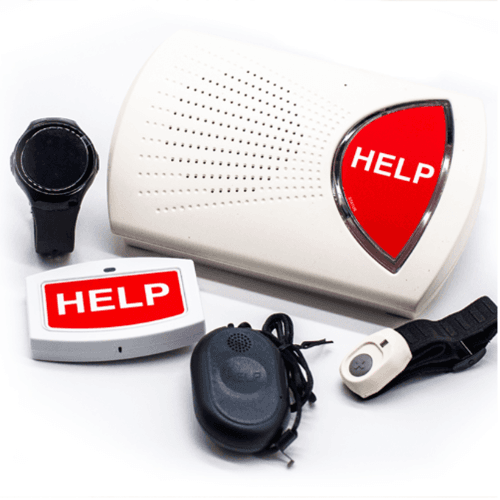
We chose Bay Alarm Medical as Best Customer Service because every experience we had with staff throughout our buying and testing process was excellent. Also, Bay Alarm Medical is one of only two companies on this list with customer service available seven days a week while offering three ways to contact their staff (phone, email, and chat). Plenty of availability and great interactions earned Bay Alarm Medical a customer service score of 10/10.
- Bay Alarm Medical Review
- One of the only brands offering a 15-day free trial
- Customer service available 7 days a week, with phone, chat, and email options
- Average response time: 51 seconds
- Max. in-home device range: 1,000 feet
- Max. battery life: 3 days
- Fall detection: Yes
- GPS tracking: Yes
Pros
- 15-day trial
- Well-designed app
- Free warranty
- Bella Charms (option to make the devices look like jewelry)
Cons
- No option to cancel a false alarm
- Shorter maximum battery life (3 days)
- Limited free shipping
Why our testers chose Bay Alarm Medical as the Best Customer Service for a Medical Alert System
What we like: Bay Alarm Medical sets itself apart through exceptional customer service. When our testers shopped the brand to get a feel for its sales tactics, we found the salesperson caring, funny, and very detailed in their responses. “I left the call really trusting him and believing he had my best interests in mind,” said a tester.
We also appreciate Bay Alarm Medical’s range of devices, including its SOS Home device, the SOS All-in-One 2 for use at home and on-the-go, the SOS Micro, a simplified wristband-style device, and its SOS Smartwatch.
Other things we liked:
- 15-day trial: Only two devices on our list offer a trial period, and while this one is a little short, it does give you enough time to test it out and ensure it meets your needs.
- Well-designed app: Bay Alarm’s app allows users and caregivers to manage the account, set up and maintain a safety plan, and track mobile devices.
- Free warranty: Bay Alarm Medical’s base device comes with a free warranty covering manufacturer defects and normal wear and tear.
- Bella Charms: Bay Alarm’s Bella Charms, which can be purchased for an additional fee, make the help buttons look like jewelry.
What could be better: The SOS All-in-One 2 isn’t very discreet: It blinks red regularly and has a clinical look. You can wear one of the external help buttons and dress them up with a Bella Charm, but you’ll still want the main device nearby, as that has the speaker you’ll use to talk to the monitoring center. This setup is a little clunky for the average user, despite the SOS All-in-One 2 being their best-selling device.
Other things we wish were better:
- Shorter battery life: Bay Alarm Medical has the second-shortest maximum battery life on this list (three days).
- Limited free shipping: Bay Alarm Medical only offers free shipping on devices when you sign up for the annual or quarterly plan. We’d like to see that offer extended to all plans.
- No option to cancel a false alarm: One key feature we’re always on the lookout for is being able to cancel a call to the help center if a user presses the button accidentally. Bay Alarm’s devices don’t offer call cancellation.
Bay Alarm Medical's performance in our tests
We tested Bay Alarm Medical’s range of devices to get a clear picture of the whole user experience. We were impressed with our initial sales call with their team. Bay Alarm operators went out of their way to put us at ease in a situation where we may feel vulnerable.
When we told a Bay Alarm sales representative that a parent had recently fallen, and we felt overwhelmed, they treated us with respect. Their tone was concerned, not condescending or pushy, and we liked that they asked a lot of questions about how our mom was doing and what their lifestyle was like.
When we received our devices, we carefully unpacked them, focusing on our first impressions of the devices, their packaging, and the user manual. Though our overall impression was good, one of our testers shared their pros and cons for the user manual: “I like how the user manual is clear and to the point, but it is very small, and I feel like there is some information missing that I would’ve liked, such as how long it takes to charge and how long the battery is expected to last after a full charge.”
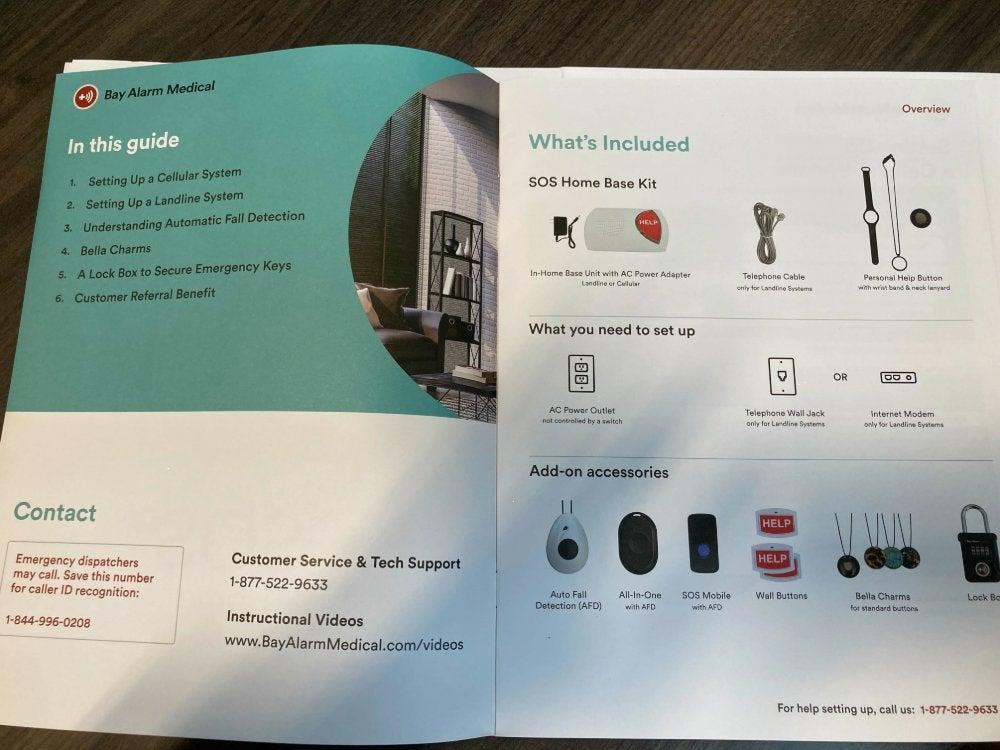
Despite some missing details in the manual, we found setting up Bay Alarm Medical devices to be an easy process, earning the brand a 5/5 for ease of setup. Our SOS Home Cellular device quickly and automatically connected to our network. One of our SOS All-in-One 2 testers explained, “It was easy to figure out what was included in the box and how to charge the device. The device arrives already activated so there is not really any set-up needed before use.”
You can’t cancel a call if you accidentally press the help button, so you’ll have to speak with one of the call center staff and tell them you’re OK and don’t need support. As one of our testers pointed out, “I could see this being a little bit annoying if it happened often, but you need to hold the button for three seconds [to get help], that probably deters false alarms.”
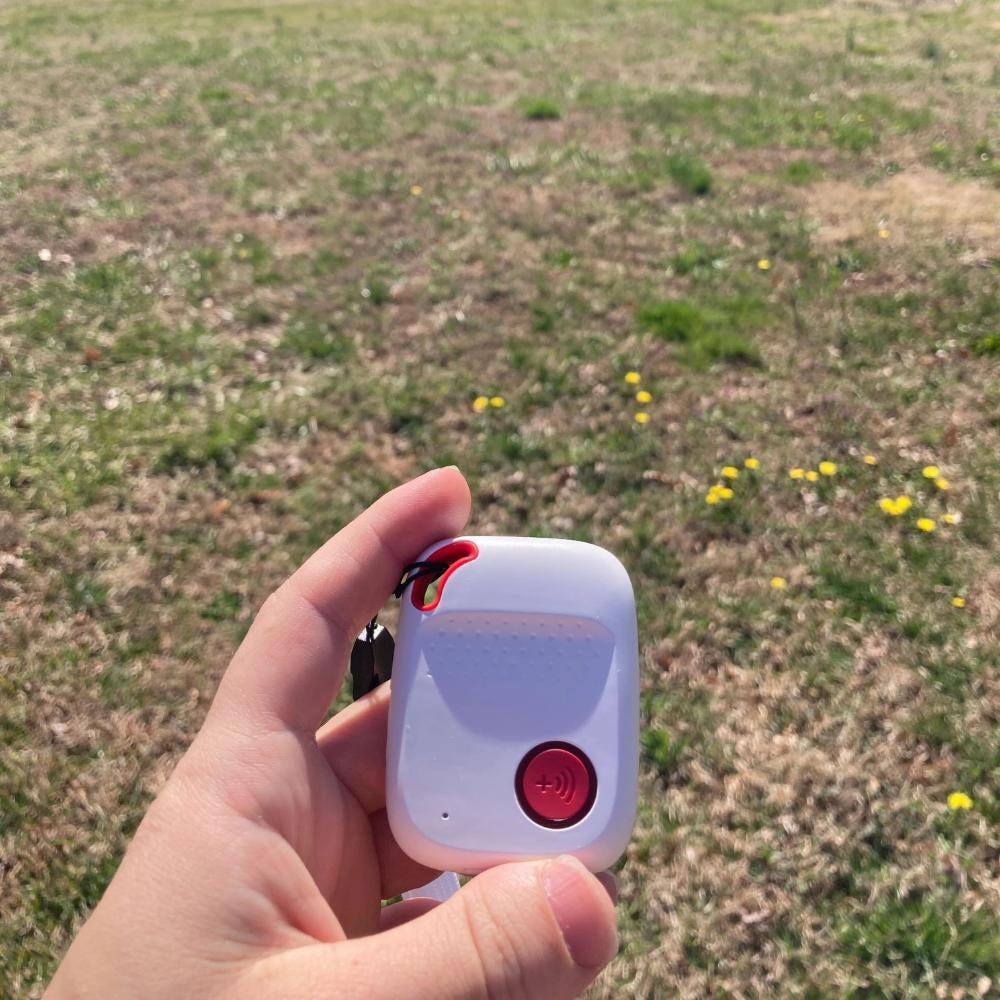
We did find the monitoring staff to be good sports about our repeated calls during testing. They said they were glad we weren’t having a real emergency and remained cheerful throughout all of our test calls. Across all devices, the brand earned a 5/5 for its stellar call center staff.
Comparing Bay Alarm Medical models
| SOS Home | SOS All-in-One 2 | SOS Micro | SOS Smartwatch | |
| Monthly cost | $27.95 | $34.95 | $34.95 | $39.95 |
| Equipment fees | $0 | $149 | $149 | $199 |
| Device type | At-home | GPS | GPS | GPS |
| Max. battery life (hours) | N/A | 72 | 36 | 8 |
| Standout feature | Affordable at-home device | Discreet GPS device | Discreet and basic watch | Smartwatch with touch screen |
The Bay Alarm Medical customer experience
- Warranty and trial period: Bay Alarm Medical doesn’t offer a free warranty, but you can buy a warranty for $2.95 to $4.95 per month. The trial period is 15 days.
- Financing: Yes
- Customer service: If you need additional assistance, you can visit the Bay Alarm Medical customer support page, call (877-522-9633), or email (cs@bayalarmmedical.com).
For more customer service information, see our Bay Alarm Medical review.
MobileHelp: Best Affordable
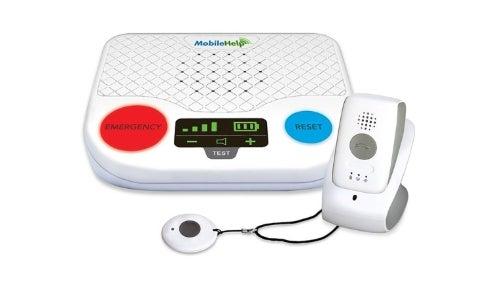
We chose MobileHelp as the Best Affordable medical alert system because of its low starting monthly prices ($25.95), no hidden fees, and comprehensive selection of devices. The brand’s budget-friendly pricing, regular deals, and lack of extra fees earned our highest affordability score of 9.4/10.
MobileHelp
Best AffordableNCOA exclusive deal:
Free month of service and savings of up to $230 with code: SAFE4FREE
NCOA exclusive deal:
Free month of service and savings of up to $230 with code: SAFE4FREE
- MobileHelp Review
- No equipment fees
- Low monthly costs
- Average response time: 49 seconds
- Max. in-home device range: 1,400 feet
- Max. battery life: 4 days
- Fall detection: Yes
- GPS tracking: Yes
Pros
- User and caregiver app
- Lifetime warranty
- Extra discounts for annual plan
Cons
- Bulkier devices and are not stylish or discreet
- Pricier fall detection
- No call cancelling once the button is pressed
Why our testers chose MobileHelp as the Best Affordable Medical Alert System
What we like: Most medical alert systems have some type of extra fees on top of the monthly monitoring subscription, so users can expect to pay a one-time extra payment of $100–$200 when they first sign up. Yet MobileHelp charges no extra fees (one of only two companies on this list to do so), so you can get started with their medical alert system for under $100. Plus, if you choose an annual plan, you’ll receive one month free, so you’ll only need to pay for 11 out of 12 months.
Other things we liked:
- User and caregiver app: MobileHelp Connect® is the brand’s online app, providing users and caregivers with emergency and non-emergency alerts, system status alerts, and location information.
- Lifetime warranty: We appreciate MobileHelp’s lifetime warranty—most brands offer more limited warranties.
- Extra discounts for annual plan: Those who choose to pay annually also receive a free lockbox and free shipping.
What could be better: MobileHelp’s Classic Cellular and Classic Landline devices have a lower range than most of the competition, a short 600 feet. For reference, Medical Guardian’s in-home range is more than double that, at 1,400 feet.
Other things we wish were better:
- Bulky devices: MobileHelp’s Solo mobile device is neither very stylish nor discreet. Our testers found it heavy, bulky, and they clearly stand out as a medical alert device. One tester said, “The heaviness on the chest and the fact that it is clearly an alarm device makes me feel a little self-conscious.” (MobileHelp recently replaced the Solo with a smaller mobile device, the Elite. We are currently testing the Elite, and will update here when our testing is complete.)
- Pricier fall detection: Fall detection through MobileHelp is an extra $11 a month, while the industry standard is $10 a month.
- No call canceling: Once the button is pressed, there is no way to cancel a call to the monitoring center.
MobileHelp's performance in our tests
We tested MobileHelp’s in-home and mobile devices, starting with opening the box. We appreciate MobileHelp’s simple packaging, and one tester noted the MobileHelp Solo’s user manual was very useful for understanding the device.
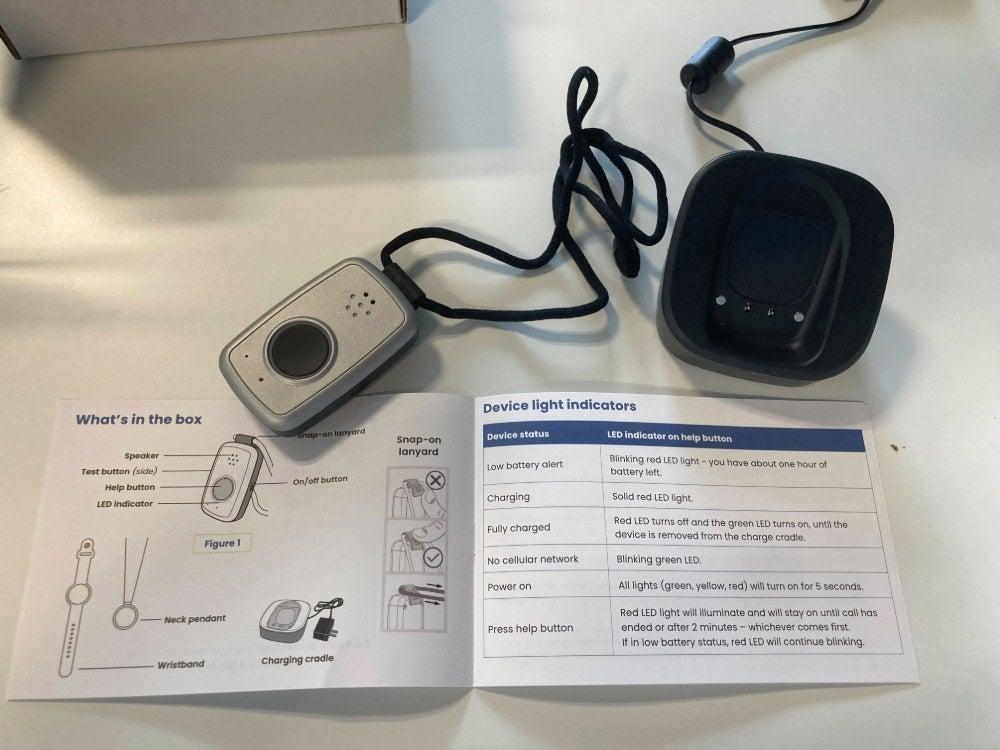
“The user manual has a helpful key of indicator colors to follow along with as you go through the setup process,” said a tester. “The system also audibly said ‘system ready’ when on the charger to give some indication that the device was working and charging. The instructions are on the smaller font size side, which might be hard to read for someone with vision impairment.” Overall, we scored MobileHelp's setup a 4/5.
Like Bay Alarm Medical, there’s no way to cancel a call if you’ve pressed your button accidentally. But when we did connect with the monitoring center, our testers found every person who answered the call to be polite, professional, and helpful.
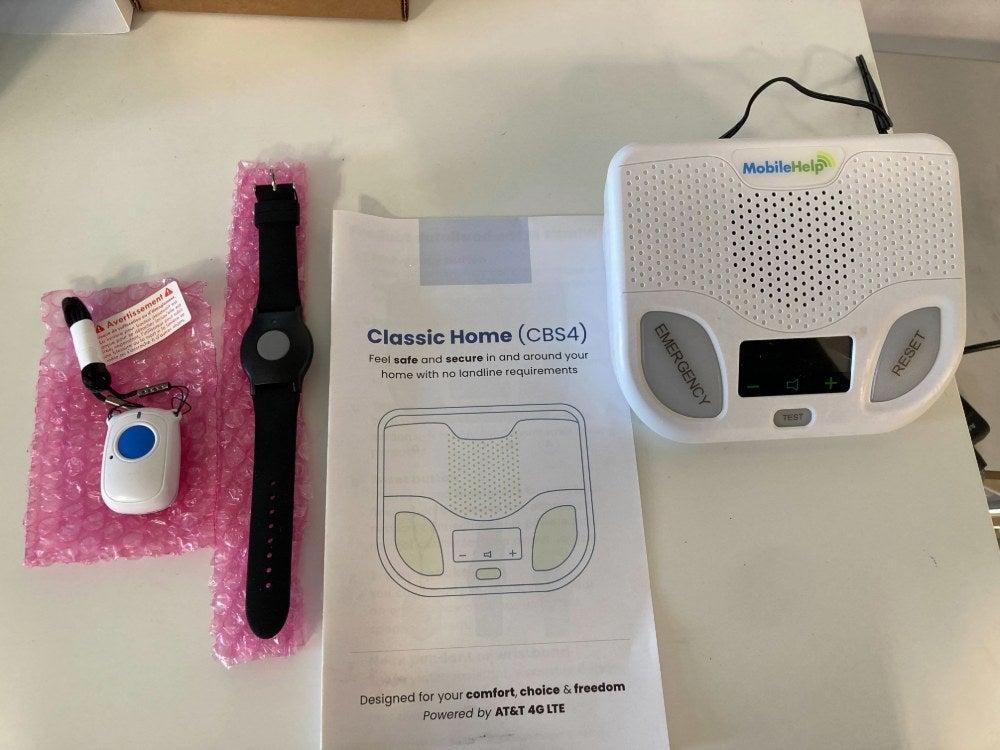
While the MobileHelp devices performed well in our tests, they consistently scored poorly in “wearability,” earning only a 3/5. The mobile devices are large, clunky, and heavy. None of our testers felt they would forget they were wearing the device, and the lanyard on the mobile devices cannot be adjusted for length.
Users who don’t mind a bulky mobile device could benefit from MobileHelp’s prompt response time, clear, affordable pricing, and longer battery life.
Comparing MobileHelp models
| Classic Cellular | Wired Home | Elite* | |
| Monthly cost | $25.95 | $25.95 | $41.95 |
| Equipment fees | $0 | $0 | $0 |
| Device type | At-home | At-home | GPS |
| Max. battery life | N/A | N/A | 24 hours |
| Standout feature | Uses cellular | Uses landline | GPS device that pairs with help button |
*The Elite is MobileHelp's new replacement for the Solo, the brand's previous mobile device. We are currently testing the Elite, and will update here once our testing is complete.
The MobileHelp customer experience
- Warranty and trial period: MobileHelp offers a 12-day trial. Its systems feature a limited lifetime warranty, and you can add a protection plan for $6.99 per month.
- Financing: Yes
- Customer service: If you need additional assistance, you can visit the MobileHelp contact page, or call (877-827-6207).
For more customer service information, see our MobileHelp review.
Medical Alert: Easiest Setup
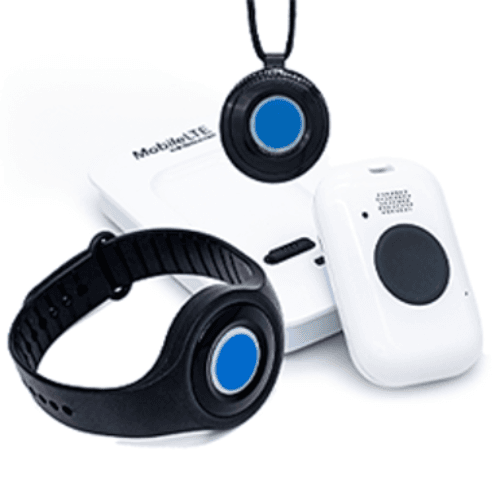
We chose Medical Alert as the Easiest Setup because our testers found Medical Alert very easy to use straight out of the box. All directions were laid out clearly with visual cues. Medical Alert got a perfect 5/5 score for unboxing and ease of setup.
- Medical Alert Review
- Testers praised clear, visual instructions and simple setup
- Verbally confirms charging, and vibrates when connecting to call center
- Average response time: 42 seconds
- Max. in-home device range: 800 feet
- Max. battery life: Two days
- Fall detection: Yes
- GPS tracking: Yes
Pros
- Free mobile app
- Verbal confirmation when charging
Cons
- Short battery Life
- Shorter device range
- No call cancelling on mobile devices
Why our testers chose Medical Alert as the Easiest Setup Medical Alert System
What we like: We think Medical Alert’s easy setup makes it a great option for those who are new to medical alert systems and want a simple device. Our testers unanimously found Medical Alert’s instructions straightforward and intuitive. One tester stated, “I liked the quick start guide. It's very easy to follow and has good pictures.”
The brand’s devices were also easy to handle and use. You can choose from a home device that connects via landline or cellular, a mobile device in either the standard size or mini, or a smartwatch.
What else we like:
- Free mobile app: Medical Alert’s devices come with a free mobile app available for multiple users, connecting caregivers with the device user. The helpful app uses GPS to pinpoint your location if you have a mobile device, lets you manage your account, and offers subscribers and emergency contacts real-time notifications when you call the response center.
- Verbal confirmation: One key feature of the Medical Alert Mobile device is an announcement when it’s placed correctly in the charger. This small reassurance was a big help, so we didn’t have to double-check with the user manual to see if we should be looking for a specific light or other signal.
What could be better: We really wish Medical Alert didn’t charge programming or activation fees, which are typically $99.95, unless you choose the Smartwatch, which costs $159. The brand does allow you to cancel your subscription at any time. But to complete your cancellation, you need to mail the equipment back, so this extra $100 fee isn’t refundable.
Other things we wish were better:
- Short battery life: Medical Alert has the shortest maximum battery life on this list at two days.
- In-home device range: The in-home Medical Alert devices top out at an 800-foot range, which is better than MobileHelp, but still not as far as Bay Alarm or Medical Guardian.
- No call canceling on mobile devices: This issue continuously pops up when we’re testing, and we consider it a notable concern. We could cancel a call on the Smartwatch easily, though.
Medical Alert's performance in our tests
We engage with all aspects of the buyer’s journey to test medical alert systems, and we were impressed with the team at Medical Alert’s customer service when we called to discuss device features. The person we spoke with was kind and thoroughly answered our questions. He also offered to cut the programming fees in half. Our testers scored Medical Alert's customer service a 9.7/10.
When we received our devices, we liked the easy setup, which earned a 5/5. As one of our testers for the in-home device noted, “It's very clear what part is the base station, and that needs to be plugged in. Then the guide shows what you need as far as the on/off switch. It includes a separate flyer for the fall detection device.”
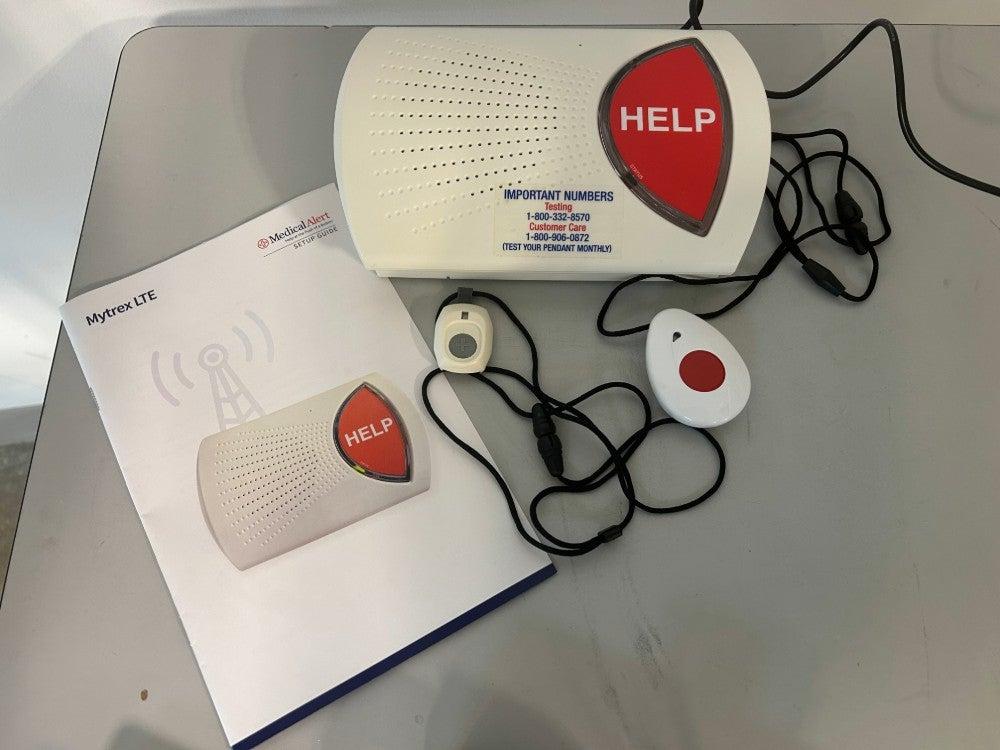
And no matter which device they were testing, all of our testers noted the great audio quality, which earned another 5/5. The products themselves weren’t exactly fashionable. “It’s bulky,” said a tester. “I don’t find it particularly sleek or discreet, though it is lightweight.” Another tester took a picture of the Smartwatch in comparison to their AppleWatch to show the difference in size and bulk.
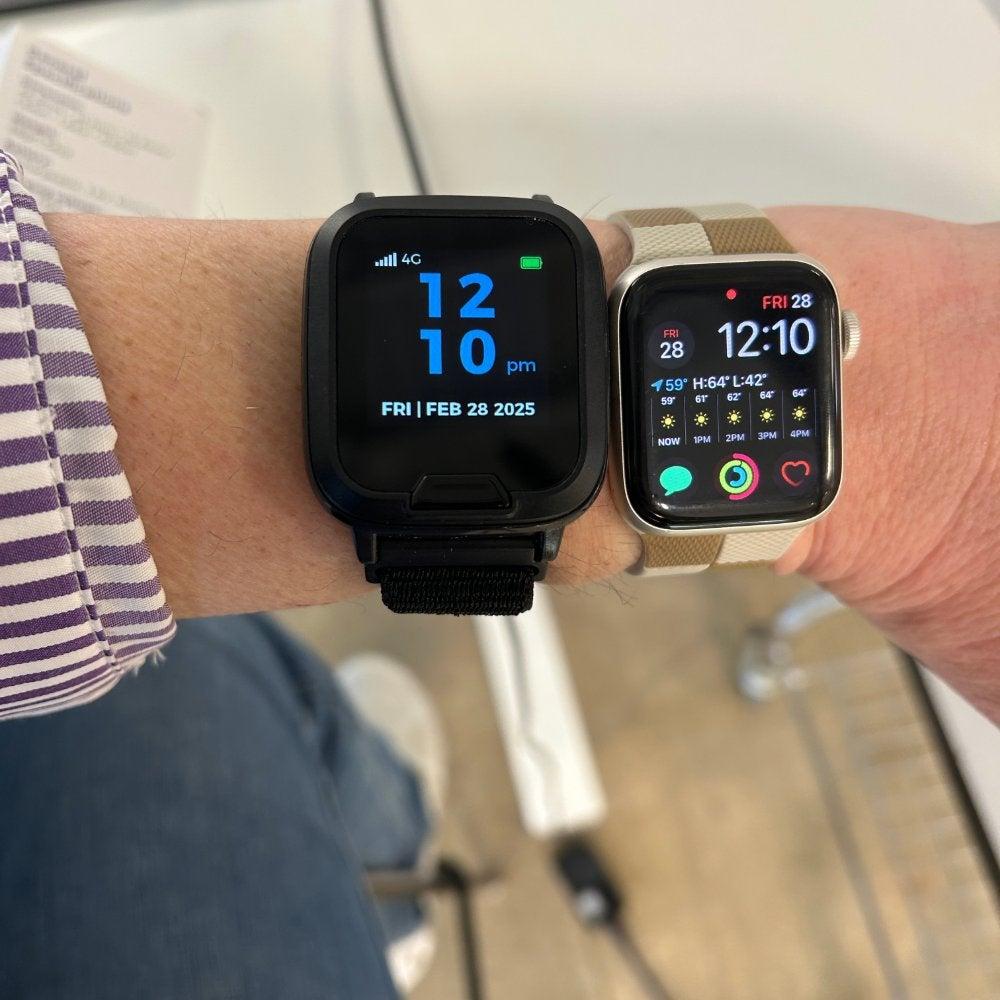
Medical Alert’s monitoring center responded promptly and remained pleasant throughout our testing calls. All of the monitoring staff are EMT/EMD Certified and trained in medical dispatching.
We liked that the SmartWatch and Mobile devices vibrated while connecting to monitoring staff, so even if you couldn’t visually see or hear that a call was in progress, you could feel it. We appreciate these thoughtful features that make it easier to use and set up the devices.
Comparing Medical Alert models
| Home Landline | Home Cellular | Mobile Standard | Mobile Mini | Smartwatch | |
| Monthly cost | $27.95 | $37.95 | $42.95 | $47.95 | $39.95 |
| Programming fee | $99.95 | $99.95 | $99.95 | $99.95 | $159 |
| Device type | At-home | At-home | GPS | GPS | GPS |
| Max. battery life | N/A | N/A | 72 hours | 48 hours | 48 hours |
| Standout feature | Simple at-home landline system | At-home that uses cellular | Cheaper GPS device | Smallest device | Heart rate monitor and health tracking |
The Medical Alert customer experience
- Warranty: No warranty
- Customer service: If you need additional assistance, you can visit the Medical Alert customer service page, call (800-906-0872), or use the website's chatbot.
For more customer service information, see our Medical Alert review.
LifeStation: Best for Insurance Discounts
We named LifeStation as our Best for Insurance Discounts, as the brand offers users up to 30% off with insurance. We also love it for those who care about a LifeStation user. It offers its easy location tracking. If a care partner is worried about someone with a LifeStation device, they can simply text LifeStation and receive a location update.
LifeStation
Best for Insurance DiscountsInsured?
Call now for up to nearly 30% off monitoring with exclusive insurance discounts
Insured?
Call now for up to nearly 30% off monitoring with exclusive insurance discounts
- LifeStation Review
- Devices connect with Amazon Alexa for convenient location updates
- Save on all insurance plans
- Mobile devices feature call-canceling for accidental button presses
- Average response time: 27 seconds
- Max. in-home device range: 1,300 feet
- Max. battery life: Five days
- Fall detection: Yes
- GPS tracking: Yes
Pros
- Pairs with Amazon Alexa
- GPS-enabled location tracking on mobile devices
- Easy to set up and use
- Long battery life
Cons
- No mobile app
- One of the most expensive options
- Unclear plans listed on website
Why our testers chose LifeStation as the Best Medical Alert System for Insurance Discounts
What we like: Our testers found LifeStation easy to set up and start using. The instructions were easy to follow, and all of the devices, which include one home device and three on-the-go options, were ready to use immediately. But what really stood out to our team was LifeStation’s easy location-tracking options. If a care partner wants to check in on a LifeStation user’s location, they just need to send a text to receive a real-time location update. If a phone isn’t handy, you can ask an Amazon Alexa paired with the LifeStation device. These features can offer peace of mind for LifeStation users and those who care for them, ensuring you can always check in.
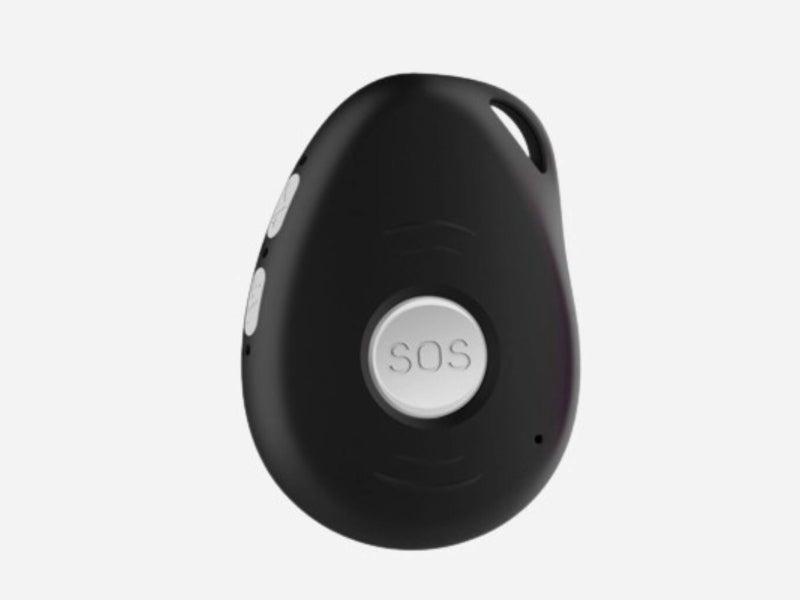
LifeStation’s Sidekick Home uses a cellular connection to keep users covered within 1,300 feet of the base station. The brand’s mobile devices include the Sidekick and the Pearl, both designed to be worn as necklaces, as well as the Sidekick Smart Watch.
Other things we like:
- Insurance discounts: LifeStation offers up to 30% off its monitoring fees for insured customers.
- Accurate location tracking: LifeStation has its own unique algorithm for location tracking, which uses GPS and WiFi for more accurate results.
- No contracts: LifeStation does not require a contract for any of its devices. Users can cancel their service with the medical alert company at any time.
- One monitoring fee: Households where more than one member could benefit from a medical alert system only need to pay one monitoring fee. An extra help button costs only $3.99 a month.
- Fast response time: LifeStation had the second-fastest response time among the medical alert systems we tested. Only LifeFone was faster.
What could be better: We found cost to be the biggest drawback of LifeStation. While the Sidekick Home’s starting monthly fee is the same as Medical Guardian’s ($36.99/month), you’ll also need to pay $12.50 in shipping. Users will also need to purchase LifeStation’s protection plan for an extra $8/month in order to add fall detection, which costs another $8/month. So the final cost of the At Home plan with fall detection is $52.95/month. Since you’re not required to add the protection plan to Medical Guardian in order to get fall detection, its cost is $48.95/month.
Other things we wish were better:
- No LifeStation app: While LifeStation does make it easy for care partners to check in through text and Amazon’s Alexa, it doesn’t have its own designated app. While there is a solid workaround, some users may find this a drawback.
- No home landline system: LifeStation only offers its Sidekick Home with a cellular connection. Those who have limited cellular coverage don’t have a landline option.
- Unclear plans: LifeStation breaks out its plans into Standard, Select, and Supreme. Yet there’s no mention of the different options until you’ve already clicked “buy now.”
LifeStation's performance in our tests
Our testers were impressed by how easily they set up the LifeStation devices, earning the brand a 4.5/5 for setup. They had no problems getting the brand’s products up and running. “Set up was as easy as unboxing and putting the watch on the wrist. There was nothing else required to get the device up and running,” one tester said of the Sidekick Smart Watch. A different tester said setting up the Sidekick was “easy peasy!”
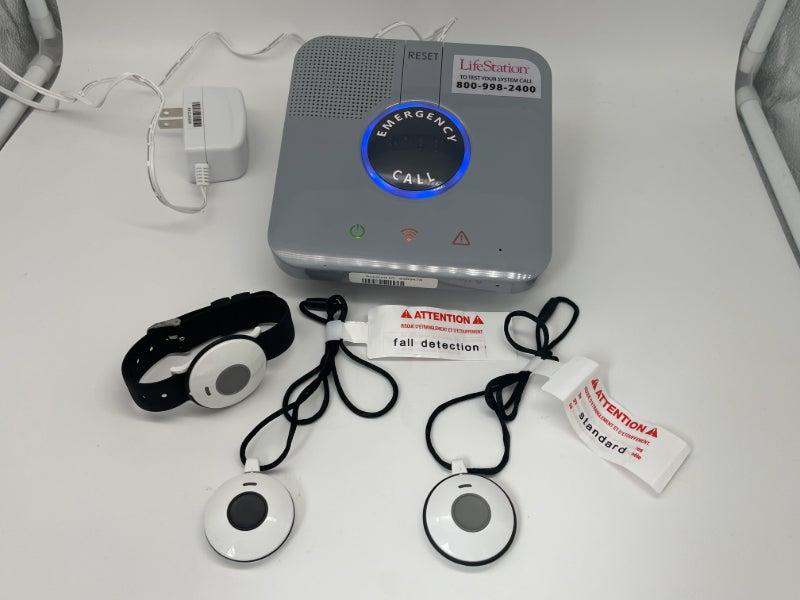
We loved that the Sidekick has a separate testing button. Our testers have tried a lot of medical alert systems, and any feature that encourages testing the devices is a definite benefit. We’ve heard from a lot of medical alert users who are reluctant to “bother anyone” with a false alarm or test. The Sidekick’s separate testing button quiets those concerns. “They recommend you test your device once a month, so they made it very easy to do,” one of our testers said.
Another LifeStation feature our testers like is the ability to cancel a call. All of the brand’s on-the-go devices allow for call cancellations. This is another feature that can ease concerns around accidentally pressing the device's buttons.
Our testers also raved about LifeStation’s mobile devices for their simple design and ease of use. “I really love how intuitive and simple this device is," one of our testers said about the LifeStation Pearl, scoring it a 5/5 for wearability. "I tested it and exclaimed, 'How does this little device work like a cell phone?' I think if you are worried about getting assistance for falling or having a medical emergency, this is a no-brainer. It's easy to use, affordable, and great for peace of mind.”
Comparing LifeStation models
| Sidekick Home | Sidekick | Sidekick Smart | Pearl | |
| Starting monthly cost | $36.95 | $40.95 | $48.95 | $50.95 |
| Programming fee | None | $99.95 | $99.95 | $99.95 |
| Device type | At-home | GPS | GPS | GPS |
| Max. battery life | N/A | 5 days | 1 day | 3 days |
| Standout feature | At-home cellular system | Mobile device with the longest battery life | Discreet, Smart Watch design | Lightest and smallest option |
The LifeStation customer experience
- Warranty: No warranty
- Trial period: 30-day risk-free trial for all devices.
- Customer service: If you need additional assistance, you can visit the LifeStation customer service page or call (800-998-2400).
For more customer service information, see our LifeStation review.
LifeFone: Longest Battery Life
LifeFone earned our ranking for Longest Battery Life because it has far and away the longest battery life of any device we’ve tested. At 10 full days for the At-Home and On-the-Go VIPx, LifeFone’s devices have double the next-longest battery life on the list. It’s a feature that contributed to LifeFone’s 9.4/10 score in our testing.
- LifeFone Review
- Mobile device battery life of up to 10 days
- Adding fall detection only costs an additional $5/month
- Average response time: 22 seconds
- Max. in-home device range: 1,300 feet
- Max. battery life: 10 days
- Fall detection: Yes
- GPS tracking: Yes
Pros
- Inexpensive fall detection
- Additional services such as a daily check in call for an extra cost
- 30-day money back guarantee
Cons
- Caregiver app costs extra
- Limited warranty: the lifetime warranty only covers manufacturing defects, for wear and tear you need to add a protection plan
Why our testers chose LifeFone as the Longest Battery Life Medical Alert System
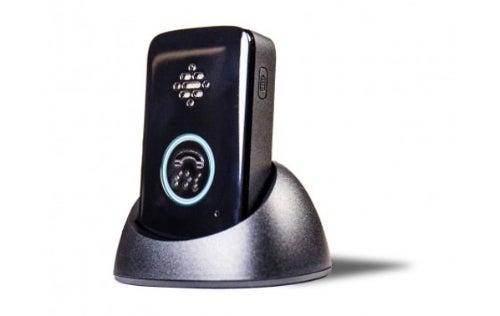
What we like: LifeFone devices include a lot of technology features we appreciate, but we found the biggest benefit of the brand is the extended battery life. LifeFone’s At-Home and On-the-Go VIPx devices have an impressive 10-day battery life. The batteries of the VIP Flex watch and VIP Active can last five days between charges. Even LifeFone’s Safe Watch Active includes a solid 24-hour battery life.
We also appreciate LifeFone’s range of devices. Those seeking a mobile device can choose from two necklace-style options, the VIPx or the VIP Active, or from two different wristband-style options, the simpler VIP Flex or the Safe Watch Active.
What else we like:
- Inexpensive fall detection: The industry standard pricing for fall detection monitoring is $10–$12 a month, but LifeFone offers its fall detection for only $5/monthly, no special sale or discount required.
- Additional services: LifeFone offers more than just medical alert systems and monitoring. Users can add a daily check-in call at a preselected time of day, which you can customize with any reminders you like. It costs an additional $19/month. And you can add LifeFone’s Activity Assurance to your home device for an extra $6/month.
- 30-day money-back guarantee: LifeFone lets users return their devices for a full refund within 30 days. And you can cancel your subscription and return your LifeFone devices anytime and receive a prorated refund.
Other things we wish were better:
- Caregiver app costs extra: LifeFone offers a helpful caregiver app to use with the VIPx device. The app lets caregivers view the device’s current location, track steps and the first motion of the day, and even be alerted when a user leaves geographical boundaries. But the app costs an extra $8 a month. Other devices we tested came with an app included.
- Limited warranty: While we appreciate LifeFone’s lifetime warranty, it only covers manufacturing defects. To get coverage for issues like normal wear and tear, you’ll need to add their protection plan at an extra $5/month.
LifeFone's performance in our tests
We found setting up, charging, and connecting to the network easy with all LifeFone devices. “The directions in the packet are very clear and explain how to set up the system with images included,” said a tester.
Our testers appreciated the user manuals clearly explaining the testing process so they knew exactly what to do, and the audio on their devices was “loud, clear, and easy to understand.” Again, there is no call cancellation feature on these devices.
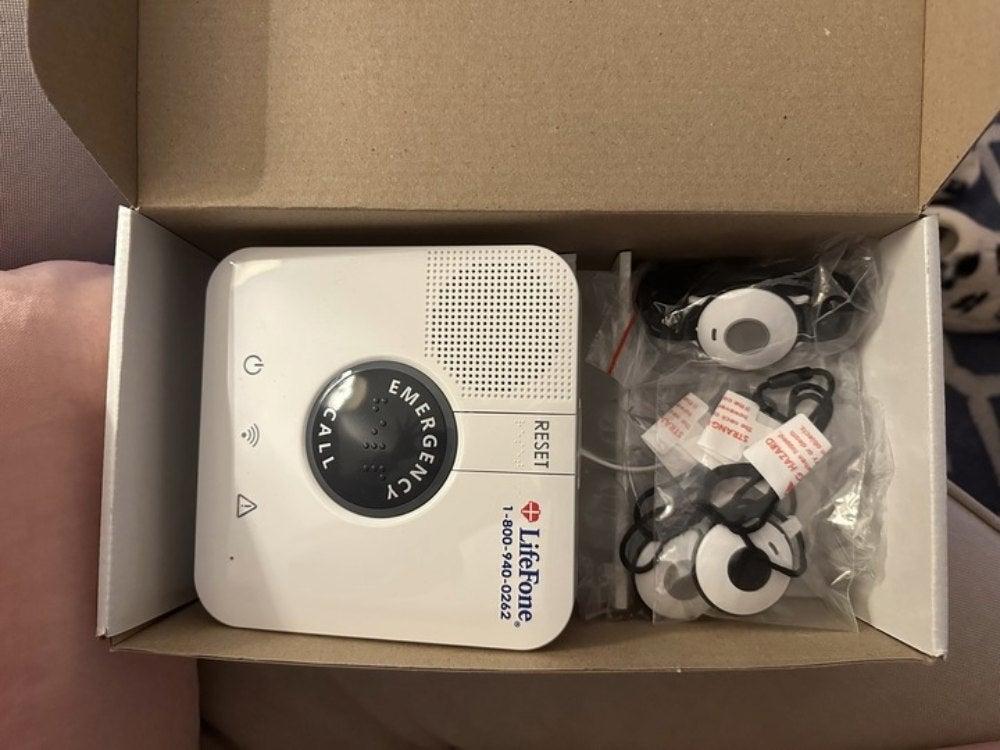
Our testers felt the wearable options for LifeFone devices were comfortable, and they loved that the original bands offered with the home device could be swapped for your own, allowing for more customization. One of our VIPx testers commented they could swap out the device’s lanyard for a belt clip, which was easy, even with dexterity issues. The brand also offers a “vanity pendant” for use with at-home devices, but it costs an extra $49.95 and doesn’t include fall detection.
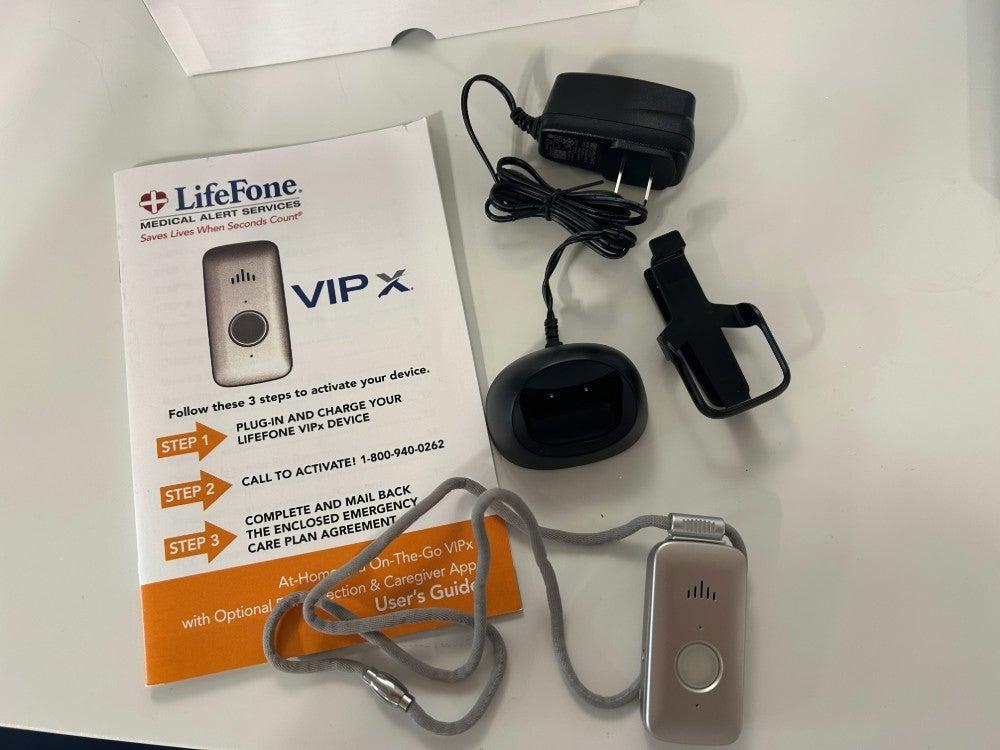
We were impressed with the speed at which LifeFone’s monitoring center answered our calls, averaging about 22 seconds. That was the fastest average response time of every brand we tested. Our testers consistently reported the monitoring center staff to be polite, appropriately concerned, and helpful.
You can learn more in our LifeFone review.
Comparing LifeFone models
| At-Home Landline | At-Home Cellular | At-Home and On-the-go VIPX | At-Home & On-the-Go VIP Active | At-Home & On-the-Go VIP Flex | At-Home & On-the-Go Safe Watch Active | |
| Monthly cost | $29.95 | $34.95 | $43.95 | $41.95 | $43.95 | $47.95 |
| Equipment fees | $0 | $0 | $0 | $0 | $0 | $0 |
| Device type | At-home | At-home | At-home and GPS | At-home and GPS | At-home and GPS | At-home and GPS |
| Max. battery life | N/A | N/A | 10 days | 5 days | 5 days | 1 day |
| Standout feature | Uses landline | Uses cellular | At-home and GPS device with extra long battery life | At-home and GPS device at a lower cost | Simple watch | Smartwatch with touch screen |
The LifeFone customer experience
- Warranty and trial period: A lifetime warranty covers manufacturer defects. An extra warranty is available for $5 per month. Lifefone offers a 30-day trial.
- Financing: Yes
- Customer service: If you need additional assistance, you can visit the LifeFone customer service page, call (877-330-3658), or email (service@lifefone.com).
For more customer service information, see our LifeFone review.
Other brands to consider
When evaluating medical alert systems, we research, mystery shop, and test many devices, but not all of them make it onto our list of the best. Here are some of the brands that didn’t make the cut, and why.
Medical Care Alert
Medical Care Alert has a range of products, including a home device, a smart watch, and a mobile GPS device. The brand’s prices are competitive, with the home device starting at $29.95 a month, and the smartwatch and GPS device starting at $39.95 a month. Only the Smart Watch has an equipment fee, costing $149.95. The brand performed well in our tests. Its response times were fast, and it was easy to pair the devices with the base unit. Our biggest concern with the Medical Care Alert was the lack of a paper user manual. Instead, there is a one-minute video on setting up the device. Set up videos for each device, and further information is all available on the website. While the videos are helpful and easy to understand, a manual would be more useful for those needing step-by-step directions.
Learn more in our Medical Care Alert review.
Lifeline
Lifeline, formerly Philips Lifeline, was purchased by Connect America in July of 2021.2 Connect America is the same brand that owns Medical Alert. Both brands are reputable, with similar offerings and prices. If Medical Alert or Lifeline offers a device and package you want, we recommend checking both brands’ sites, as they often run sales at different times.
Aloe Care Health
Aloe Care Health’s medical alert system is designed for those seeking more comprehensive coverage. Unlike traditional medical alert systems, Aloe Care works via a button or voice activation. It also includes home temperature and air quality monitoring, motion sensors, and notifications of unusual activity, a secure app where caregiver teams can collaborate, and other features designed to provide users and caregivers with peace of mind.
Since Aloe Care Health offers services and features most traditional medical alert systems for seniors don’t, it doesn’t compare equally to those devices. Some of the key differences of Aloe Care Health include:
- High equipment fees: Depending on the plan you choose, they can cost $200–$350.
- Short device range: The care button only works within a 200-foot range from Smart Hub.
GetSafe
GetSafe is another medical alert system that works differently from traditional options. Instead of the base unit and wearable device most traditional systems use, GetSafe users place standard or voice-activated wall buttons around their house. This option may be a good fit for those reluctant to use or wear a medical alert device or who may forget to wear it. Users who don’t mind a wearable device can purchase one that works with this system for an extra $25.
Some of the key differences found with GetSafe include:
- Higher equipment fees: GetSafe equipment fees are based on the size of the area requiring coverage, and range from $79 for a 0–1 bedroom home, to $307 for a 4–5 bedroom home.
- No mobile system: GetSafe only offers in-home coverage, no mobile devices are available
- No landline option: All of GetSafe systems include AT&T 4G LTE cellular coverage.
You can learn more in our GetSafe review.
Why we don’t recommend Life Alert
Life Alert is the most well-known medical alert system on the market, but we don’t recommend it for a number of reasons.
Life Alert’s plans and installation fees are more expensive than all of the medical alert devices on this list. Its at-home Micro Voice Pendant System, which includes a home base device and a waterproof necklace with a help button, costs $69 a month. The next most expensive at-home device is Medical Guardian’s MGHome Landline, which costs $36.95 a month. Life Alert also requires you to sign a three-year contract—no medical alert system should force you to sign a multi-year contract. Every medical alert brand we recommend lets you purchase your service on a month-to-month basis (you can pay in advance for a discount).
The brand also doesn’t post its prices online, so you need to call to get pricing information. Once you’re on the phone, you’ll be met with pushy salespeople who will do anything to get you to sign a contract—even making claims that we researched and found to be false.
Life Alert also doesn’t offer any fall detection. In our February 2025 survey of people who recently bought a medical alert system, automatic fall detection was the most popular special feature buyers wanted.1
If you’ve read this and still want a Life Alert device, you’ll need to pick up the phone, because you can’t buy their products online.
There are several medical alert system brands we feel provide much better services than Life Alert for less money, without a long-term commitment and with better safety features.
Life Alert Costs
| Micro Voice Pendant System | Micro Voice Pendant Button and Help Button* | Micro Voice Pendant Button, Help Button, and On-the-Go + GPS | |
| Monthly fee | $69 | $89 | $109.85 |
| Activation fee | $248 | No additional fees** | No additional fees** |
| Device type | At-home | At-home | At-home |
| Location tracking | No | No | Yes |
*This package can include the at-home system and wall button or the at-home system and on-the-go system.
**The Help Button and the On-the-Go + GPS device cannot be purchased without the Micro Voice Pendant System.
What is a medical alert system?
A medical alert system connects a user to a monitoring center by simply pressing a button. It allows users to receive necessary help in an emergency quickly. There are two main types of medical alert systems. In-home systems have a base station and a wearable help button to connect users with monitoring while at home. Mobile, or on-the-go systems, use GPS to provide emergency support to users anywhere with cell service.
I fell backwards off the cement slab of my new carport and hit my head hard. Almost instantly, I got a response to ask if I was o.k. or needed help.”
—NCOA Medical Alert Systems Survey respondent
How do medical alert systems work?
Depending on your device, you can activate a medical alert system through a wearable button, fall detection sensors, or voice commands. When activated, a medical alert system connects you to a 24/7 monitoring center staffed by trained professionals. They then connect you with emergency services if you need help.
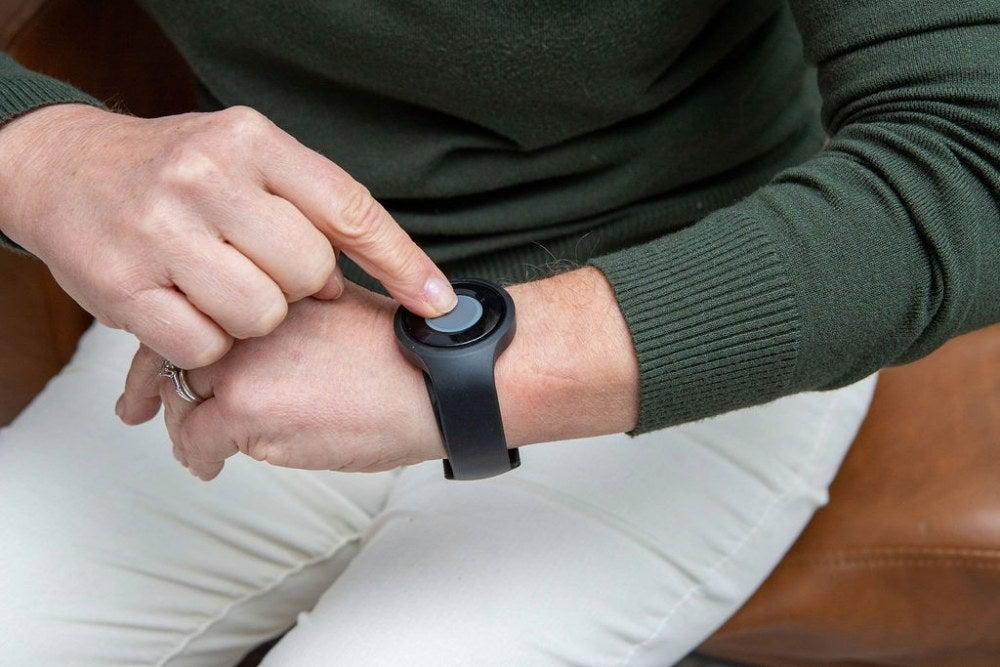
The monitoring center staff speaks with you directly through your wearable device or home base station. Depending on the situation, staff will decide if they should connect with your assigned contacts or emergency services. They’ll remain connected to you until help arrives.
If you accidentally trigger the system, you can tell the staff it was an accident. If you activate the system and cannot respond, the staff will send emergency services.
When I was camping, I accidentally pressed the button. I received a call, which I greatly appreciated even though I wasn't having an emergency. Just knowing someone was there if I needed it was greatly reassuring.”
—NCOA Medical Alert Systems Survey respondent
Some medical alert services use landlines, while others may use Wi-Fi or cellular networks. Mobile "on-the-go" systems use cellular networks, allowing users to contact monitoring centers from anywhere with available cellular coverage. Research shows medical alert technologies can increase independence while providing reliable emergency response services for older adults.3 Here's more about how to talk about medical alert systems for seniors and know when it's time for one.
How to choose a medical alert system
All medical alert systems have the same goal: to get help to the user quickly in an emergency. But not all medical alert systems are the same. Some are installed in the home, while others are meant to be worn on the body as a pendant or bracelet and go with you wherever you go. Monitored medical alert systems offer 24/7 monitoring from a professionally staffed call center, while unmonitored systems only connect you to 911.
Learn about the different types of life alert systems, and find out which features are most important for your specific needs.
Monitored vs. unmonitored medical alert systems
A monitored medical alert system connects users with a professionally staffed monitoring center, which assists 24/7. When you connect with a monitoring center, the operator will talk with you to understand your emergency and make sure you receive the help you need. In some cases, that’s a wellness check from a neighbor, and in others, you may need emergency medical care.
Unmonitored systems automatically contact 911 and/or a designated care partner when you press the help button. They may connect the user with the person answering the call at 911 or play a recorded message to the emergency dispatcher stating there is a medical emergency at the address where the device is registered.
While using an unmonitored system is better than nothing, we recommend users choose a monitored system. Unmonitored systems do not require a subscription fee, but they can only be used at home and don't offer fall detection.
Home vs. mobile medical alert systems
Most medical alert system brands offer devices designed for use at home and mobile devices meant to be taken on the go.
In-home medical alert systems usually include a base unit that plugs into the wall and a help button you wear at all times. The base unit may connect to the monitoring center via landline or cellular network and has a backup battery in case of a power outage. The wearable button needs to be within a designated distance from the base station to work properly. This is the device’s range.
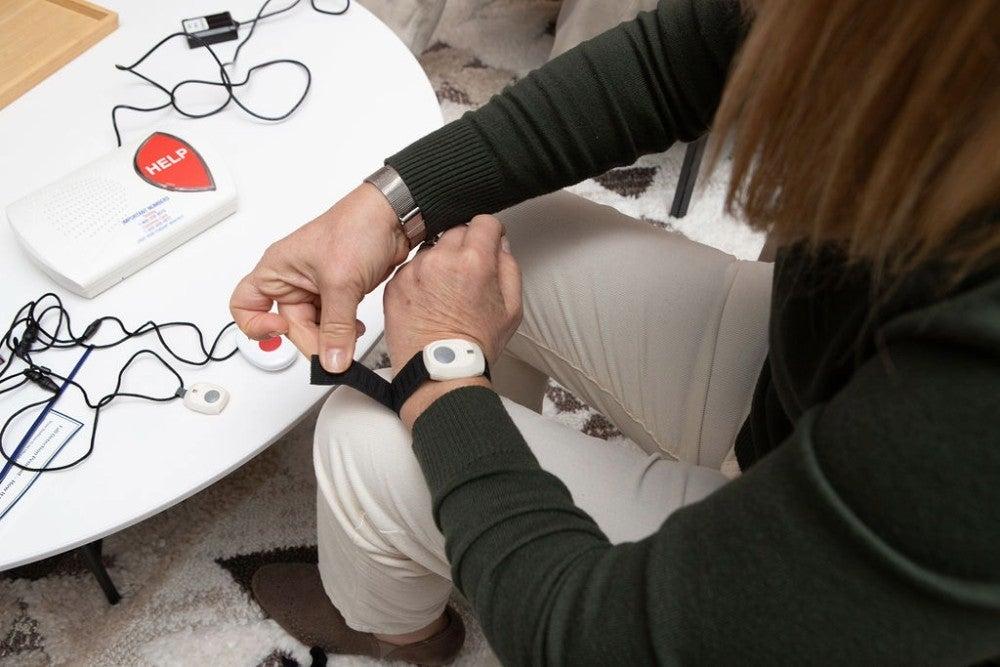
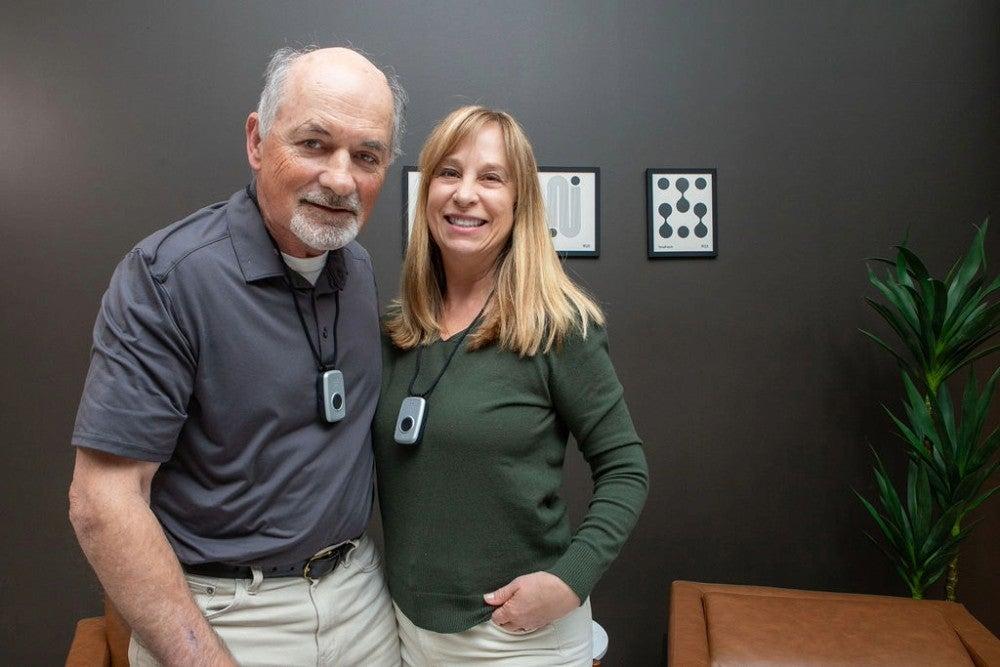
Mobile, or on-the-go systems, will work wherever you are as long as there’s cellphone reception—at home, the grocery store, in your car, or even on a trip. These are small devices you can wear as a necklace or wristband or carry in your pocket or purse. Check out our Lively medical alert system review for another necklace option. Most mobile life alert systems have GPS tracking so the monitoring center can send emergency services to you no matter where you are.

Tips for buying a medical alert system
The most basic feature of every personal emergency response system is the help button, which is on each base unit and on-the-go device.
More advanced systems also come with extra features, including:
- Temperature and air quality monitors
- Fall detection
- Health-focused features, like a pedometer
- Connection to mobile apps that allow care partners and loved ones to monitor users remotely
The apps offered with the best medical alert systems for seniors aren’t a substitute for in-person care, but they do provide an extra layer of support when you live alone.
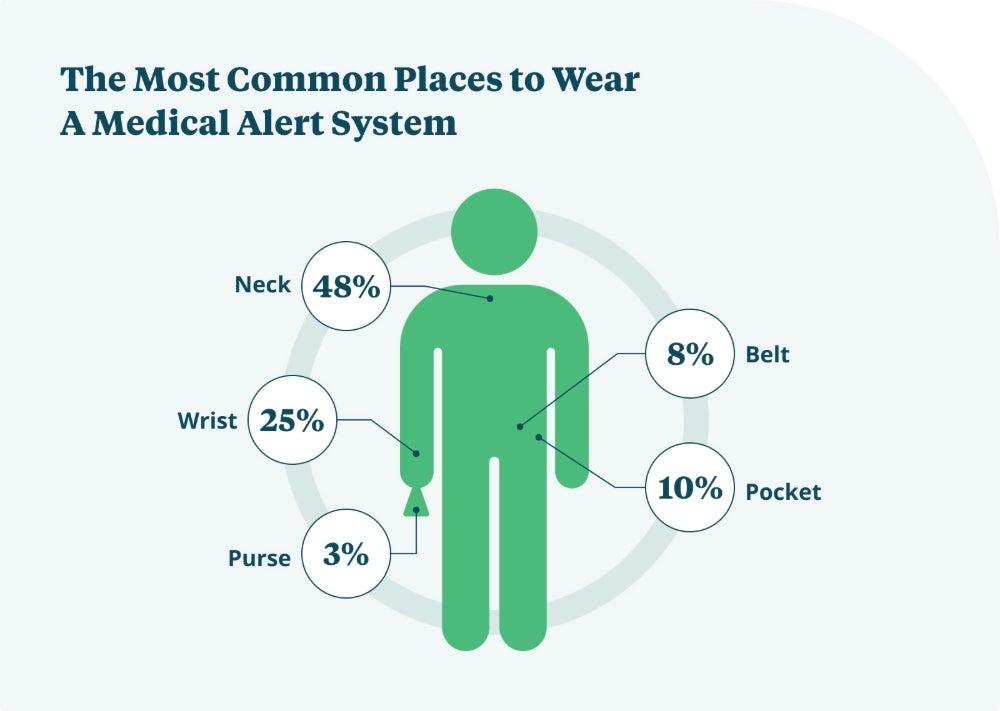
Key medical alert system features
Here, we’ll break down the features offered among medical alerts, but it’s important to consider which you’ll actually use. Don’t pay extra for things you don’t need.
Fall detection
Some systems offer fall detection in wearable devices for an added monthly fee. More than 28% of adults age 65 and older have fallen at least once in the past year, according to the Centers for Disease Control and Prevention, making this feature one worth seriously considering.4
“Most of the falls we see in the ER are just tripping or losing balance…Often, it’s people doing their usual activities such as yard work or walking into the house. People walking dogs will sometimes get pulled down by their pet as well,” said Stephen Yeh, a board certified emergency physician in Charlotte, North Carolina.
Other research has found fall detection devices worn on the wrist (such as a watch or bracelet) are not as accurate as those worn around the neck or on a belt.5 That’s because people move their arms much more than the central part of their body, which can cause false alarms in fall detection sensors.
Even without 100% accuracy, medical alerts with fall detection can provide peace of mind for anyone at risk of falling. Experts say it’s a good idea not to rely completely on the fall sensor in a device but to press the help button if you can after a fall.
Use NCOA’s Falls Free CheckUp to assess your fall-related risk.
I was alerted that my mother had a fall. She lived 50 miles from me and I could not check on her quickly, but I was able to get the town EMS to check on her, and they had her key box code on file. It saved a long hospital stay.”
—NCOA Medical Alert Systems Survey respondent
Medical alert range
Help buttons included with in-home systems will only work within a certain distance from the base unit. Most in-home systems have a range of 200–1,000 feet (1,000 feet is about the length of three football fields).
If you’re usually in or around your home or care for someone who stays home most of the time, a range of about 300 feet should be enough. The length of an average city block is 400 feet, so someone who doesn’t often go any farther than their porch or yard should be well-covered by a personal emergency response system with a 300-foot range.
Location tracking
The best mobile alert devices use a combination of GPS, Wi-Fi, and cellular networks to send your exact location to the monitoring center professionals. The monitoring agents will work with emergency services to get the help you need wherever you are. This can be lifesaving if you have an emergency and cannot explain where you are to the monitoring staff.
On-the-go devices with location tracking are also helpful for care partners, especially those who assist someone with dementia or other cognitive issues that could place them at risk of wandering.6 Adults living with dementia often need supervision at all times, according to a report by the National Academies of Sciences, Engineering, and Medicine.7 The Alzheimer’s Association has a checklist you can use to tell the difference between Alzheimer’s (the most common type of dementia) and regular age-related memory changes.8
Constant supervision can be difficult for a care partner to provide, even if they live with the person needing assistance. A mobile device that allows the care partner or monitoring center staff to locate the user can be invaluable if the user wanders.
It makes me feel protected and like I have made the correct decision for myself.”
—NCOA Medical Alert Systems Survey respondent
Caregiver apps
These apps can be used with a smartphone to allow friends, loved ones, and others involved in your care to stay in touch, send you reminders, know your location, and more. For example, some life alert apps offer a place to store:
- Medical information
- Billing details
- Emergency contacts
- Tasks
- Reminders
Caregiver apps can be a great way for long-distance friends and loved ones to stay up-to-date on the user’s care plan. Advanced apps even include features such as monitoring the first movement of the day and activity levels. This can be helpful for care partners who don’t live with the person needing care, serving as a way to check in.
Bluetooth connectivity
Some medical alert devices can connect with Bluetooth-enabled devices, like smart sensors for windows and doors. This can be very helpful for care partners who are assisting someone living with dementia. If they leave the house, the device will alert the care partner.
Water resistance
Many wall-mounted and wearable help buttons are water-resistant or waterproof, so you can access them even in wet environments. You may want to place a wall-mounted help button in the shower or wear a help button with fall detection while taking a shower. Water-resistant help buttons can be safely taken into the shower but cannot be submerged in water, such as while swimming or taking a bath.
Battery life
If you’re looking for an on-the-go device, pay attention to how long the rechargeable battery will last between charges. Battery life varies by brand, ranging from one to five days for most brands.
Costs of medical alert systems
When you choose a monitored medical alert system, you pay a monthly subscription fee, typically costing between $20–$60 a month. The fee covers the cost of the professional monitoring center available to you 24/7 if you need to press the help button.
| Medical Guardian | Bay Alarm Medical | MobileHelp | Medical Alert | LifeStation | LifeFone | |
| Our rating (out of 10) | 9.9 | 9.5 | 9.7 | 9.2 | 8.9 | 9.4 |
| Lowest starting monthly cost | $36.95 | $24.95 | $25.95 | $27.95 | $36.95 | $29.95 |
| Fall detection (monthly cost) | $10 | $10 | $10 | $10 | $8* | $5 |
| Equipment or activation fees | $0–$199.95, depending on device | $0–$199.95, depending on device | None | $99.95–$159, depending on device | $0–$99.95, depending on device | None |
| Warranty | Limited, can add protection plan for $6.99/month | Lifetime on equipment, add protection plan for $4.95/month | Limited Lifetime, can add protection plan for $6.99/month | Costs an extra $5/ month | 30 days, can add a protection for an extra $8/month | Limited, can add protection plan for $5/month |
*LifeStation requires users to purchase its protection plan for $8/month to add fall detection, which costs an additional $8/month
Many of the best medical alert systems also charge a one-time fee of up to $200 for equipment, activation, or processing. Depending on the medical alert system features you want, you may end up paying for extra services or accessories to fully meet your needs.
When pricing out a model, look out for these extra medical alert system costs:
- Fall detection: Choosing a medical alert system with fall detection typically costs an additional $10/month, though it can range from $5–$12 a month.
- Protection plan: Most protection plans work as an advanced warranty, insuring your device in case it’s lost, damaged, or stolen. Protection plans cost between $3–$8 monthly.
- Caregiver app: Many caregiver apps are free, but some cost extra, up to $8/month. Similarly, adding more caregiver contacts to your app, beyond the allotted number, may cost a few extra dollars a month. Knowing that everyone gets important information, or receives updates in an emergency may be worth the extra costs.
- Accessories: Adding a lockbox (a locked box on the outside of your house with extra keys) so emergency responders can enter your house, additional necklaces, or more discreet device accessories, and other product add-ons often cost extra. Many brands offer deals like a free lockbox with an annual payment plan, so it’s worth looking for those promotions when purchasing a device.
How to save money on medical alert systems
Unfortunately, most private insurance plans and traditional Medicare Part A and Part B don’t cover medical alert systems.9,10 And the initial fees to set up your device and subscription fees to monitor your system can quickly add up.
Here are some ways you can save on a medical alert system:
- Medicare Advantage: Also known as Medicare Part C, some of these plans offer partial or full coverage for medical alert systems and their subscription fees.11 Check with your insurance provider directly to learn about your coverage.
- Prepaying subscription fees: Many life alert system companies offer discounts for paying quarterly or annually. You may also receive a free lockbox or other incentives for paying your fees in advance. If you choose to save this way, double-check your plan’s cancellation policy and ensure you’ll receive any money you prepaid back if you cancel.
- Using an HSA or FSA account: A health savings account (HSA) or flexible spending account (FSA) allows you to use pre-taxed money to help pay for approved medical expenses. These accounts are often available through an employer.
- Sales and discounts: Medical alert system companies often offer discounts and sales, some seasonal, and other deals are available regularly, like a free month when you pay annually.
- Membership discounts: Organizations like the Department of Veterans Affairs may offer discounts for those who qualify. You may also be able to find local discounts through your area agency on aging.
How to set up your medical alert system
Our testers found setting up medical alert devices to be a quick and easy process. Most devices we tested included a quick setup guide with three to five steps to set up your device.
To set up an at-home device, you’ll need to:
- Find an outlet in a central location, not connected to a wall switch
- Plug your base station into the outlet
- If your device uses a landline, plug the phone cord into your device and the phone jack
- Make sure your device is turned on
- Follow any testing instructions provided by your system
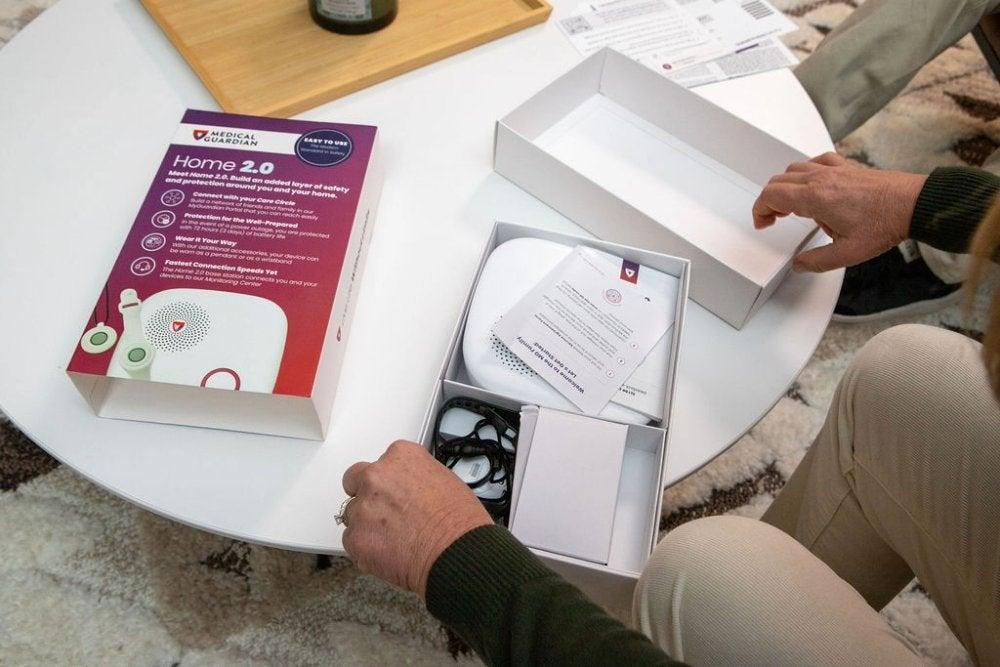
To set up a mobile device, you’ll need to:
- Plug the device’s charging cradle into an outlet
- Fit the device into its charger and let it charge until ready to use (four hours, on average)
- Make sure your device is connected to the cellular network (most devices connect automatically)
- Once your device is fully charged and connected to cellular, follow any testing instructions your system provides.
Note: All medical alert system users need to test their devices regularly.
“Try to keep clutter off the floor and remove small rugs that you can trip on. Be careful with purse straps and pet leashes. Use a cane or walker if you have strength or balance issues. Rely on handrails near steps and consider them in bathrooms/shower stalls as needed. Watch your step when walking on the street or up curbs!”
—Stephen Yeh, MD, a board-certified emergency physician in Charlotte, North Carolina
Importance of medical alert systems
The biggest benefit we’ve found among users of medical alert systems is increased quality of life. In a poll by the University of Michigan’s Institute for Healthcare Policy and Innovation, 88% of adults age 50–80 felt it was important to remain in their homes for as long as possible.12 Yet the same study found that only 15% had given a lot of consideration to modifications their home may need to age in place safely.
Using a medical alert system can extend how long someone can remain safely in their home. In addition to providing medical care when needed, a 2017 study showed that those who use a medical alert system feel more safe and secure and are more active around their homes.13 Feeling more confident in completing tasks and engaging with their community can benefit both physical and mental health.
FAQ
Does Medicare cover medical alert systems?
Medicare Part A and Part B do not cover medical alert systems, though some Medicare Advantage plans may cover all or part of a system’s cost. To learn more about whether your Medicare plan covers a medical alert system, call your insurance provider.
How much do medical alert systems cost?
Medical alert systems typically charge a subscription fee of $20–$60 a month for 24/7 access to a professional monitoring center. Some system plans also charge a one-time setup or equipment fee that may cost as much as $200 or more.
Are there medical alert systems without a monthly fee?
Yes. Unmonitored medical alert systems don’t charge a monthly fee. Typically, these systems don’t offer professional monitoring. Instead, when a user presses the help button, they are connected directly to 911 or to pre-selected contacts.
What medical alert system type is best?
The best medical alert system type depends on where and how you plan to use it. In-home systems may be best for people who spend most of their time at home and want a simple help button connected to a base unit. Mobile medical alert systems are usually better for people who leave home often because they typically include cellular connection, GPS tracking, and two-way communication. Smartwatch-style medical alerts may be a good fit for people who want a more discreet device with extra features like step tracking, but they may require more frequent charging and comfort with technology.
For many older adults, the best choice is the system they’ll wear consistently. Consider your daily routine, fall risk, comfort with technology, battery life, caregiver features, and whether you need automatic fall detection or GPS location tracking.
Do you need Wi-Fi for medical alert systems?
No, Wi-Fi is not required for most medical alert systems. In-home systems usually connect through a landline or a built-in cellular network to link the base station with the monitoring center. Mobile or on-the-go systems use cellular service and GPS to track the user’s location and connect to monitoring staff.
Questions? Email us at reviewsteam@ncoa.org