
Medical Alert Review 2026
Simple to set up and use, Medical Alert is a good option for first-time buyers.

- Medical Alert is a user-friendly option with a simple setup.
- Models range from $27.95–$47.95 per month, with some equipment and activation fees.
- Medical Alert’s monitoring center staff is EMT/EMD certified.
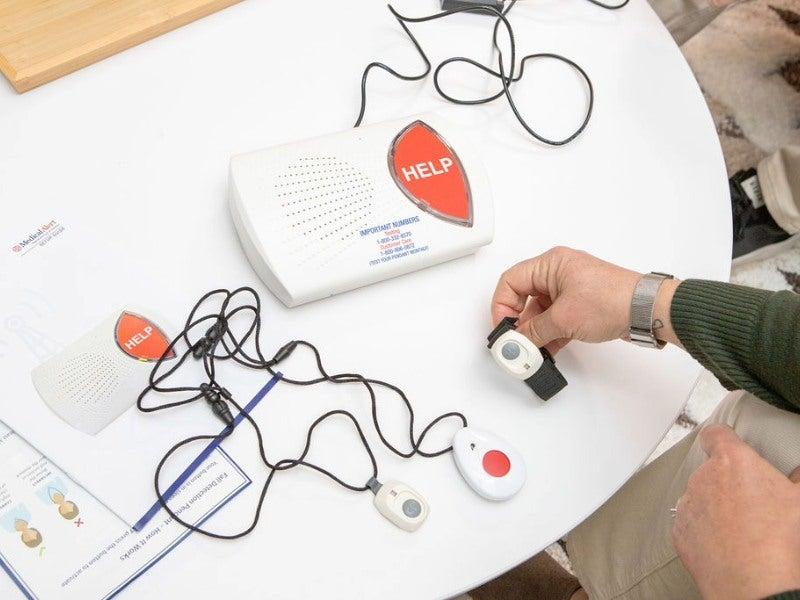
- Medical Alert offers three device types—home, mobile, and smartwatch—so shoppers can choose a system that better fits their lifestyle and comfort with technology.
- In our testing, Medical Alert earned high marks for setup and stood out for its clear instructions and user-friendly design.
At NCOA, we take the time to research, test, and recommend products that aim to help you live a healthier life. We’ve spent more than 3,000 hours researching medical alert systems to give you the most accurate product reviews. To find the best medical alert systems, we:
- Consulted with doctors and licensed adult caregivers who specialize in working with older adults
- Put more than 35 devices through a series of 16 different tests at our in-house lab
- Mystery shopped more than 15 brands
- Surveyed more than 1,000 medical alert system users and caregivers
- Interviewed experts on older adults falls risk
- Worked with older adults to test medical alert systems and get their opinion
- Read thousands of verified customer reviews
We’re constantly testing new medical alert systems to give you the most accurate and up-to-date recommendations. Read more about our medical alert system review methodology.
Medical Alert is a user-friendly medical alert system brand that offers straightforward setup instructions and simple-to-use devices. Its quick-start guide and clearly labeled packaging earned this company a 5/5 from our testers, earning it the title of Easiest Setup in our guide to the best medical alert systems. Available as a home, mobile, or smartwatch device, Medical Alert is a great choice for people who are new to owning and using a medical alert system.
In this Medical Alert review, we’ll explain the differences between the three models, what features you should consider when purchasing a medical alert system, and what our testers thought about their experience with Medical Alert.
Medical Alert

- Simple to set up and use
- Monitoring center staff are EMTs
- No hidden fees
Why we recommend Medical Alert
We recommend Medical Alert because its simple setup process, clear instructions, and user-friendly devices make it an excellent choice for someone who is new to using a medical alert system. Our testers gave Medical Alert a 5/5 score for its straightforward setup.
A simple, no-frills system can be great for people who aren’t comfortable with technology, will be setting up a medical alert system on their own, or just don’t want to deal with all the bells and whistles that can come with high-tech systems. For older adults who want to maintain their independence but might be at risk of a fall or sudden medical crisis, medical alert systems can increase their sense of security and provide emergency help as soon as it’s needed.1
We like that Medical Alert has:
- A monitoring center staff that’s EMT/EMD certified
- Three different options (home, mobile, or smartwatch) to fit every lifestyle
- Clear and simple setup instructions
- A 30-second average response time
- Accurate GPS tracking down to the address
Medical Alert devices compared
| Comparison Features | |||
|---|---|---|---|
| Max. battery life | 30 hours |
5 days |
48 hours |
| Fall detection | Yes |
Yes |
Yes |
| GPS tracking | No |
Yes |
Yes |
| Standout feature | Landline or LTE option |
Mobile system with GPS tracking |
Smartwatch with touch screen |
How we tested medical alert systems
When reviewing medical alert systems, we consider several features, including:
Our Medical Alert video review
Want to know more about Medical Alert? This video discusses the brand's range of devices, benefits, and drawbacks. Remember that details like pricing can change over time, and our team is constantly testing new models. So what you see in this article may differ slightly from what we've reviewed on video.
Medical Alert pros and cons
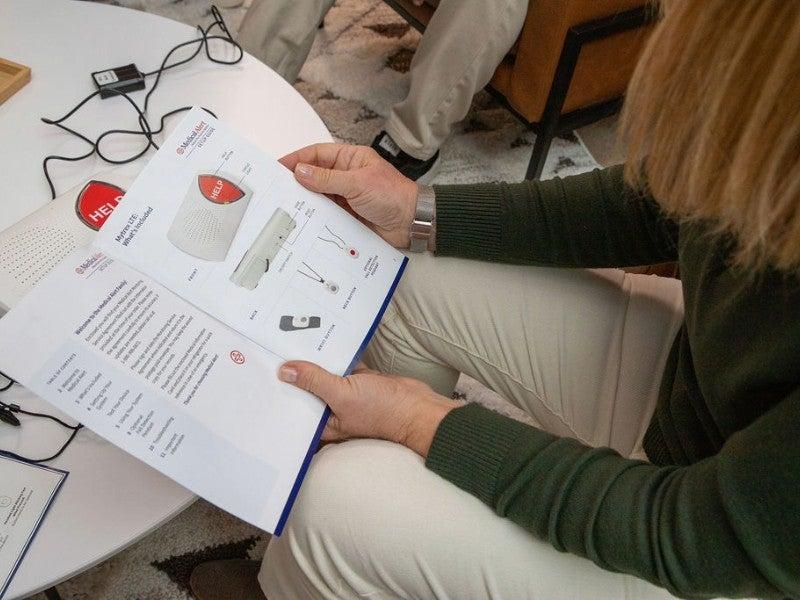
Medical Alert’s clearly labeled packaging helped our testers set up their devices right out of the box. We like that the manual has visual cues, which are helpful both for people who find it difficult to read small-print text and those who simply like a visual aid when understanding directions. The devices themselves are simple with large buttons and bold, easier-to-read print.
We also like that Medical Alert’s response center staff are EMT/EMD certified, which is unusual in this industry. These medically trained monitoring center staffers can better understand health concerns you may have, and give you clear directions on the next steps. That could mean sending emergency help or directing you to stay on the line while they assess the situation further.
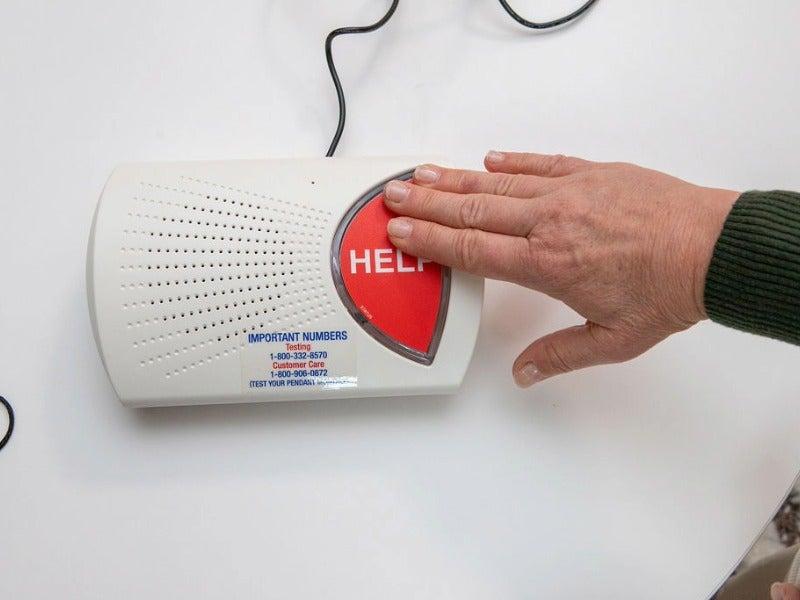
We don’t like that Medical Alert’s devices include a one-time device fee when some companies like MobileHelp don’t charge you for their equipment. Our testers also noted that you can’t cancel a call once the button was pressed, though we have noticed this issue across many brands.
Pros
- Earned Easiest Setup in our Best Medical Alert Systems review
- User-friendly, simple design
- Clear and strong two-way communication
- Medically trained monitoring center staff
Cons
- Short battery life
- Bulky to wear
- One-time equipment fee
- No call cancellation option
Medical Alert device reviews
Home System
Medical Alert’s home system is a beginner-friendly choice for people new to owning a medical alert system who spend most of their time at home. It comes in both landline and cellular options and offers strong, two-way communication with EMT/EMD-certified monitoring center staff. The landline option is the most affordable device from Medical Alert.
Home System
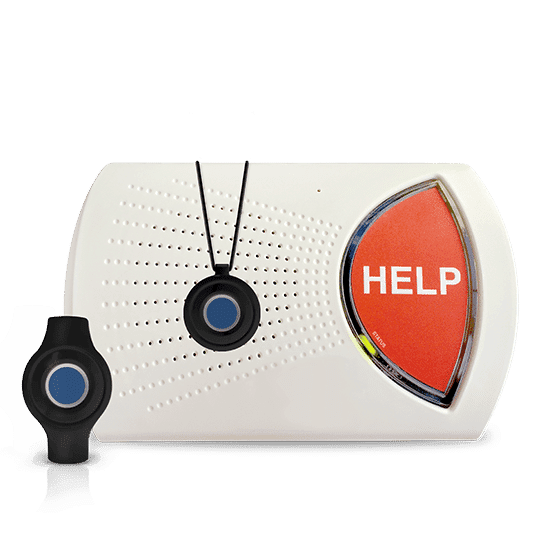
- No need to charge the battery, since it plugs into the wall
- Covers area up to 800 feet (two and a half football fields)
- Waterproof button for bath and shower use
- Device type: At-home
- Fall detection: Yes
- Max. battery life: N/A
- GPS tracking: No
- Caregiver alerts: Yes
- Connection type: Landline or LTE
Mobile System
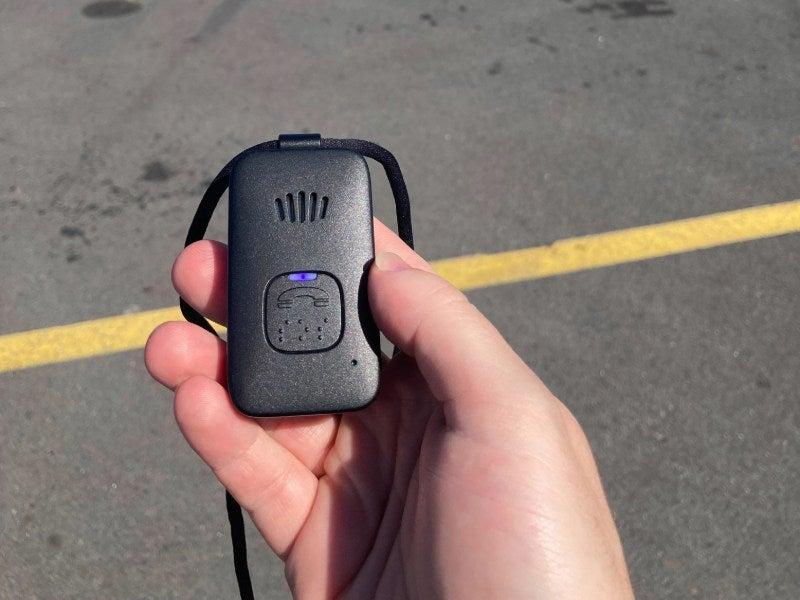
The Medical Alert Mobile System is a mobile device you can wear as a necklace or on a belt clip, both at home and while you’re out. With two-way communication through the device and accurate GPS tracking, the Mobile System is a great choice for someone who spends lots of time outside the home.
Mobile System
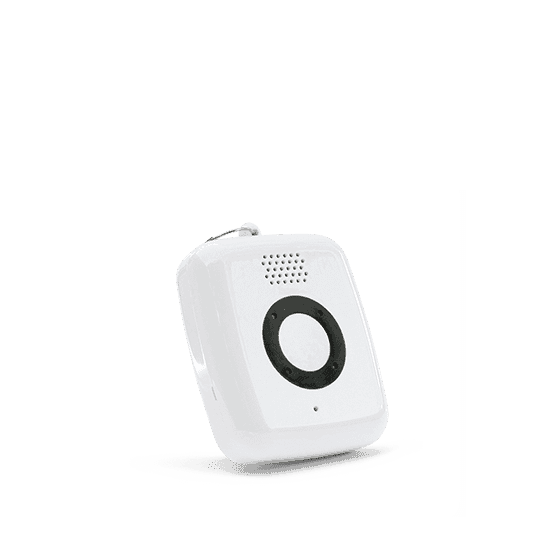
- Comes in both a standard and mini option
- Accurate GPS tracking down to the address
- Lightweight and waterproof
- Device type: GPS
- Fall detection: Yes
- Max. battery life: 5 days
- GPS tracking: Yes
- Caregiver alerts: Yes
- Connection type: LTE
Smartwatch
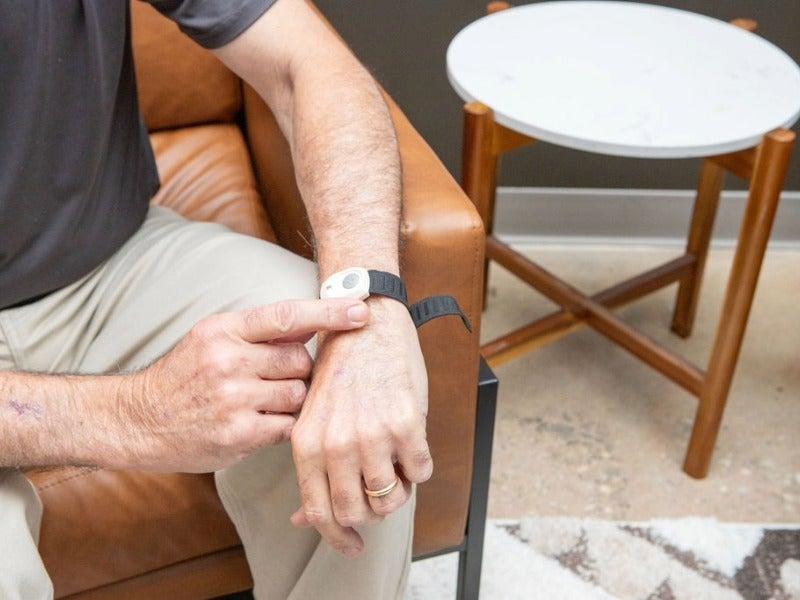
The Medical Alert Smartwatch is a great option for people who want the wearability of a mobile unit but with more features, like a heart rate monitor and step counter. Our testers found this smartwatch to be attractive, more discreet, and simple to set up and wear. This is the only device with a touchscreen, which some people may prefer over just a help button.
Smartwatch

- Heart rate monitor, step counter, and optional fall detection
- Voice prompts for low battery status, device charging, and more
- Waterproof for shower and tub use
- Device type: GPS smartwatch
- Fall detection: Yes
- Max. battery life: 10 hours
- GPS tracking: Yes
- Caregiver alerts: Yes
- Connection type: LTE
How much do Medical Alert devices cost?
Medical Alert devices cost anywhere from $27.95–$47.95 per month, depending on which model you choose. All of the devices come with a one-time $99.99 activation fee, except for the Smartwatch, which has a $159.99 activation fee. This is more expensive than some competitors, like MobileHelp, which doesn’t have any additional fees. For more information, see our MobileHelp review.
Medical Alert offers several additional features, including:
- Lockbox: $2.99 per month
- Protection plan: $1 per month
- Fall detection: $10 per month
Comparing the cost of Medical Alert devices
| Comparison Features | Home System Landline |
Home System Cellular 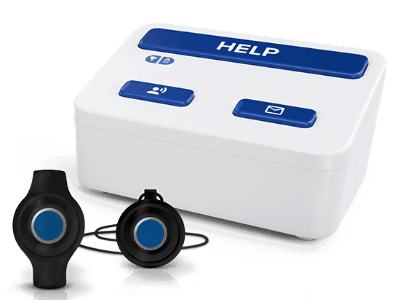 |
Mobile System |
Smartwatch |
|---|---|---|---|---|
| Starting monthly cost | $27.95 |
$37.95 |
$42.95 ($47.95 for the Mini) |
$39.95 |
| Equipment fee | $99.95 |
$99.95 |
$99.95 |
$159.00 |
| Fall detection | $10/mo |
$10/mo |
$10/mo |
$10/mo |
How to save money on Medical Alert devices
The simplest way to save money on a Medical Alert device is to purchase an annual plan. You would receive a discount on the monthly subscription price, a free lockbox, and free shipping. For example, you’d pay $34.95 per month for the smartwatch instead of $39.95, or a $5 monthly savings. Medical Alert also offers a semi-annual plan that includes free shipping.
Medicare and Medicaid usually don’t cover medical alert devices, but you might be able to use your health savings account or flexible spending account to pay for one. Some private insurance plans might also cover a device. Make sure to check your insurance coverage before purchasing a device.
Medical Alert accessories and options
Medical Alert offers several accessories and extra options:
- Lockbox: If you’re unable to reach the door when you need help, a lockbox grants access to emergency responders for you. It holds a key and is protected by a code that the response center staff will provide.
- Fall detection: Fall detection is a technology that automatically senses when you’ve fallen. Your device will call for help automatically, even if you can’t push the button yourself.
- Protection plan: A protection plan covers loss, theft, and damage to your device, so you don’t have to pay out of pocket for a new one. This is helpful for people prone to losing things or who are living with memory loss.
- Medical Alert Connect: A mobile app that lets you manage your account, check battery levels, and receive notifications.
The Medical Alert user experience
Our testers found Medical Alert’s devices to be user-friendly and simple to set up. They liked that the devices came in clearly labeled packages and that the instruction manual included visual cues. “I had no issues with the initial setup and testing of the device,” said one tester. “I found all of it easy, including canceling the help signal.”
We liked how accessible the devices are, with clear print and big buttons. This is helpful for people who don’t want to spend a lot of time learning the ins and outs of a new technology or who live alone and will be setting up the device without help.
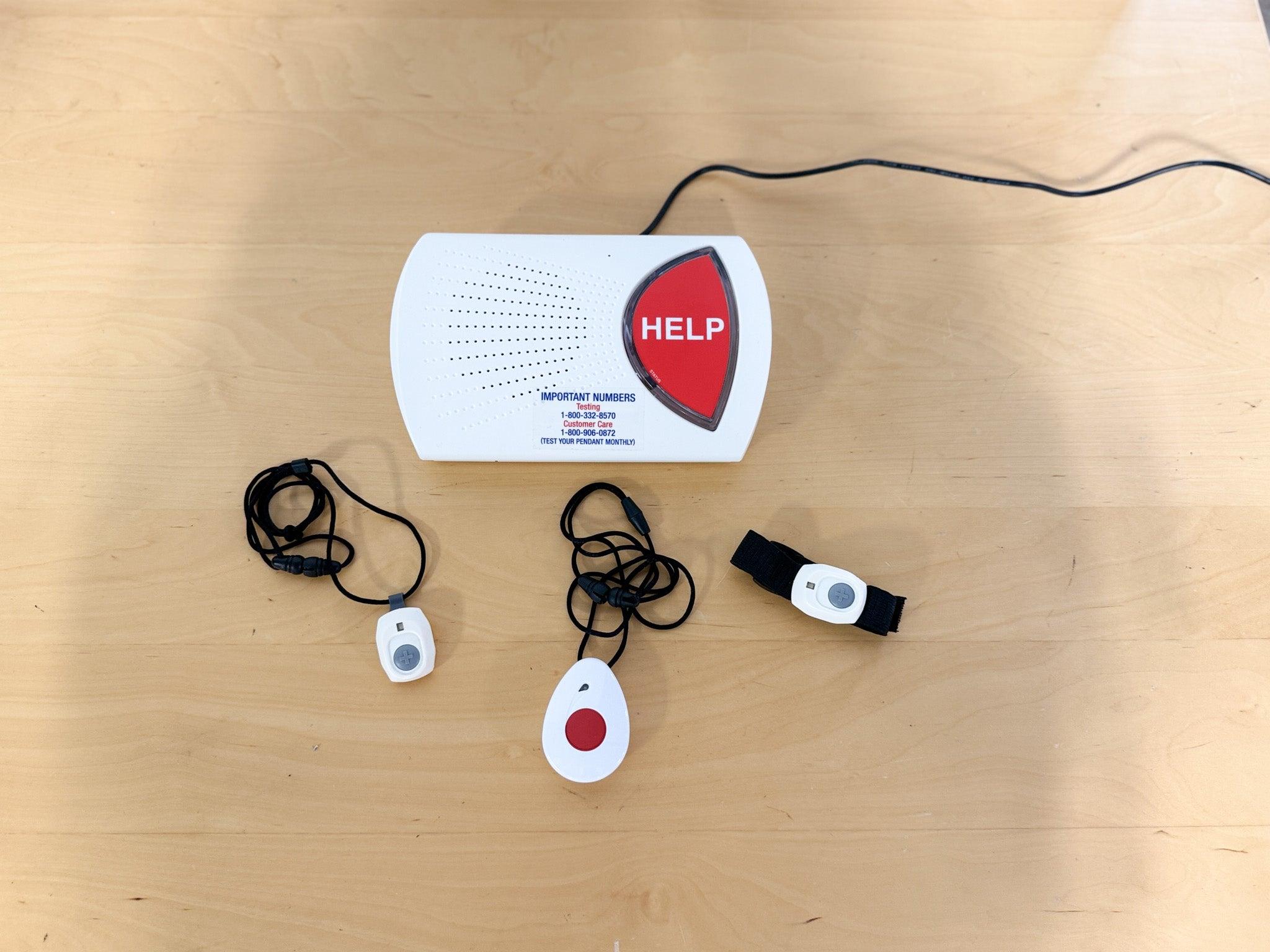
After setup, our testers were impressed by how the devices felt when worn. “It is comfortable, light, and doesn't bump or bounce a lot when I'm walking,” one tester said. And though the devices felt good to wear, most testers thought they looked bulky. An unattractive device is a leading reason why people don’t wear their systems. And the best device for you will be one that you want to wear every day. If the look of the medical alert system could be a problem for you or someone in your care, you may want to consider the smartwatch.
When we tested the help button, we found the response center staff to be friendly and professional. We liked that they introduced themselves with their name and established a positive connection first. The smartwatch has a cancel option in case you press the button by accident, but the home and mobile systems did not. For more medical alert comparisons, check out our Medical Guardian vs Medical Alert review comparison.
Medical Alert’s customer service and warranty
- Warranty and trial period: Medical Alert doesn’t offer a trial period. The company’s warranty covers manufacturer defects, and you can add a protection plan for $1 per month.
- Returns: You can cancel your subscription at any time by emailing CustomerRelations@medicalalert.com or calling 800-800-1003. Once you’ve canceled, you’ll need to mail back your equipment.
- Customer service: Visit Medical Alert’s customer service page to explore help guides or send a message. You can also email them at CustomerRelations@medicalalert.com or call 800-800-1003
Who should consider Medical Alert
Medical Alert devices are good choices for people who want a device with a simple, clear setup and straightforward features. Medical alert systems work best when they are worn consistently. If your device feels too complicated or overwhelming, you might be tempted to stick it in a drawer, where it does you no good. We think Medical Alert helps solve this problem by focusing on user-friendly features.
When we surveyed medical alert system users in February 2025, we learned that 75% of surveyed adults bought a medical alert device for themselves or a loved one after experiencing a fall.3 For many people, the time period after a fall is scary and stressful. This fear can lead older adults to restrict their activity, which can then increase falls risk. Using a medical alert device can help boost confidence, enabling someone to stay active even after a fall. It’s hard to be open to using a new device like a medical alert system when you’re getting back to your daily routine. But we think Medical Alert’s clear instructions and simple-to-use devices can help ease the transition.
“Medical alert systems are essential tools for promoting independence and safety, especially for older adults living at home or in communities,” said Moti Gamburd, CEO of Raya’s Paradise, an older adult care community in California. “These systems allow people to quickly call for help in case of an emergency, such as a fall, without having to struggle to reach a phone. This timely access to assistance can be lifesaving, especially for those living alone or with limited mobility.”
If someone you know could benefit from a medical alert system but is resistant, try using the tips in our article on how to talk to someone about a medical alert device.
Ask yourself these questions as you explore Medical Alert’s different options:
- What is your lifestyle like? Do you stay at home or leave the house?
- Do you mind the appearance of a medical alert device, or would you prefer something discreet?
- Do you live somewhere with strong cellular coverage?
Frequently asked questions
How much does Medical Alert cost?
Medical Alert costs range from $27.95–$47.95 per month. All devices come with a one-time $99.99 activation fee, except the Smartwatch, which has a $159.99 activation fee.
How does Medical Alert work?
Medical Alert works by connecting the user to a 24/7/365 emergency response center when a help button is pushed or a fall is detected. The center then coordinates with emergency responders.
Will Medicare pay for Medical Alert?
No, Medicare does not cover Medical Alert or any other medical alert devices.
Is Medical Alert easy to set up and use?
Yes. Medical Alert is one of the easiest medical alert systems we’ve tested, thanks to its quick-start guide, clearly labeled packaging, and simple devices. Our testers gave it a 5/5 for setup, which makes it a strong option for those looking for a straightforward system.
Which Medical Alert device is best for me: home, mobile, or smartwatch?
It depends on where and how you plan to use it. The home system may work best for people who spend most of their time at home, while the mobile system is better for active users who want GPS tracking outside the house. The smartwatch may appeal to people who want a touchscreen wearable, but it may not be the best fit for someone seeking the most discreet option.
Does Medical Alert have fall detection and GPS tracking?
Yes, all three Medical Alert devices offer fall detection. GPS tracking is available on the mobile and smartwatch models, but not on the home system. In our testing, GPS tracking on Medical Alert’s mobile models was accurate to the address level.
Can there be multiple users for each Medical Alert system?
No, each system is designed for one user.
Questions? Email us at reviewsteam@ncoa.org