
MobileHelp Review 2026: A Complete Guide
Our MobileHelp review found that MobileHelp offers affordable medical alert systems with user-centered features and a strong reputation.

- MobileHelp medical alert systems are an affordable and user-friendly option for people concerned about medical emergencies or falls.
- Devices range from $25.95–$41.95 per month.
- Fall detection costs $10 per month and is available on all MobileHelp devices except the Classic Landline.
- MobileHelp’s annual plans include free shipping and a free lockbox and can lower total costs for shoppers who prefer to pay upfront.
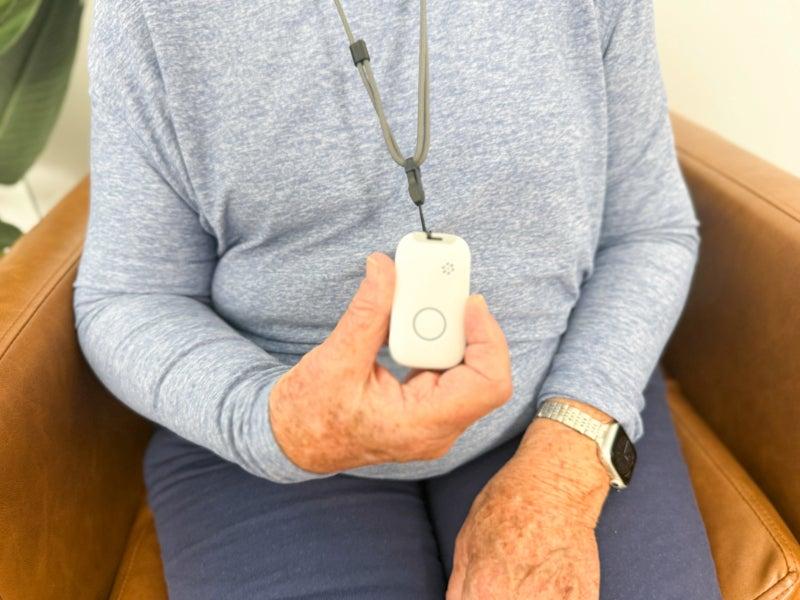
- All MobileHelp medical alert systems come with convertible help buttons. The Landline and Classic Cellular let you switch between a necklace and a wristband. The MobileHelp Elite can be a necklace or a belt clip.
At NCOA, we take the time to research, test, and recommend products that can help you live a healthier life. We’ve spent more than 3,000 hours researching medical alert systems to give you the most accurate product reviews. To find the best medical alert systems, we:
- Consulted with doctors and licensed adult caregivers who specialize in working with older adults
- Put more than 35 devices through a series of 16 different tests at our in-house lab
- Mystery shopped more than 15 brands
- Surveyed more than 1,000 medical alert system users and caregivers
- Interviewed experts on older adults falls risk
- Worked with older adults to test medical alert systems and get their opinion
- Read thousands of verified customer reviews
We’re constantly testing new medical alert systems to give you the most accurate and up-to-date recommendations. Read more about our medical alert system review methodology.
MobileHelp is an affordable and reliable medical alert system brand that offers a wide range of in-home and mobile models. MobileHelp has competitive subscription prices and no hidden equipment or activation fees. Its plans start at $29.95 per month, earning it Best Value in our best medical alert systems review.
In this MobileHelp review, we’ll outline the differences between the available models, important factors to consider when choosing a medical alert device, and how our testers felt about their experiences using MobileHelp.
MobileHelp
Offers fast response times, low prices, and no hidden fees
NCOA exclusive discount
Free month of service and savings of up to $230 with code: SAFE4FREE
MobileHelp Review 2026: Why we recommend MobileHelp
We recommend MobileHelp for its value, reliability, user-friendliness, and the quality of communication between testers and monitoring staff. Our testers gave MobileHelp top marks for brand reputation and user experience. Device setup was simple, with straightforward instructions. The two-way communication with the monitoring center was clear and strong.
We like that MobileHelp offers:
- Transparent subscription prices
- Zero hidden fees at checkout
- Convertible help buttons you can wear multiple ways
- “Find Me” service to locate a lost device
We also like that MobileHelp offers MobileHelp Connect®, which lets designated contacts access location services through the MobileHelp Connect® website. This can help care partners communicate in an emergency or coordinate care as needed.

Who should consider a medical alert system?
“Just about anybody, not just an older adult, could benefit from a medical alert system. A young person could trip falling down the stairs and not be able to reach a telephone to call 911 or to have someone to come home soon to intervene.”
—Karl Knopf, MA, Ed.D, author, founder and former president of the Fitness Educators of Older Adults
MobileHelp devices compared
| Comparison Features | |||
|---|---|---|---|
| Equipment fee? | No |
No |
No |
| Max battery life | 30 (backup hours) |
30 (backup hours) |
6 days |
| Fall detection | No |
Yes, $10/month |
Yes, $10/month |
| GPS tracking | No |
No |
Yes |
| Standout feature | At-home landline |
At-home LTE |
GPS device with extra help button |
Our MobileHelp Review
We've found MobileHelp to be one of the best values in medical alert systems. Want to know more? In our MobileHelp video review, we explain the pros and cons of each MobileHelp device, ways you can save even more money on this brand, and why we recommend them.
How we tested MobileHelp devices
To review medical alert systems, we look at research, customer reviews, expert guidance, and product testing. We start by learning which features matter most to people who use these devices, including those managing fall risk, chronic illness, or mobility and dexterity challenges. These findings formed our testing process, which includes more than 60 data points across key areas like:
MobileHelp device reviews
MobileHelp Classic Landline
The Classic Landline is MobileHelp's most affordable option (starting at $29.95 per month). It offers coverage of up to 600 feet—a little less than the length of two football fields. Simple to install and use, the Classic Landline is a good choice for anyone who wants to feel safe at home.
MobileHelp Classic Landline
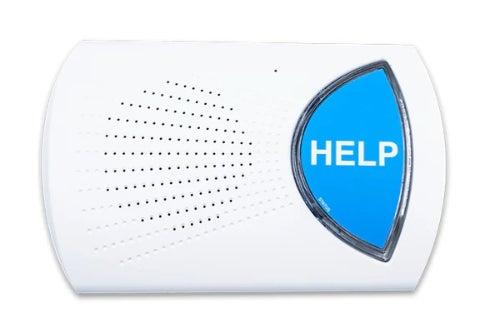
- Device type: At-home
- Device range: 600 feet
- Fall detection: No
- Max. battery life: 30-hour backup battery life
- GPS tracking: No
- Caregiver alerts: Yes
- Connection type: Landline
Pros
- Free lockbox with annual plans
- No activation or equipment fees
- Low monthly price
Cons
- No fall detection option
- Wearable buttons are not discreet
- You must stay close to base unit to hear monitoring center responses
MobileHelp Classic Cellular
The Classic Cellular is very similar to the Classic Landline. But because it connects to a cellular network, it has coverage of 1,400 feet and can be paired with fall detection. The Classic Cellular offers additional features at the same listed subscription price, including a longer range and optional fall detection. Having the option to add fall detection may be useful if your needs change, even if it’s not essential on the day you buy your device.
MobileHelp Classic Cellular
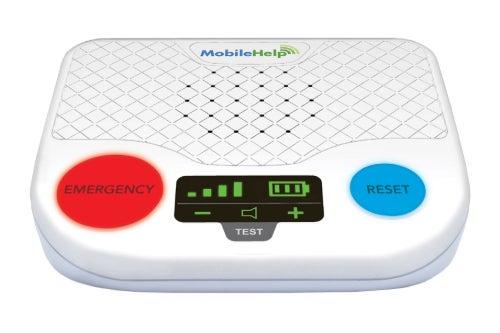
- Device type: At-home
- Device range: 1,400 feet
- Fall detection: Yes
- Max. battery life: 30-hour backup battery life
- GPS tracking: No
- Caregiver alerts: Yes
- Connection type: AT&T LTE
Pros
- 1,400-foot coverage range
- Waterproof
- Fall detection available
Cons
- AI assistant answers first and then connects you with monitoring center staff
- Manual doesn't offer troubleshooting instructions
- No instructions on how to change out the wristband
MobileHelp Elite
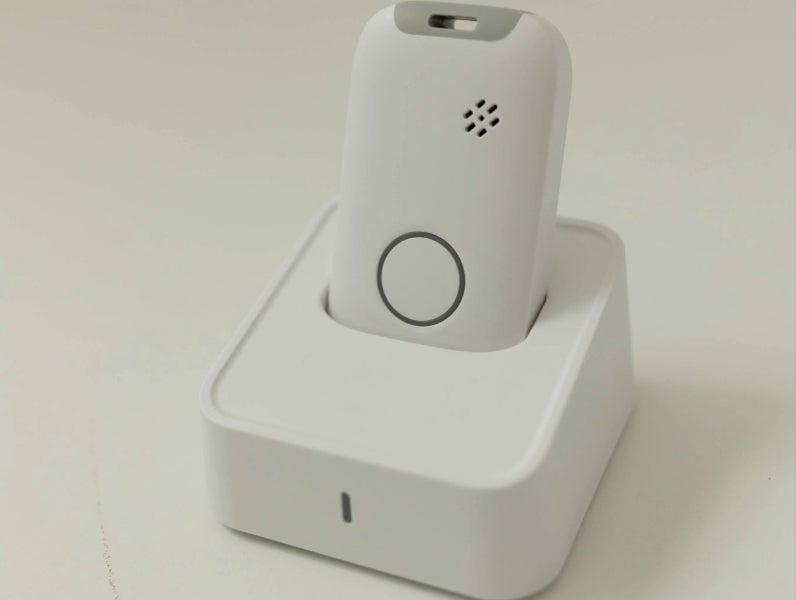
The MobileHelp Elite is a mobile system that works both at home and while you’re out. With a waterproof button and GPS location tracking, the Elite provides both flexibility and security when you leave home.
MobileHelp Elite
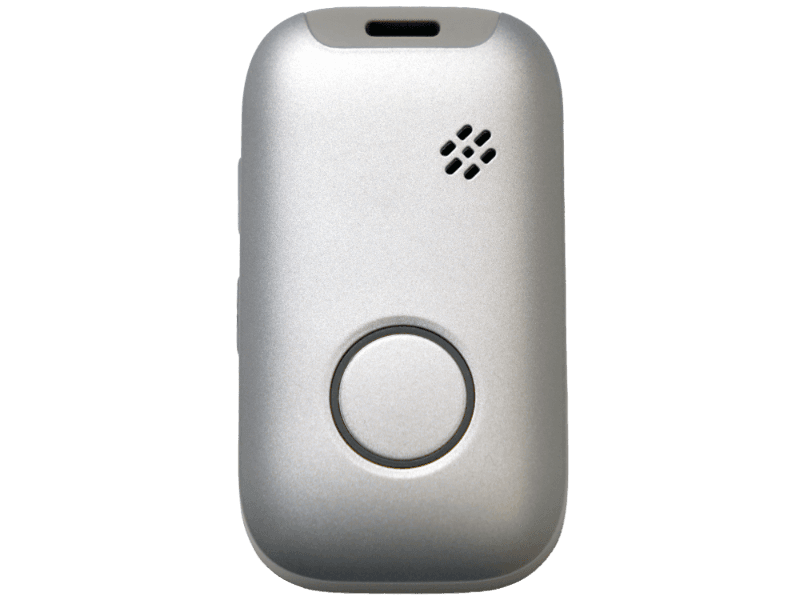
- Device type: On the go/GPS
- Device range: GPS enabled, so it moves with you
- Device type: On the go/GPS
- Fall detection: Yes
- Max. battery life: 6 days
- GPS tracking: Yes
- Caregiver alerts: Yes
- Connection type: AT&T LTE
Pros
- Comes in three colors
- Two-way talk
- Has a “Find Me” device locator
- Fall detection available
Cons
- Not discreet
- Most expensive MobileHelp offering
- Can’t convert to wristband
MobileHelp costs and purchasing options
MobileHelp has some of the most affordable devices in the industry. The Classic Landline and Classic Cellular options are about $10 less than most other models on the market. The Elite is competitive with similar models. Understanding the various costs of medical alert devices can be confusing. We explain more in our medical alert costs article.
MobileHelp device costs compared
| Comparison Features | Classic Landline |
Classic Cellular |
Elite |
|---|---|---|---|
| Monthly subscription fee | $29.95 |
$29.95 |
$41.95 |
| Fall detection | No |
Yes, $10/month |
Yes, $10/month |
| Warranty | Limited lifetime, additional plans at $6.99/month |
Limited lifetime, additional plans at $6.99/month |
Limited lifetime, additional plans at $6.99/month |
| Lockbox | $2.99/month or free with annual plans |
$2.99/month or free with annual plans |
$2.99/month or free with annual plans |
MobileHelp also keeps its prices transparent, with no activation or equipment fees for the main units. Because nearly half of our picks for best medical alert systems have hidden fees, we like how transparent MobileHelp is. Check out our Alert1 review for another option with no equipment fees.
How to save money on MobileHelp devices
MobileHelp runs regular promotions to lower its prices. But the most reliable way to save money on medical alert systems is to choose the annual plan instead of the monthly plan. That gives you free shipping and a free lockbox.
Medicaid and Medicare typically don't cover medical alert systems. If you have private insurance, you might have coverage, but you’ll want to look into your specific benefits. You might also be able to use your health savings account (HSA) or flexible spending account (FSA) to pay for the device.
MobileHelp accessories and options
MobileHelp offers a wide variety of accessories and additional services to tailor your medical alert device to your specific needs. Some of these add costs to your monthly fees. These medical alert system features include:
Lockbox
A lockbox provides emergency responders with the ability to enter your home. They’ll input a code provided by the monitoring center to gain access to a key. It costs $2.99 per month, but it’s free if you opt for an annual subscription.
Fall detection
Fall detection senses falls and calls emergency services if you are unable to press the button. Adding fall detection to your MobileHelp device costs an additional $10 per month. The landline device does not include fall detection. For more information on fall detection, see our review of the best medical alert systems with fall detection.
Wall buttons
Wall buttons are waterproof and can be added near the floor in high-risk areas, such as bathrooms and bedrooms. A waterproof wall button costs $2.99 per month.
Caregiver alerts
MobileHelp uses OnGuard Alerts, which sends a text to your designated contacts in addition to emergency services when you press the button. It costs $2.99 per month.
Protection plan
Replacement coverage for the device or help buttons in the case of accidental damage, loss, theft, or wear and tear. It costs $6.99 per month.
Additional help buttons
Extra help buttons cost $2.99 per month. They come in either necklace or wrist strap options.
Anytime a person trips, it is a wake-up call that they are at risk of having a serious fall and causing serious bodily injury. The more often a person trips, it is time to seek out a fall prevention course or have a medical workup.”
——Karl Knopf, MA, Ed.D, author, founder, and former president of the Fitness Educators of Older Adults
The MobileHelp user experience
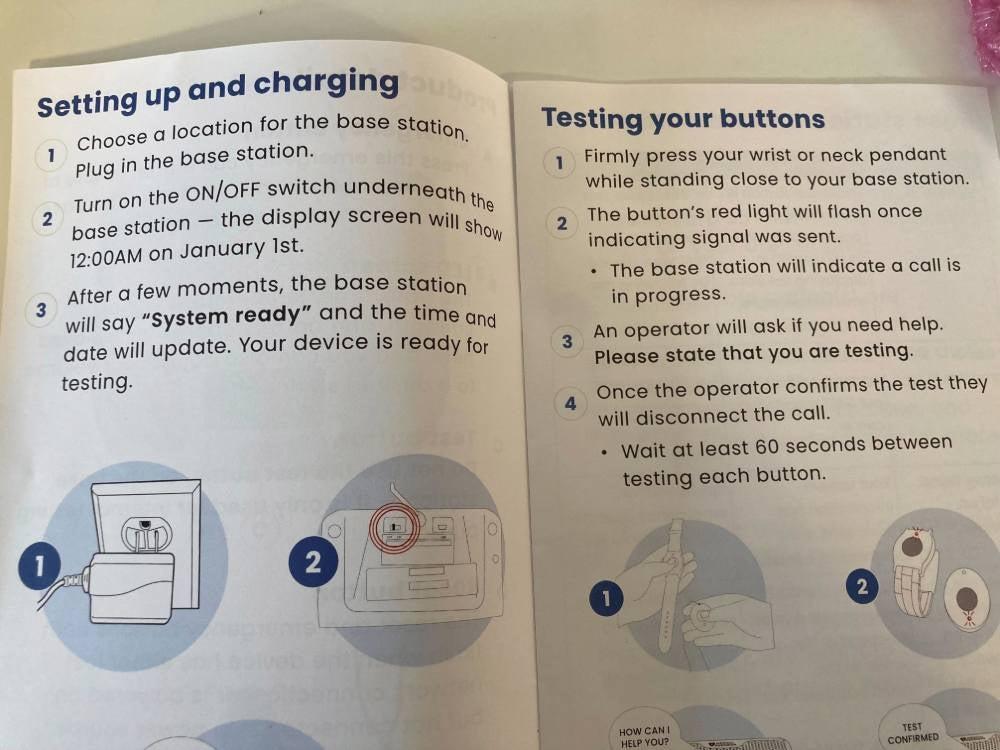
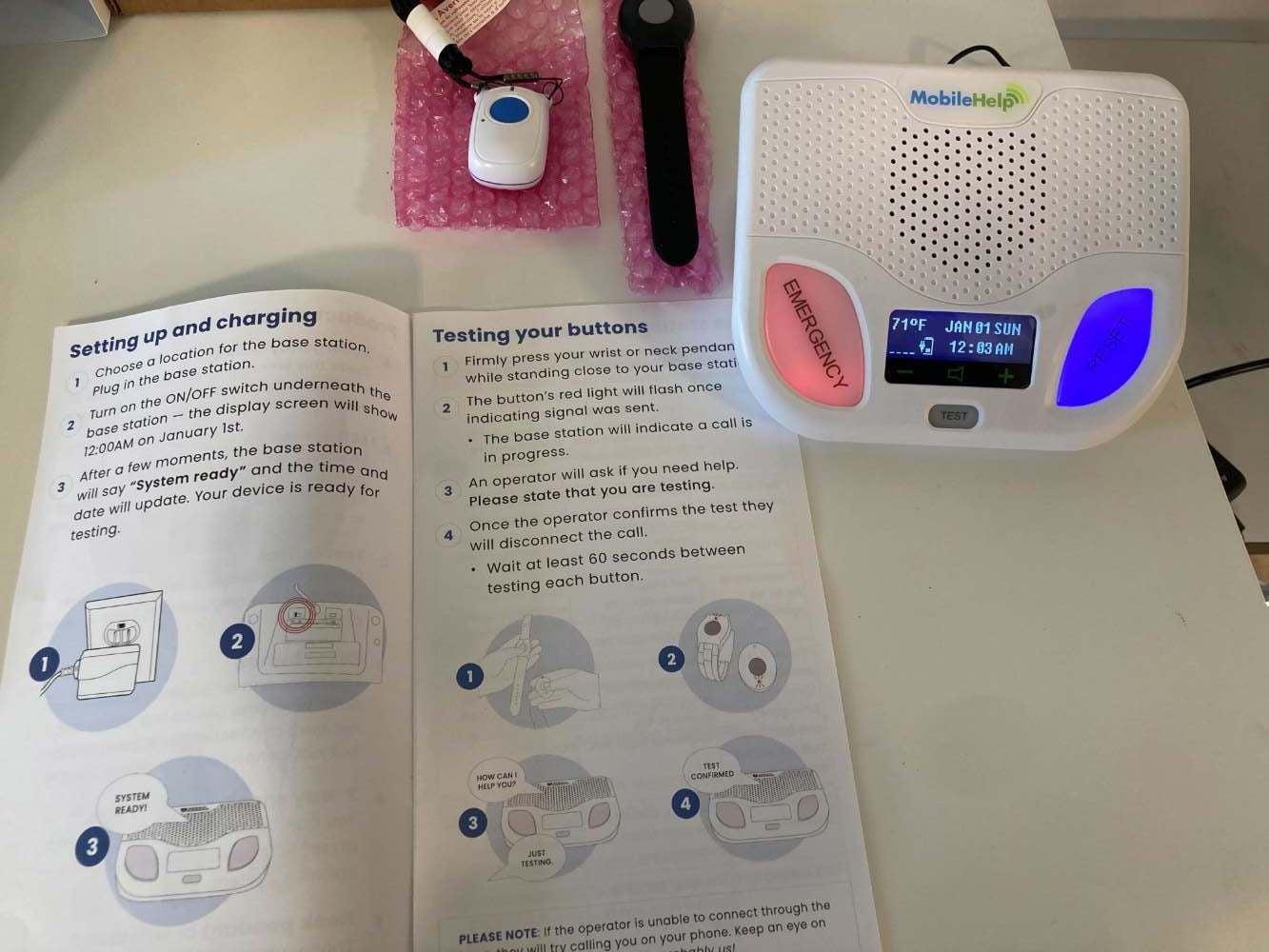
Our testers found MobileHelp’s devices to be user-friendly and reliable. Several testers noted it was somewhat difficult to get the package open due to a tight sleeve surrounding the box, which might be hard for people with dexterity issues. Once the box was opened, the testers found the instruction manual simple to follow, with the devices themselves requiring little setup. One tester even complimented the large print on the user manual.
Users also said in our MobileHelp review that they appreciated how the company provides everything you need to get your system set up. All you need to do is find a location in your home next to a wall outlet.
Once they pushed the help button, testers found the automated instructions to be loud and clear, and the monitoring center responders were friendly. Connection to the center happened almost immediately. More than 90% of MobileHelp users in our 2025 survey of medical alert systems customers found interactions with the monitoring center to be “very positive and helpful.”
One of our surveyed MobileHelp users said they feel more secure with their device: "Having a medical alert system makes me feel secure and reassured, knowing help is always available at the press of a button. It gives me peace of mind, especially when alone or thinking about loved ones who might need emergency assistance. It’s comforting to know that in case of a fall or medical emergency, I wouldn’t have to struggle to get help.”
MobileHelp’s customer service and warranty
- Warranty and trial period: MobileHelp offers a limited lifetime warranty and the option to add additional protection for $6.99 per month for wear and tear, accidental damage, loss, and theft.
- Returns: You can cancel your subscription at any time. You’ll need to return all of the equipment to MobileHelp unless you purchased it through a third-party seller, like Amazon. Service ends the day you call, meaning you might receive a prorated refund.
- Customer service: Visit MobileHelp’s customer service page to send a message, or call their customer service number at 800-992-0616.
Who should consider a MobileHelp device
Deciding which MobileHelp device is right for you depends on many personal factors. Ask yourself:
- What needs are you hoping to meet with a medical alert device?
- Are you someone who tends to stay home or leaves the house on a more frequent basis?
- Would you prefer a landline connection or a cellular one?
- Do you live with another person who would also use a medical alert device?
One important factor to consider is whether you could benefit from fall detection monitoring, which is available on all MobileHelp devices except the Classic Landline.
“We have had clients share stories of instances where fall detection saved their lives by sending emergency services before anyone was even aware they had fallen,” said Alexander Desoto, a senior care and medical transportation expert and the CEO of CallTheCare in Hallandale, Florida. “The earlier someone is aided, the better their outcome will be, both physically and emotionally.”
Take our Falls Free CheckUp to learn more about your personal fall risk.
Frequently asked questions
Is MobileHelp legit?
Yes, MobileHelp is legit. The company was founded in 2006 and got our highest rating for brand reputation. The brand ships its own products (no third-party shipping), and it has a dedicated monitoring center and customer service number.
How much does MobileHelp cost per month?
MobileHelp medical alert devices cost $29.95–$41.95 per month. You can lower the monthly cost by opting for the annual subscription plan, which drops the price range to $29.95–$37.95.
How does MobileHelp work?
MobileHelp connects you to an emergency monitoring center when you press the wearable button or the device detects a fall. An AI assistant will answer the call first. If you wish to reach a human responder, the AI assistant will connect you. Our testers reached a human in seven seconds.
Will Medicare pay for MobileHelp?
No, Medicare doesn’t typically cover medical alerts, and it doesn't cover MobileHelp. Some Medicare Part C plans (Medicare Advantage plans) may partially cover a medical alert system.
Is MobileHelp worth it?
Yes, MobileHelp is worth it if you have medical concerns or a fall risk. The fast response helps to minimize the time between your request for help and the emergency professional's arrival.
What network does MobileHelp use?
MobileHelp uses AT&T LTE to connect the devices to the 24/7 monitoring center. You don’t need to sign up for AT&T to receive coverage. If you live in a rural area with little to no reception, you may need the MobileHelp Landline instead of the MobileHelp Classic Cellular.
Does MobileHelp require a contract?
Yes. New customers agree to a three-month minimum contract. After your first three months, MobileHelp offers month-to-month service, though you can pay quarterly or annually instead.
Questions? Email us at reviewsteam@ncoa.org.