
Alert1 Medical Alert Reviews 2026: Expert Tested
Alert1 offers affordable, no-contract monitoring, but our testers found some key drawbacks. Learn the highs and lows of this medical alert system in our Alert1 review.
- Alert1 medical alert systems are competitively priced, and services are provided without equipment fees and long-term contracts.
- Monthly Alert1 fees start at $30 and go up to $45. Adding fall detection costs an extra $5/month.
- Alert1 offers three main device options: two in-home systems and the LifeBeacon On-the-Go, a wearable device with GPS tracking.
- In-home systems have shorter ranges (about 400–600 feet) than many other medical alert system brands, which may not work well in larger homes.
- Alert1’s emergency response plan is customizable, allowing users to choose which contacts are notified first during an emergency.
- The monitoring center answered our testers’ button presses promptly, but they had issues with audio quality.
At NCOA, we take the time to research, test, and recommend products that aim to help you live a healthier life. We’ve spent more than 3,000 hours researching medical alert systems to give you the most accurate product reviews. To find the best medical alert systems, we:
- Consulted with doctors and licensed adult caregivers who specialize in working with older adults
- Put more than 35 devices through a series of 16 different tests at our in-house lab
- Mystery shopped more than 15 brands
- Surveyed more than 1,000 medical alert system users and caregivers
- Interviewed experts on older adults falls risk
- Worked with older adults to test medical alert systems and get their opinion
- Read thousands of verified customer reviews
We’re constantly testing new medical alert systems to give you the most accurate and up-to-date recommendations. Read more about our medical alert system review methodology.
The Alert1 medical alert is simple to unbox and set up, from its compact, simple-to-follow user guide to a lightweight necklace you can slip over your head. You don’t need an app to pair with, though you can connect your smoke and CO2 alarms to Alert1's In-Home EZ Care model.
This Alert1 review compares and contrasts the brand's two device types: the In-Home models and the LifeBeacon, Alert1's fall-detection alert necklace. We'll also discuss add-on options like fall detection and take you through our testing experience.

Alert1
Low cost medical alert system with fall detection and a customizable emergency response plan
Our thoughts on Alert1
Alert1 has no equipment fees and no long-term contracts—you can pay monthly or annually. If at any point you decide you no longer want to use Alert1, you can initiate a return and refund via your help button. You can also donate the remaining time on your plan to an Alert1 user in need (more on that in our "How to save money on Alert1 devices" section below).
Alert1 lets you personalize your emergency response plan with its Command Center. For example, you can program it to notify a trusted neighbor of your emergency before out-of-town family members. Few medical alert systems let you customize like that.
Alert1 devices compared
| Comparison Features | |||
|---|---|---|---|
| Max. battery life | 3 years |
3 years |
10 days |
| Fall detection (yes/no) | Yes, $5/month |
Yes, $5/month |
Yes, $5/month |
| GPS tracking (yes/no) | No |
No |
Yes |
| Standout feature | Lightweight necklace |
Extended range |
Trendy wristband |
Alert1 reviews
LifeBeacon On-the-Go: Alert1's compact wearable
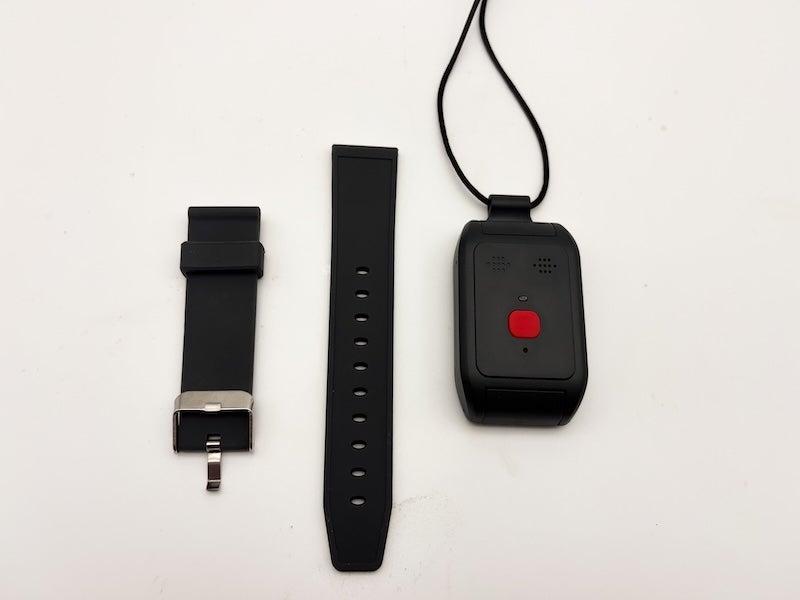
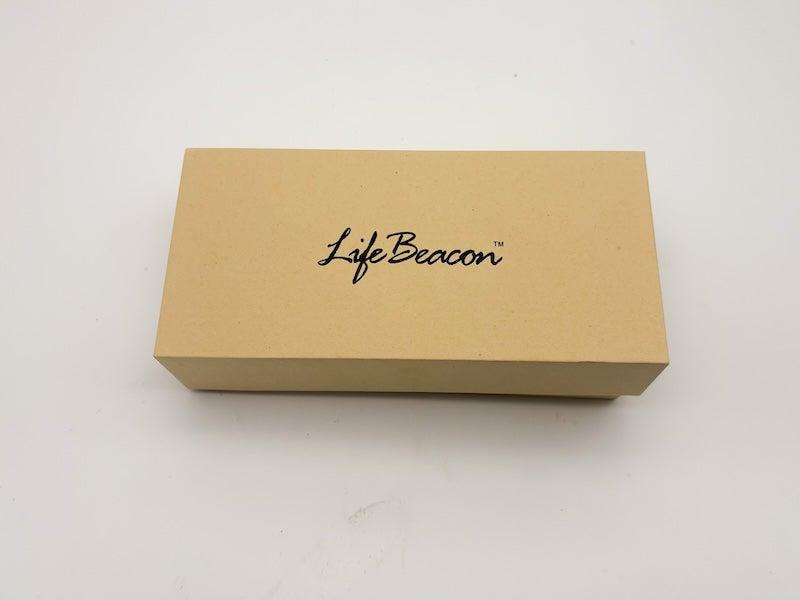
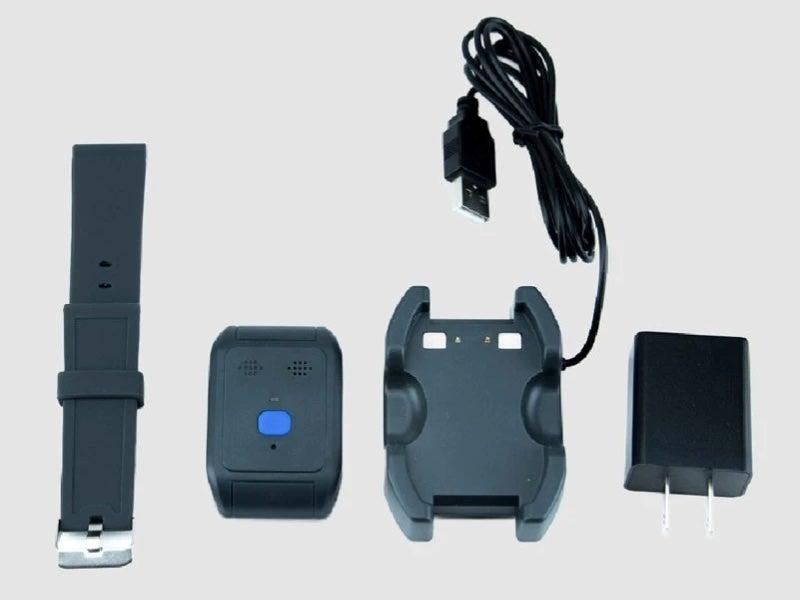
The LifeBeacon is Alert1's mobile device with built-in GPS. It arrives in a trendy box similar to designer-glasses packaging, though the hardware inside is pretty standard. It has a help button the size of a ring box, and you can wear it on a lanyard or wristband. Alert1 also includes a pin-pusher tool, which is necessary to convert the lanyard to a wristband. We found this process clunky. Most other medical alert system companies make it much easier to convert their two-in-one wearables.
LifeBeacon On-the-Go
- Stylish packaging
- Short instruction manual
- Straightforward setup for lanyard
- Device type: Wearable
- Fall detection: Yes
- Max. battery life: 10 days
- GPS tracking: Yes
- Caregiver alerts: No
- Connection type: Cellular
Pros
- Water-resistant
- Long, adjustable lanyard
- Simple charging setup
Cons
- Garbled audio
- Difficult to convert to wristband
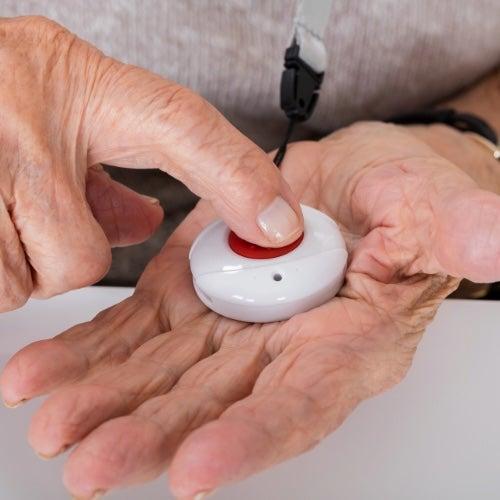
- Hard to use with long fingernails
EZ Care In-Home: A landline-based option for less
Alert1's lone landline-only offering, the EZ Care In-Home is the most affordable of the brand's medical alert systems. It also has a short range of just 400 feet (slightly longer than a football field), so it works best if you stay close to the base unit.
EZ Care In-Home
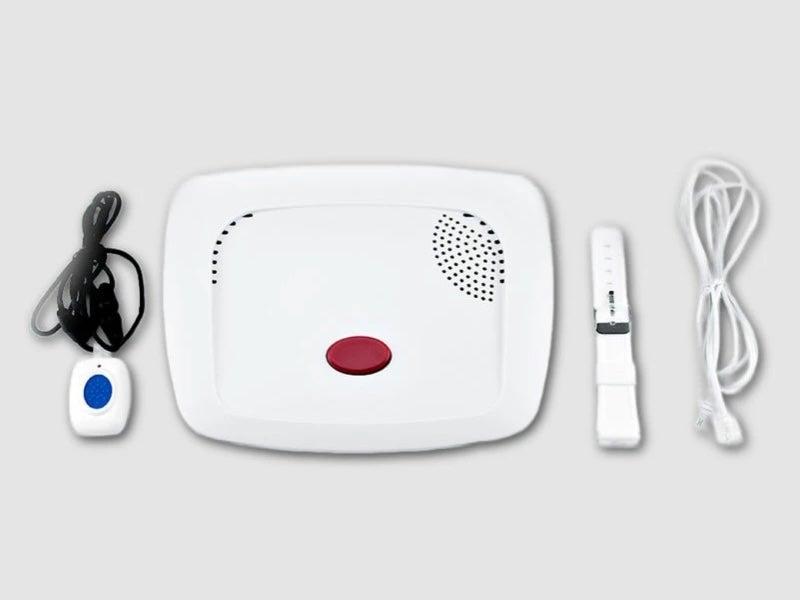
- Free shipping
- Can integrate with smoke alarms
- Device type: At-home
- Fall detection: Yes
- Max. battery life: 3 years
- GPS tracking: No
- Caregiver alerts: No
- Connection type: Landline
Pros
- Water-resistant
- Long battery life
- Customizable emergency plan
Cons
- Limited range of 400 feet
EZ Care Plus In-Home: Alert1's cellular alternative
The EZ Care Plus is also a home-based unit, but unlike the EZ Care In-Home, it’s black, has more console buttons, and it connects via Alert1’s AT&T network. Like its landline counterpart, the EZ Care Plus includes a necklace and wristband with help buttons.
EZ Care Plus In-Home
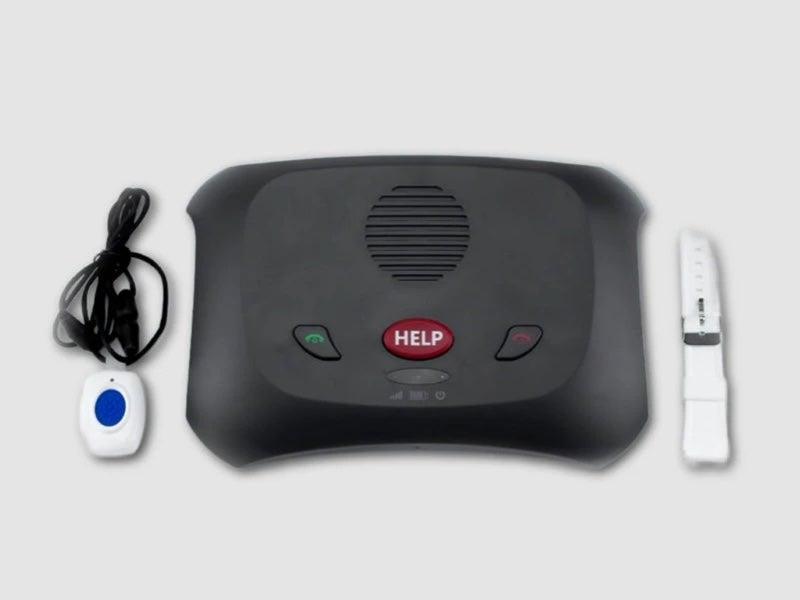
- Affordable fall detection
- CO2 and smoke alarm integration
- Automatic weekly connection
- Device type: At-home
- Fall detection: Yes
- Max. battery life: 3 years
- GPS tracking: No
- Caregiver alerts: No
- Connection type: Cellular
Pros
- Long battery life
- Water-resistant
- Customizable emergency plan
Cons
- Short, 600-feet range
How much do Alert1 devices cost?
Alert1 medical alert system devices do not have an activation or equipment fee. And opting for the annual subscription plan can save you money in the long run. Annual subscriptions are billed upfront on your first payment—so don’t get sticker shock when the $30 EZ Care In-Home shows up as $240 in your cart.
Alert1 offers its fall detection for $5 a month. Other medical alert systems charge $8-$16 for fall detection. Given that 20% of our survey respondents said their fall detection “works as it should and has helped me during a fall,” it may be a feature worth including on your Alert1 medical alert system.2
Comparing the cost of Alert1 devices
| Comparison Features | EZ Care In-Home |
EZ Care Plus In-Home |
LifeBeacon On-the-Go Pendant/Wristband |
|---|---|---|---|
| Monthly Cost: | $30 |
$40 |
$45 |
| Equipment fee | NA |
NA |
NA |
| Annual protection plan | $60 |
$60 |
$60 |
| Fall detection | $5 |
$5 |
$5 |
How to save money on Alert1 devices
Alert1 runs a program that allows veterans and people with limited income to get Alert1 discounts if someone else donates the remaining time on their service plan. Other ways to save include opting for the annual subscription tier, waiving the $60 protection plan, and using flexible spending account (FSA) or health savings account (HSA) funds to cover your purchase. Note that Medicare does not cover medical alert systems. You can also use Alert1’s Refer a Friend, AAA, or veterans’ discounts to lower your costs.
Alert1 accessories and options
Our testers ranked Alert1 a 7.9 out of 10 for features. There’s no app, and there’s very little you can add onto your medical alert package if you opt for the LifeBeacon. Most of the bells and whistles are reserved for the In-Home EZ Care and EZ Care Plus systems. Your add-on options include:
- Bonus wearable: If another person in the home needs a wearable help button, Alert1 lets you add additional EZ Care buttons for a discounted price.
- Fall detection: For $5 per month, you can add fall detection to any of your Alert1 products, including LifeBeacon.
- Protection plan: The Alert1 protection plan costs $60 per year and includes free once-annual repairs, free shipping on replacements and/or new orders, and “full” coverage of damaged devices. Note that the included warranty also covers damage and destruction.
The Alert1 user experience
While our testers said Alert1 is simple to set up and charge, they reported that the help button on the LifeBeacon might be hard to activate if you have long fingernails. One tester also said that pressing and holding the help button (rather than pressing and releasing) to reach Alert1’s Command Center requires a decent amount of finger strength. This may be an obstacle if you’re experiencing dizziness or weakness after a fall, as some of our survey respondents report feeling.2
“I was really glad to have a medical alert system when a close family member had a sudden dizzy spell and almost fainted,” said one respondent.2 “They were alone at home, and without the system, getting help quickly would have been difficult. Thankfully, with just one press of the button, emergency responders were alerted, and help arrived fast.”
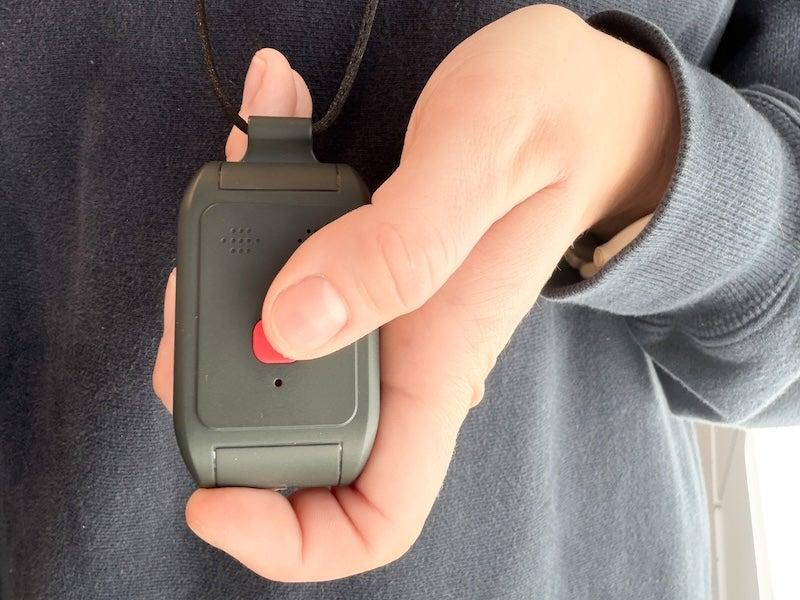
Dizziness alone is a perfectly good reason to own a medical alert system, regardless of age. “The medical alert system is most beneficial for people who have had frequent falls, but also for people who frequently experience dizziness, lightheadedness, or significant medical issues,” says Shauna Buchmoyer, occupational therapist and certified fall prevention specialist at United Disabilities Services.
Beyond the button, LifeBeacon’s fuzzy two-way audio gave our testers pause. “It cut in and out,” one tester said about the audio during test calls. LifeBeacon did not show a poor connection for our testers, who believe the dropped audio connection was on the monitoring center’s side or a machinery issue.
Our testers ranked Alert1 a 2 out of 5 for help button testing, citing not only the hard-to-press button and garbled audio, but also a fairly curt experience with monitoring center staff for one of our three calls. “It felt more aggravating than helpful, and I was unsure whether help was coming or not,” said one tester, adding that the experience as a whole was “not very comforting or reassuring.” If you’re hoping for a friendlier chat with a monitoring center—one where you’ll be reassured of next steps and can hear clearly—we recommend Bay Alarm Medical.
Alert1 customer service and warranty
Alert1 scored 9.7 out of 10 for customer service, which runs Monday through Friday during normal working hours. You can contact Alert1 customer service at 877-579-9862, and there is no fee to cancel your Alert1 plan. You can initiate your device return by pressing the help button, and you’ll be refunded if your device is in its original condition. Warranty and activation fees are not refundable.
The warranty, called an Alert1 Advantage Plan, covers a free replacement if your system malfunctions. It applies to both monthly and annual plan tiers, and offers a free, total replacement if you spill something on your home unit or accidentally wash or back your car over your medical alert necklaces.
Who should consider Alert1 devices
Just because the Alert1 audio quality was poor for our testers doesn't mean it will be poor for all users. Audio issues can vary based on Wi-Fi or cellular connection, region-specific cellular coverage, or interference from a nearby electronic device. If Alert1 checks other boxes for your medical alert system needs, it may be worth trying.
The best way to find out whether Alert1 is right for you is to opt in for a month and try it yourself. There is no fee for canceling your Alert1 device plans. Alert1 expects system tests and makes a point of letting you know they don't charge or raise your rate as a penalty for excessive button presses. We encourage you to test your Alert1 frequently to ensure you’re happy with your audio connection and Command Center interactions.
Those with larger homes may not find that Alert1 offers the coverage they need. The maximum range of the In-Home EZ Care and EZ Care Plus systems is 400 feet or 600 feet, respectively. Other medical alert systems offers a range of 800 to 1,300 feet.
You’ll also want to consider how much extra weight you’re up for carrying around. Alert1’s mobile offering, the LifeBeacon, weighs a somewhat hefty 37 grams. For comparison, Alert1’s home necklaces for the EZ Care system are .4 ounces, or roughly 11 grams. One of our testers said the necklace “is slightly heavy when paired with the thin lanyard,” reporting that it dug into her neck more than a wider, shoelace-like lanyard would.
Frequently asked questions
Does Alert1 offer fall detection?
Yes. Alert1 offers fall detection as a $5 monthly add-on for all three of its main systems: EZ Care In-Home, EZ Care Plus In-Home, and LifeBeacon On-the-Go. Fall detection is optional, so your monthly cost will be lower if you choose a plan without it.
How much does Alert1 cost per month?
How much Alert1 costs per month depends on which device you have, if you opted for the annual plan, and any add-ons. The most affordable arrangement is the EZ Care In-Home Medical Alert on an annual plan without fall detection, at $20 per month. The most expensive option is the LifeBeacon with fall detection on a monthly plan, coming in at $45 per month.
Does Alert1 have an app?
No. Alert1 does not have an app. This may make the system easier for people who don’t want to manage an app, but it also means caregivers won’t have app-based tools like location tracking, activity updates, or account monitoring.
What is Alert1's response time?
Alert1’s average response time in our testing was 36 seconds. We consider a response in under 60 seconds as “passing.” While the monitoring center answered quickly, our testers had some issues with audio quality during testing.
Does Alert1 require a landline?
No. Alert1 offers both landline and cellular options. The EZ Care In-Home system uses a landline, while the EZ Care Plus In-Home and LifeBeacon On-the-Go use a cellular connection. The LifeBeacon also includes GPS tracking for use outside the home.
Questions? Email us at reviewsteam@ncoa.org.