

How to Use AirPods As Hearing Aids (2026): Expert Review And Steps
AirPods are not hearing aids, but they have features that can help support hearing for some people. Here's how it works and who they're best for.

- Apple AirPods Pro 2 and Pro 3 can provide hearing support for some people with mild to moderate hearing loss, but they are not a replacement for prescription or over-the-counter hearing aids.
- Apple AirPods Pro 2 cost about $170–$250. AirPods Pro 3 generally cost about $250–$300, depending on the retailer and current promotions.
- If you already own AirPods, the built-in hearing features can be a lower-cost way to try hearing support before buying dedicated hearing aids.
- AirPods work best with Apple devices. They offer features like personalized sound settings, Bluetooth streaming, and noise control to make conversations easier to hear.
NCOA supports everyone’s right to age well. That’s why we test and recommend products we believe can help you live a healthier life. We’ve spent more than 5,000 hours researching hearing aids to give you the most accurate product reviews. To find the best OTC hearing aids, we:
- Consulted with audiologists, hearing instrument specialists, and aging care experts
- Put more than 50 hearing aids through a series of 21 different tests
- Mystery shopped more than 20 brands
- Surveyed hundreds of older adults who use hearing aids
- Interviewed experts on hearing loss
- Sent hearing aids to our friends and family with hearing loss to provide long-term testing notes
- Read thousands of verified customer reviews
We’re constantly testing new hearing aids to give you the most accurate and up-to-date recommendations. Read more about our hearing aid review methodology.
Adults with mild to moderate hearing loss have more hearing support options than ever. Along with prescription hearing aids and over-the-counter (OTC) hearing aids, there is another choice: using your AirPods. The earbud-style devices were introduced by Apple in 2017 as a wireless way to stream audio using Bluetooth. Seven years later, the brand added special hearing support features to its Pro 2 and Pro 3 models.
Make no mistake, AirPods are not true hearing aids. But they can help support hearing—in some instances. “I see it as a good transition to prescription models,” said Hunter Gerhart, AuD, director of audiology at Livingston Hearing Aid Center. “A few patients told me that’s how they knew they needed hearing aids. They used that feature and discovered they could hear so much better.” This can help people get support they need sooner, as some research shows people wait about nine years after their first hearing loss diagnosis before purchasing hearing aids.1
To see what it's like to use AirPods as hearing aids, we asked older adults with hearing loss to test the hearing feature on the Apple AirPods Pro 3. In this review, we’ll explain what they found and whether Apple hearing aid features could be a good choice for you.
Apple AirPods Pro 3
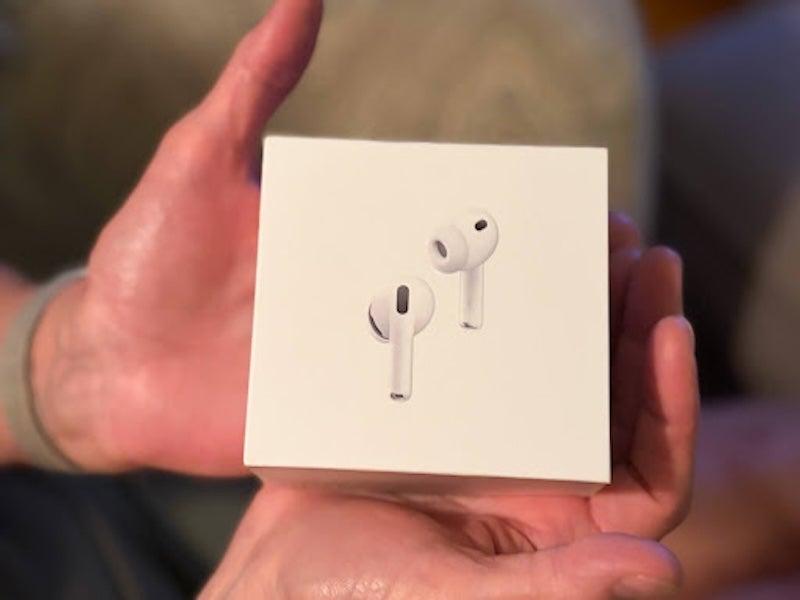
- No separate app needed for iPhone users
- Smartphone control and Bluetooth streaming
- Earbud-style design with adjustable fit
- Type of hearing aid: Earbud
- Battery type: Rechargeable
- Bluetooth compatible: Yes
Pros
- Natural sound quality
- Excellent streaming capabilities
- Setup and controls are not complicated
Cons
- These are not technically hearing aids
- Earbud-style profile is very visible
- Cannot connect with public broadcast systems
Can AirPods be used as hearing aids?
Several models of Apple AirPods can be used as hearing aids, with some significant limits. Since the FDA approved OTC hearing aids for sale in 2022, many people have wondered if earbud-style devices like AirPods could be a good alternative. AirPods are definitely not intended to replace hearing aids. But they can support hearing health for some. Like OTC hearing aids, AirPods may only work for people with mild to moderate hearing loss. And, as Gerhart pointed out, these devices are inserted in the ear canal. Not everyone will find this comfortable.
It may be surprising, but there are similarities between AirPods and hearing aids. The AirPods Pro 2 and AirPods Pro 3 are currently the only models with Apple’s hearing aid features. Both use rechargeable batteries and come in a charging case. The Pro 2, released in 2022, has manual controls on the earbuds for playing or pausing audio and adjusting volume. The earbuds also come with four sizes of silicone ear tips to help you get a comfortable fit. This is similar to hearing aids, which often come with different domes you can change to find the best fit. And many hearing aids now have the ability to stream audio from calls and music.
The AirPods Pro 3, released in 2025, builds on the features of the Pro 2 and adds better sound quality, improved audio performance, and in-ear heart rate sensors for fitness tracking. The redesigned silicone ear tips include a soft foam layer and angle slightly inward to improve contact with the ear. They come with five ear tip sizes, making it easier to find a secure fit. But even with these improvements, the devices are not designed specifically for hearing loss. They do not have some of the advanced features you’ll find with true hearing aids.
How Apple AirPods can help with hearing
For people with mild to moderate hearing loss, using Apple AirPods as hearing aids can make conversations easier to hear in some situations. The AirPods Pro 2 and AirPods Pro 3 include hearing features that help boost speech and adjust sound to match your hearing needs. They also offer noise cancellation features to help reduce background sounds in busy places. While AirPods are not true hearing aids, these tools can make listening more comfortable for some people.
Apple devices, including iPhones and iPads, can connect wirelessly to your AirPods using Bluetooth. Once you connect your AirPods to your Apple smartphone or tablet, you can upload an existing hearing test or take one provided by Apple. This is not a substitute for a professional hearing evaluation, but it allows you to set up the hearing features on the AirPods and fine-tune the settings, said Gerhart. Learning how to use AirPods as hearing aids is fairly simple. But they still work best as a hearing support tool rather than a replacement for professionally fitted hearing aids, especially if your hearing loss is more severe.
Who may benefit from using AirPods as hearing aids
Not everyone may need a traditional hearing aid right away. “It can be a great option for someone with a mild hearing loss and standard size ear canal,” said Gerhart. But this isn’t very common, he added, especially for older adults. “Hearing loss is so gradual, by the time most people start noticing it affecting their quality of life, it has already progressed from mild to moderate,” Gerhart said. It’s always a good idea to get your hearing checked by a professional.
If you’ve been reluctant to wear a traditional hearing aid, AirPods may be a good way to ease into what it might feel like. Prescription hearing aids can be expensive, and if you already own a pair of AirPods Pro 2 or Pro 3, the hearing support might help you decide whether to spend that money. AirPods can also be a good way to trial whether an in-the-canal (ITC) style feels comfortable to you, or if you'd prefer a behind-the-ear (BTE) style.
Who should not rely on AirPods as hearing aids
Apple AirPods are certainly popular, but they are not the best fit for everyone with hearing loss. People with more than moderate hearing loss should not rely on the AirPods hearing aid feature alone. It’s best to get checked by a licensed hearing care professional to understand the extent of your hearing loss and what device will work best for you. If you have moderate to severe hearing loss or need all-day hearing support, traditional hearing aids will provide better results. You can learn more about a popular prescription brand in our Phonak hearing aids review.
Gerhart also noted AirPods are not the most discreet choice to use as hearing aids. “These are quite large and you can tell you’re wearing some type of earphone,” he said. “Prescription models can be a lot more discreet.” Someone who doesn’t want to draw attention to the fact that they are wearing hearing aids may prefer a nearly invisible style. You can read about more discreet options in our best invisible hearing aids guide or Oticon hearing aid review.
The fit is also a factor. “A big limitation I see is that not only is every ear canal different, but AirPods don’t always fit well,” said Gerhart. A poor fit can make them less comfortable and allow sound to leak out. Some people don’t like the “plugged up” feeling of an in-canal device. You can explore other options in our best hearing aids roundup.
Finally, AirPods use rechargeable batteries, but they have a shorter battery life (about 8 hours) compared to many of the best rechargeable hearing aids. Lots of other hearing aids also include a case with additional power so you can go days without needing to be near an outlet. This can be useful for people who travel often or camp.
Android users can use Apple AirPods as hearing aids, but they will miss out on some of the Bluetooth functions that iOS users enjoy. AirPods also have their own tech for public broadcast systems, and are not compatible with either telecoil or Auracast systems. If you want to use one of those systems, you need to purchase an extra device that can convert the signal.
How to use AirPods as hearing aids
Using your Apple AirPods Pro 2 or Pro 3 for hearing support is a relatively straightforward process. You can set up the hearing aid feature with these steps:
Step 1: Pair your AirPods
Connect your AirPods Pro 2 or AirPods Pro 3 to your iPhone or other iOS device. Make sure both your iPhone and AirPods are updated with the latest software before you begin.
Step 2: Open the hearing settings
On your phone or tablet, go to Settings, tap Accessibility, then choose Hearing. From there, you’ll find the hearing features to set up your AirPods for use as hearing support.
Step 3: Complete the hearing setup
You can upload an audiogram from a hearing test or complete Apple’s built-in hearing test if your AirPods support it. This helps personalize the sound, though it is not as accurate as a hearing test performed by a licensed professional.
Step 4: Adjust the sound settings
Customize the hearing settings to match your needs. You can change amplification levels and adjust the balance between ears. You can also turn on features, such as noise reduction or noise canceling, to make conversations easier to hear.
Step 5: Test them in everyday situations
Wear your AirPods in places where you normally have trouble hearing, such as restaurants, family gatherings, or while watching TV. As you learn how to use your AirPods for hearing support, you can continue adjusting the settings until they work best for your hearing needs.
What our testers thought of Apple AirPods as hearing aids
Our testers came away impressed with how easy it was to use AirPods to support their hearing, especially for people who already own an iPhone. The setup earned a perfect 5/5 for ease of use. “If you already have an Apple iPhone or device, it’s the easiest setup on the planet,” said one tester. “Make sure they are near your iOS device and the Bluetooth is on. It will prompt you on your device to set them up. You will get to name them, and it will ask you if you'd like hearing support and to take a hearing test.” If you take a hearing test, the program will automatically adjust your calls, music and environmental sounds based on your test results.
Once the hearing features were turned on, making adjustments was simple. “It’s not a separate app. It’s just the settings in your iPhone,” said one tester. “Click on the AirPods and you can go into hearing assist mode. You can control amplification with the volume button on your phone, which is super convenient. You will also just hold down the bottom of the earbud to change from active noise cancelling to transparency mode.” Our testers gave the app a 5/5.
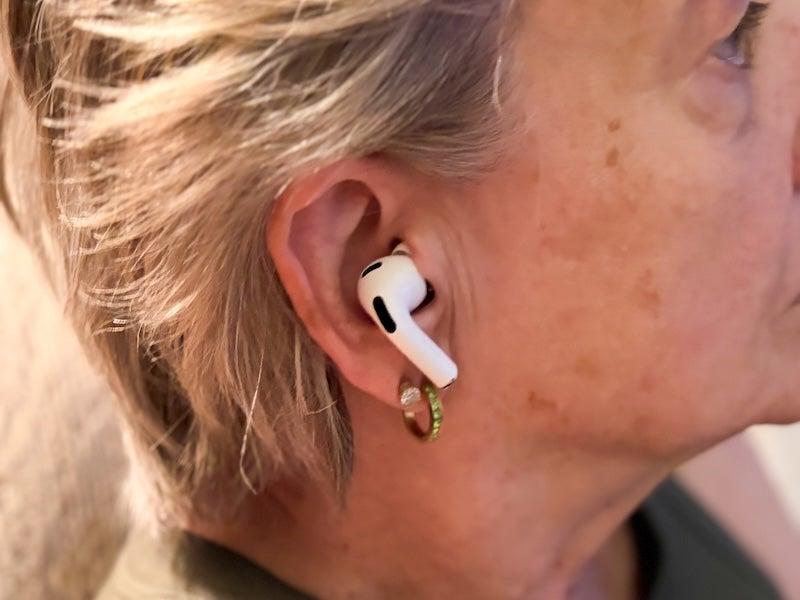
Comfort also earned high marks. One tester said the earbuds stayed secure during walks, chores, and workout classes after switching to the smaller ear tips. Charging was also simple due to the magnetic USB-C charging case. But testers noted a few drawbacks. The Pro 3 did not include a charging cable or power block. One tester said wearing what looked like earbuds during conversations could make them feel rude. They also pointed out Apple AirPods as hearing support works best for iPhone users, since many hearing features are not available on other devices.
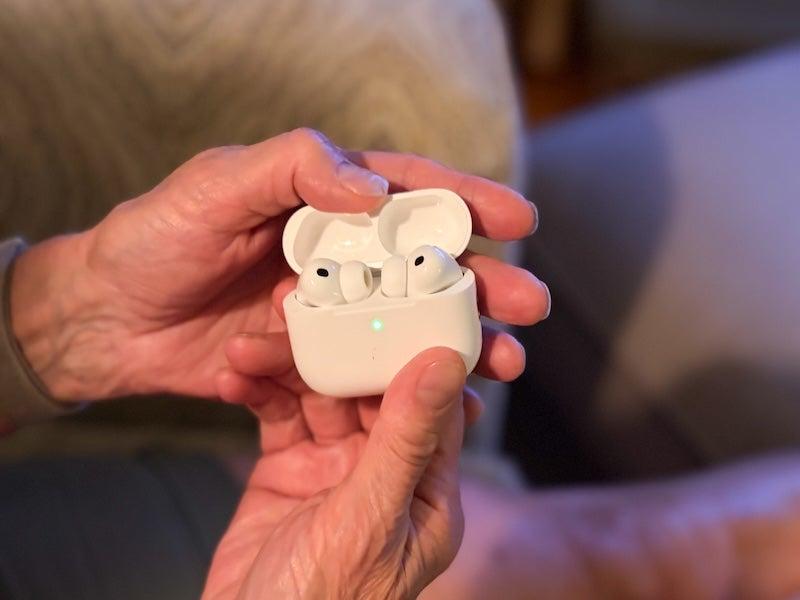
The listening experience was where the AirPods Pro 3 stood out most. Our tester gave 5/5 scores for own voice, speech quality, and directional hearing. “My voice sounds great,” said one. "My partner somehow sounds even better than I do. It really is just amplifying everything to make it easier to hear, without changing the tone or overall sound of anything.” Testers said it was easier to tell where someone was speaking from around the room. Noise handling earned a 4/5, with testers saying they heard just enough background sound. The lowest score was for hearing at a distance, which testers rated as only average (3/5). Voices remained clear but were not greatly amplified from far away.
Overall, our testers enjoyed using Apple AirPods as to support their hearing. “I loved, loved, loved using these!” said one. “I sounded so normal and natural, there was no annoying feedback from them. My partner sounded great and the settings were so easy to use and change.” “I feel like these will definitely help me if I don't think I need hearing aids all the time, just in specific situations.”
Best alternatives to AirPods as hearing aids
If you are looking for an OTC earbud-style hearing aid that delivers advanced sound quality, here are some alternatives to AirPods our testers liked:
Cearvol Wave
The Cearvol Wave is an earbud-style hearing aid with features like Bluetooth streaming, long battery life, and several listening modes. Compared to Apple AirPods, the Wave is made for hearing support first, with added music streaming and phone call capability.
Cearvol Wave
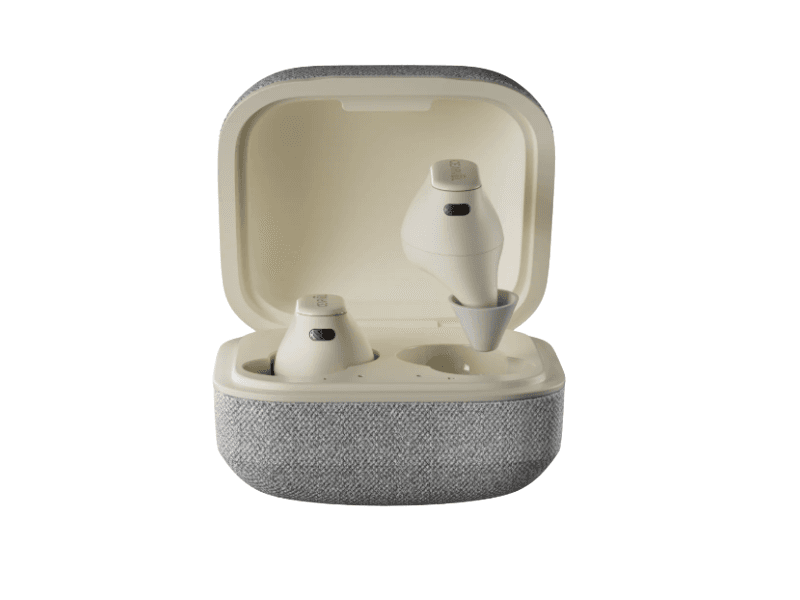
- Cearvol Review
- Touchscreen charging case to control volume and listening modes without using an app
- Four listening programs for indoor, outdoor, restaurant, and conversation settings
- Bluetooth streaming with the ability to connect to two devices at once
- Type of hearing aid: Earbud
- Battery type: Rechargeable
- Bluetooth compatible: Yes
Pros
- No app needed for everyday controls
- Charging case provides up to 28 hours of extra battery life
- Performs well when listening to sounds from farther away
Cons
- Does not support telecoil or Auracast broadcasts
- Larger design is more noticeable than many hearing aids
- Nearby voices can sometimes sound too loud
Linner Saturn
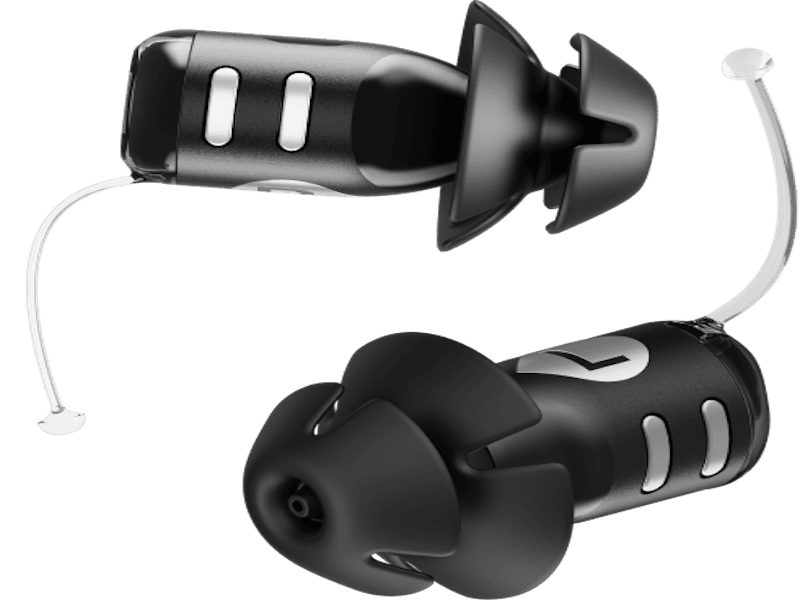
The Linner Saturn is an affordable, completely-in-canal (CIC) hearing aid made for people who want simple hearing support. Compared to Apple AirPods as hearing aids, the Linner Saturn focuses on clear speech and all-day comfort instead of music streaming and smart features.
Linner Saturn
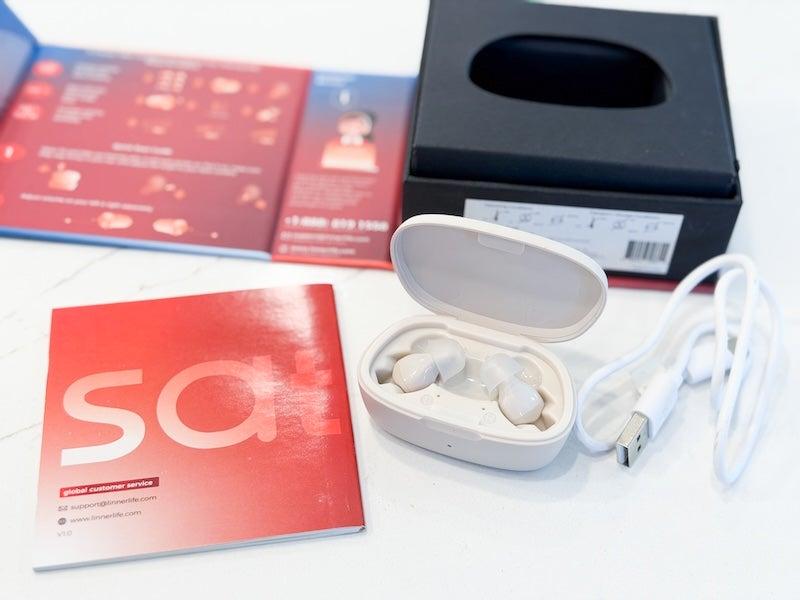
- Linner Review
- Lightweight CIC design for a less noticeable look
- Manual controls for adjusting the volume
- Rechargeable battery with up to 20 hours per charge
- Type of hearing aid: CIC
- Battery type: Rechargeable
- Bluetooth compatible: No
Pros
- Clear speech in quiet places
- Comfortable, lightweight fit
- Budget-friendly price
Cons
- No Bluetooth streaming or companion app
- Can’t customize settings
- Background noise can still be distracting in busy places
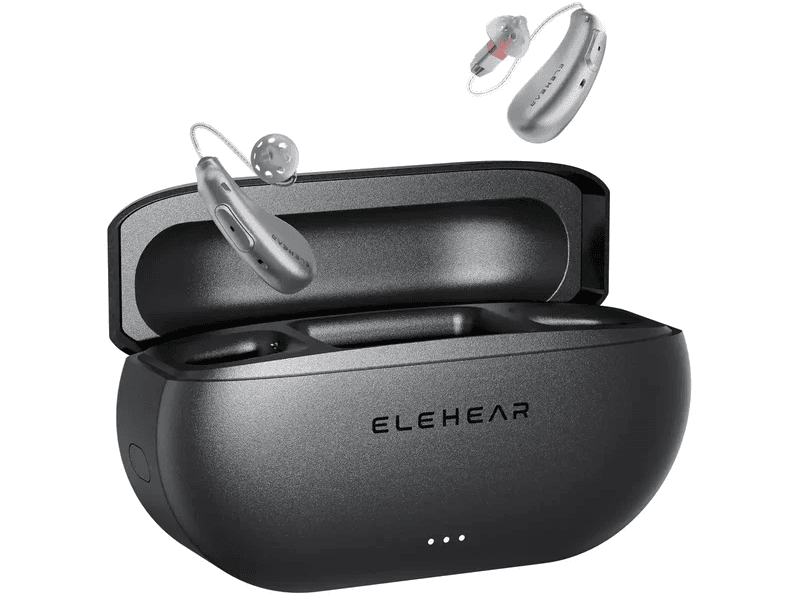
Elehear Delight
The Elehear Delight is an affordable over-the-counter hearing aid made for people with mild to moderate hearing loss. It is straightforward to use and works best during everyday conversations, while offering more hearing support than using Apple AirPods as hearing aids. This is because it is designed specifically for hearing loss.
Elehear Delight
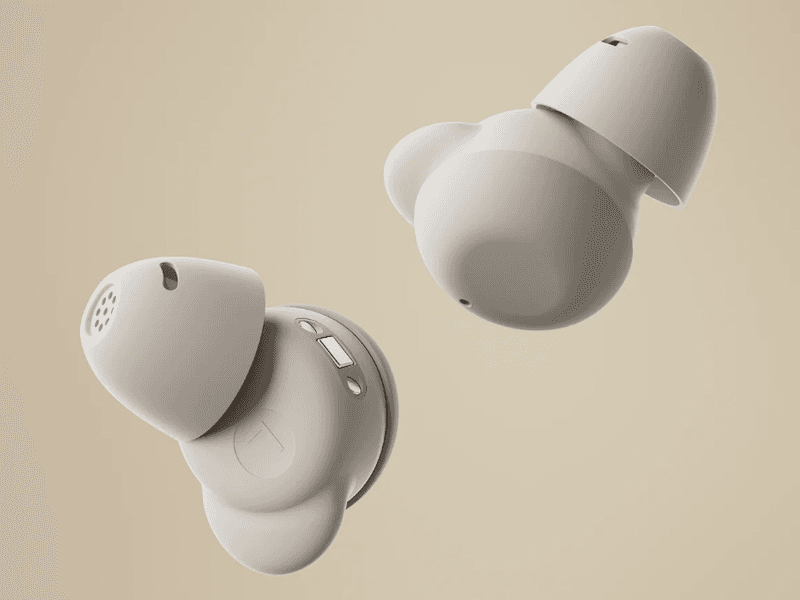
- Elehear Review
- AI-assisted noise reduction to help make conversations easier to hear
- Bluetooth support for phone calls and streaming audio
- Rechargeable battery with up to 13.5 hours of use on a single charge
- Type of hearing aid: RIC
- Battery type: Rechargeable
- Bluetooth compatible: Yes
Pros
- Small in-the-ear design
- Lower price than many OTC hearing aids
- Bluetooth connectivity for calls and media
Cons
- Battery does not last as long as some other Elehear models
- Small size may be difficult for people with limited hand movement or vision
- Limited water resistance
AirPods vs. hearing aids
| Comparison Features | |||||
|---|---|---|---|---|---|
| Prescription needed? | No |
No |
No |
No |
No |
| Hearing loss supported | Mild to moderate |
Mild to moderate |
Mild to moderate |
Mild to moderate |
Mild to moderate (when Hearing Aid feature is available) |
| Style* | RIC |
BTE |
RIC |
CIC |
Earbud |
| Sound quality | Excellent, natural sound with personalized settings |
Good for the price, but less refined |
Very good with advanced sound processing |
Excellent, tuned for discreet everyday wear |
Good in quiet settings but less consistent than dedicated hearing aids |
| Comfort | Lightweight open-fit design for all-day wear |
Comfortable but slightly bulkier BTE design |
Lightweight open-fit design |
Excellent; nearly invisible and sits deep in the ear |
Comfortable for many users, but not designed for all-day hearing aid wear |
| Battery life | Up to 24 hours per charge |
Up to 24 hours per charge |
Up to 20 hours per charge |
Up to 16 hours per charge |
About 8 hours per charge |
| Bluetooth streaming | Yes |
Yes |
Yes |
Yes |
Yes (designed for Apple devices) |
| Tinnitus features | No |
No |
Yes, built-in tinnitus masking |
No |
No |
| Companion app | Full-featured app with remote adjustments |
Basic app controls |
App with hearing test and sound customization |
App for fitting and sound adjustments |
Apple Health and AirPods settings |
| Professional support | Remote support from hearing specialists |
Self-service |
Self-service |
Remote support available |
No hearing care support |
| Typical price | $$$ |
$ |
$$$ |
$$$$ |
$$ (if you already own compatible AirPods, the hearing features are included) |
| Best for | People who want premium OTC performance and support |
Budget-conscious shoppers |
People with hearing loss and tinnitus |
Users who want the most discreet hearing aid possible |
Occasional hearing assistance and people already invested in the Apple ecosystem |
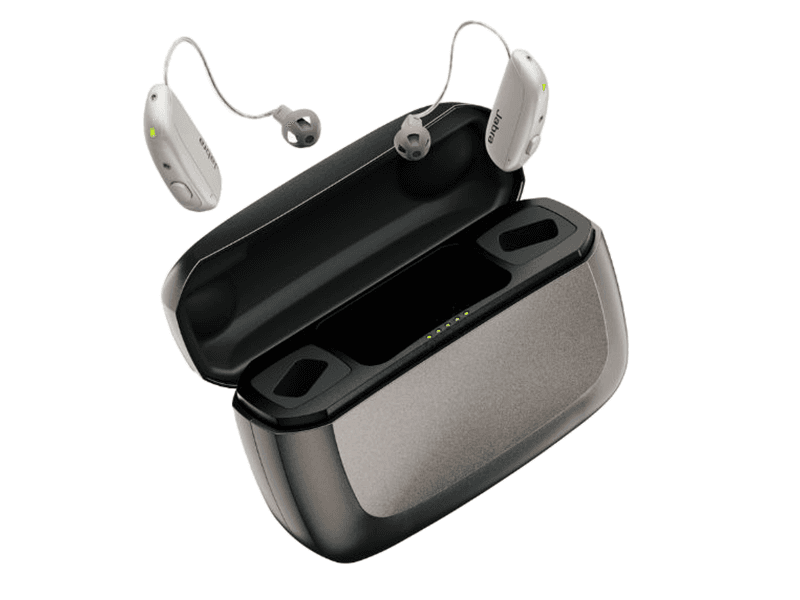
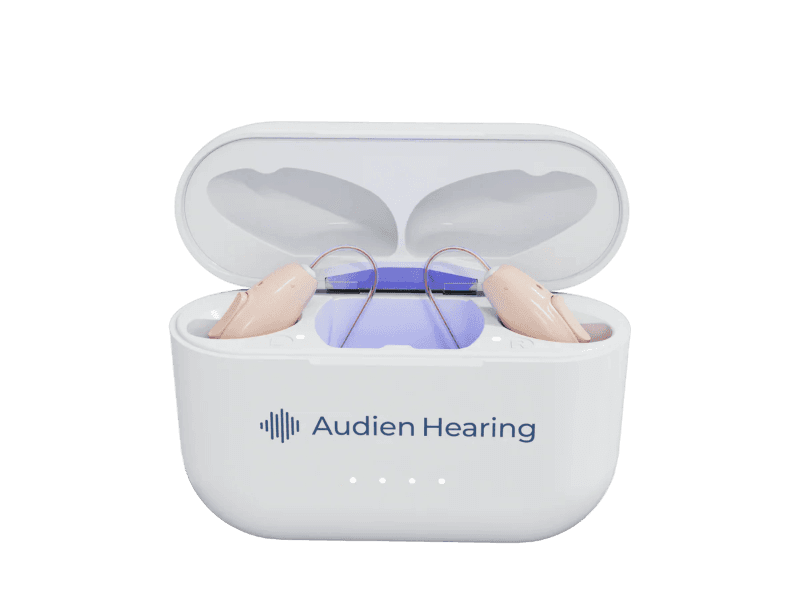
*BTE=behind-the-ear; CIC=completely-in-canal; RIC=receiver-in-canal
When you should see a doctor or audiologist
While AirPods as hearing aids may help some people hear better in certain situations, they should not replace a hearing evaluation. If you notice your hearing getting worse, have difficulty following conversations, hear ringing in your ears, have pain or dizziness, or find Apple AirPods as hearing aids no longer help, it’s time to see a doctor or audiologist. A hearing professional can find the cause of your hearing loss and recommend the best treatment for you.
Are AirPods safe to use for hearing loss?
For most people, the Apple AirPods hearing aid features are safe to use at comfortable listening levels. The biggest risk comes from turning the volume up too high for long periods of time, which can damage your hearing instead of helping it. It is best to keep the volume only as loud as you need to hear clearly and take listening breaks throughout the day.
Another important concern is getting the right diagnosis. Learning how to use AirPods as hearing aids can help some people with mild hearing loss. But it should not replace a hearing evaluation by a hearing care professional. Hearing loss can be caused by medical conditions that need treatment, and waiting too long may make it harder to adjust to hearing aids later. If you choose to use AirPods as hearing aids, practice safe listening by keeping the volume at a moderate level. Use the hearing features as intended, and schedule a hearing exam if your hearing continues to decline.
Frequently asked questions (FAQs)
Can you use AirPods as hearing aids?
Certain AirPods models, including the Pro 2 and Pro 3, have features that allow you to use them to support hearing. They are only suitable for people with mild to moderate hearing loss.
Does Apple make hearing aids?
Apple does not make hearing aids, but some models of its wireless Bluetooth earbuds have built-in hearing support features.
Which AirPods work best as hearing aids?
The AirPods Pro 2 and AirPods Pro 3 are the only models that currently have clinical grade hearing aid features and personalized sound settings.
Is Apple FDA-approved as a hearing aid?
No, AirPods are not FDA-approved hearing aids. They include hearing assistance features but are not classified as OTC or prescription hearing aids.
Are AirPods cheaper than hearing aids?
The AirPods Pro models with hearing support features typically cost about $250 at the time of writing. This is much less than prescription hearing aids and even many OTC hearing aids. But AirPods do not offer the same features or hearing support you get with true hearing aids.
Do AirPods help with tinnitus?
While you can use some models of Apple AirPods as hearing aids, they do not have features specifically for tinnitus. If you have symptoms of tinnitus, you should see a hearing care professional.
Questions? Reach out to reviewsteam@ncoa.org.