

Lively Medical Alert Review 2026
We tested Best Buy’s medical alert system for comfort, response time, and ease of use.

- Lively has a super-friendly Urgent Response center that can also connect you to a care advocate or on-call nurse, depending on your service. Its differing service tiers result in a price range of $30–$40 per month after purchasing the $80 device.
- The Lively necklace is comfortable and simple to use, though the wearability is limited, and you can’t control the volume.
- You can purchase Lively at any brick-and-mortar Best Buy, unlike many medical alert systems that require you to buy online or by phone.
At NCOA, we take the time to research, test, and recommend products that aim to help you live a healthier life. We’ve spent more than 3,000 hours researching medical alert systems to give you the most accurate product reviews. To find the best medical alert systems, we:
- Consulted with doctors and licensed adult caregivers who specialize in working with older adults
- Put more than 35 devices through a series of 16 different tests at our in-house lab
- Mystery shopped more than 15 brands
- Surveyed more than 1,000 medical alert system users and caregivers
- Interviewed experts on older adults falls risk
- Worked with older adults to test medical alert systems and get their opinion
- Read thousands of verified customer reviews
We’re constantly testing new medical alert systems to give you the most accurate and up-to-date recommendations. Read more about our medical alert system review methodology.
If you've waited until after a fall to learn more about the best medical alert systems (MAS), you're not alone: 30% of our survey respondents bought an MAS after they themselves experienced a fall, while 45% bought theirs after someone in their care had a fall.1 But now that you’re ready for a medical alert system, you may want one you can get your hands on immediately.
The Lively medical alert system is best for folks who need a MAS fast and appreciate the simplicity of a one-button device. Lively is simple to obtain—there's no need to call a sales number or order online and wait for your medical alert system to ship. If you live near a Best Buy, you can have a Lively system the same day.
This Lively medical alert review will break down whether Lively Mobile2 is the MAS for you. We’ll examine prices, pros and cons, our testing experience, and discuss Lively’s unique features.
Lively Mobile2
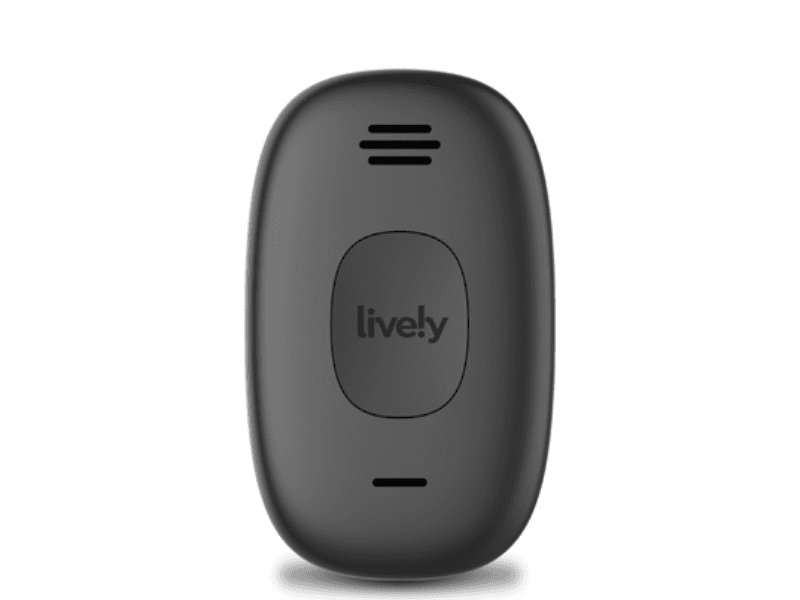
- Friendly monitoring center staff
- Very clear audio
- Comfortable (but short) lanyard
Why we recommend Lively
Beyond Lively's incredibly friendly monitoring center, one of the brand's standout features is its Nurse On-Call service. For an extra $10 per month, Lively’s Premium plan allows you to use your Lively wearable to talk to a US-based nurse whenever you want. Just hit your help button and ask for Nurse On-Call when the Urgent Response monitoring center picks up. You’ll be patched through to the nurse for any medical questions or to request certain medication refills. Premium plan subscribers can also talk to a care advocate who can help you build a personalized plan for your overall health and connect you to community programs or financial resources.
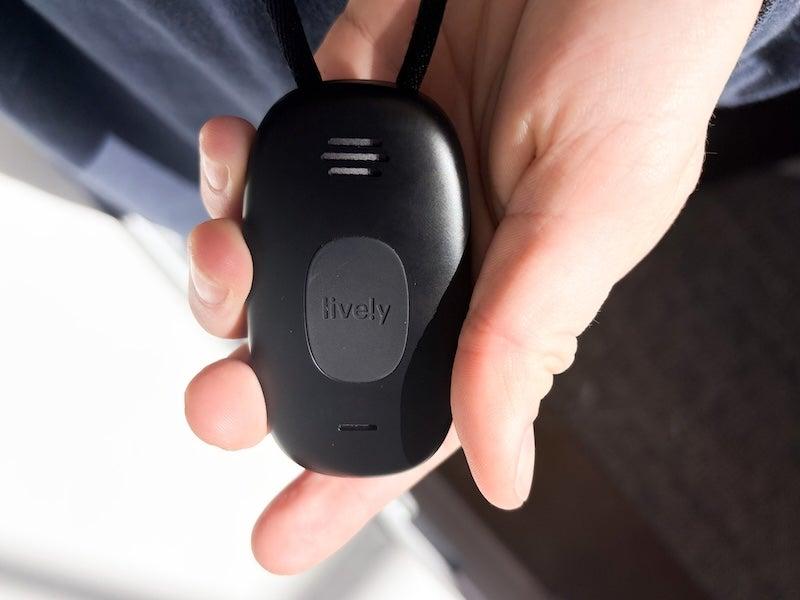
We also recommend Lively for its simplicity. The Lively Mobile2 has just one button. There are multiple paths you can take after you hit the help button and speak with Urgent Response, but the wearable itself is simple. This is key to incorporating a medical alert system into your routine (or the routine of someone who might be reluctant to use one).
“Ease of use is so important because if [the system] is too complicated, many people will get frustrated and then avoid using it," says Shauna Buchmoyer, occupational therapist and certified fall prevention specialist at United Disabilities Services. She adds that while some people might appreciate advanced technology like medical alert smartwatches, “many in the older adult population would be better suited for a medical alert that is easier to use.”
The Lively Mobile2 All-in-One Medical Alert
The Lively Mobile2 All-in-One is aptly named: Everything you need a medical alert system to do, it does. The wearable connects you to Urgent Response, a nurse, and/or a care advocate. While not EMD/EMT-certified like Medical Care Alert’s monitoring staff, Lively’s Urgent Response staff is dedicated to compassion, a front on which our testers say it absolutely delivers.
Lively Mobile2 All-in-One
- Caring, personable monitoring center
- Two-way audio
- Water-resistant
- Device type: Mobile medical alert
- Fall detection: Yes
- Max. battery life: 3 days
- GPS tracking: Yes
- Caregiver alerts: Yes
- Connection type: Cellular
Pros
- Simple activation
- Clear audio
- Comes with a belt clip
Cons
- Short lanyard
- No volume control
- Bulky
What’s different about the Lively Mobile2 All-in-One
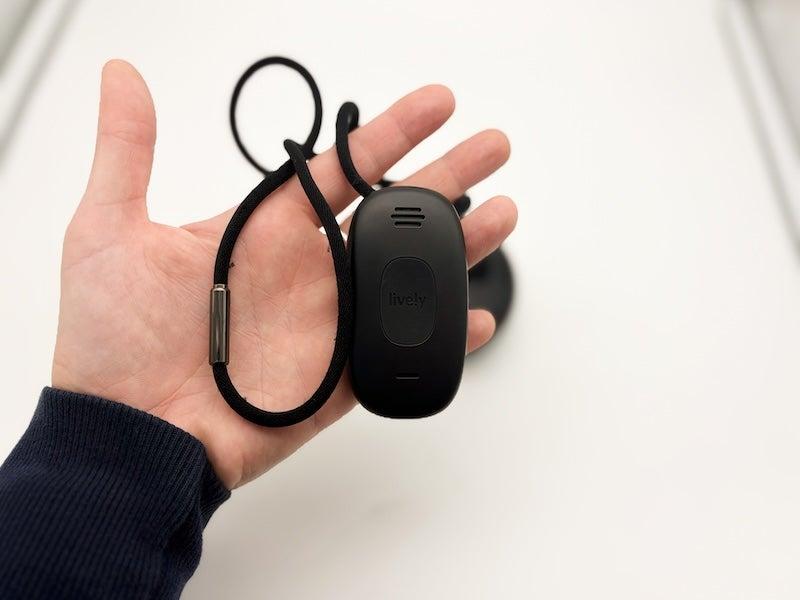
Unlike many other medical alert systems, Lively doesn’t include a wrist wearable—you have to buy one separately for $20. But because the LivelyMobile2 wearable is so clunky, we can’t recommend attaching it to your wrist; it’d be like wearing your car key fob. Lively Mobile2 works best around your neck or on a belt clip.
Nearly 47% of our survey respondents wear their medical alert system around their neck, and almost 8% wear it on their belt loop.1 The belt clip conversion on the Lively is included in your purchase, and is a great option to consider. Studies show that the waist region (like where you’d put a belt clip) is 99.96% effective at fall detection, compared to the still-very-effective 97.37% of falls wrist sensors detect.2
Lively Mobile2, which is about as tall and wide as a bar of hotel soap, has a super quick response time. Urgent Response picked up under 30 seconds for each of our timed tests. While the volume was a little loud and couldn't be adjusted, our testers said the two-way talk on the wearable was crystal clear, and monitoring center staff was very supportive. One tester described Lively’s Urgent Response team as “very cordial and very friendly”—and that was true of all three representatives she interacted with. Kindness and clear audio aren't guaranteed in the medical alert system industry, but our testers found that Lively has both.
Lively customer service and warranty
Lively scored a perfect 10 out of 10 for customer service, largely due to its Urgent Response operators and good availability. Lively’s customer service team works seven days a week at normal business hours, and you can contact them via online form or by calling 800-733-6632. The return policy for the LivelyMobile2 gives you up to 30 days from receipt to send it back in the original packaging and in mint condition. The refund does not cover shipping costs. There are no cancellation fees.
The protection plan is an extension of the warranty. The warranty covers your device for 1 year, provided you buy it from Best Buy/Lively, not a third party. That said, the warranty doesn’t cover much. The warranty excludes:
- The battery
- Defects from exposure to liquid (the device is described as water-resistant)
- Cosmetic damage you cause
- Normal wear and tear
- Theft
- Damage from the elements (fire, lightning, earthquake)
- Using your Lively abroad
How we tested Lively medical alerts
We tested the Lively medical alert device by simulating falls, pressing the help button, and performing everyday activities and motions while wearing the device. We also factored in unboxing and setup when we tested, and evaluated how clear the setup of each medical alert system was by how far our testers could get without the user manuals or quick-start guides.
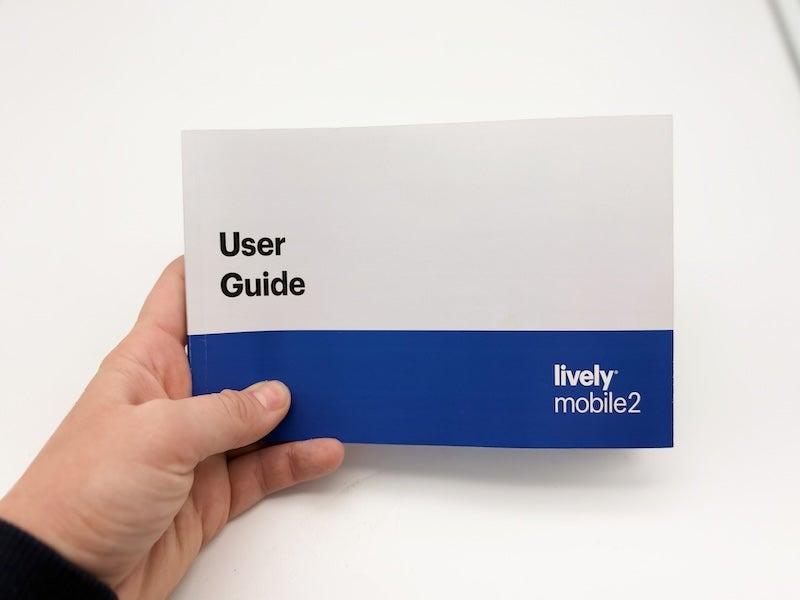
The only time our testers needed to consult the paperwork for the Lively was when figuring out what the different lights meant during a charging cycle. Lively’s cradle chirps and speaks when the device is connected, alerting you to errors or when your fall detection is active. Lively scored 5 out of 5 across unboxing, initial setup, and help button testing.
How to choose a medical alert system
Lively does not have a home base unit like other medical alert systems; instead, it goes with you anywhere you go—including the shower. Those seeking a subtle medical alert necklace might not enjoy the Lively Mobile2, but it may be a good fit for many others. Before choosing the Lively medical alert system, ask yourself:
- Do I need a medical alert system I can buy and set up on the same day?
- How would I feel most comfortable wearing a medical alert device: on my wrist, around my neck, or on my belt?
- Will I mind that the necklace lanyard is short and not adjustable?
- Would friendly emergency operators be important to me?
- How important is it to be able to lower the volume?
Lively medical alert system costs
The Lively Mobile2 All-in-One medical alert has a one-time equipment fee of $80, after which you can pay for one of two monthly service tiers. The Basic offers 24/7 phone operators, the Urgent Response monitoring center, and the Family Alerts app, while the Premium plan includes all of that plus Nurse On-Call and Care Advocate. Both plans allow you to add fall detection.
- Monthly cost: $30–40
- Equipment fee: $80
- Protection plan (optional): $2.50/month
- Fall detection (optional): $10/month
- Wristband (optional): $20
How to save money on Lively medical alert systems
Going paperless for your billing saves $5 per month, and choosing the Basic tier instead of Premium shaves off $10. If you’re using the Lively Mobile2 as a short-term solution and suspect you might upgrade to a different medical alert system after a year, you can waive the $2.50 per month protection fee, since your Lively is covered by the warranty for the first year. This saves you $30.
Unlike many medical alert system brands, Lively lets you pay online with ShopPay, a buy-now-pay-later service that splits your initial charge into four $20 payments. Note that ShopPay splits the cost of the wearable. It does not appear to divvy up the cost of the service plan or shipping.
Lively advertises that the Mobile2 is HSA- and FSA-eligible, meaning you can cover it with your pre-tax dollars.4 Medicare does not cover medical alert systems. Because Lively is a Best Buy product, you can save on shipping by purchasing your Lively medical alert device in-store.
The Lively user experience
Some MAS arrive ready to use, but Lively does not. Our testers’ one pain point with setup was needing to call or go online to activate the wearable. “You can’t do anything until you call or log in,” said one tester, who noted it took about an hour to get the device up and running after unboxing it.
You’ll want to hold onto your user manual. Without keeping the instructions, it’s hard to remember what some of the battery lights mean—but that’s one of the only downsides of the Lively medical alert system. The charging cradle turns green when the device is charging, and pressing the checkmark button on the cradle displays a status report for the device.
Once your Lively Mobile2 is up and running, everything is smooth sailing—all due to the Urgent Response monitoring team. Lively prides itself on having a “caring center, not a call center,” and our testing revealed that they take that oath seriously.
Every Lively operator we connected with during our multiple test calls was friendly, kind, and personable. The operators addressed our testers by name, introduced themselves, and made sure our testers knew what was going on. Lively ended every call with a courtesy tech check, letting us know our device was operational on their end. For this, Lively earned a 10 out of 10, tying with Medical Guardian and Bay Alarm out of all the brands we’ve tested.
Is Lively right for you?
The Lively medical alert device is great for folks who just experienced their first fall and need an immediate solution. If you live near a Best Buy, you can purchase and set up your Lively Mobile2 on the same day.
Since setup and customer service both earned high marks in this Lively Mobile2 review, the main factor for whether you’ll like the Lively is comfort.
Lively’s necklace lanyard is simple to fasten on your own, but it’s not adjustable. One tester noted that the tubelike magnetic clasp is a little hard to operate at first. The short, fixed lanyard means more buxom wearers may be unable to hide the help button inside their shirts, or may find the necklace smacks them in the chest instead of settling in the hollow like the longer lanyard on the Medical Alert would. “I couldn’t slide [the necklace] into my shirt collar,” said one tester, reporting that because it sat so high on her chest she “worried hugging someone would activate the help button.”
Given that many of our survey respondents answered they “don’t like how it looks” or “feel old or helpless wearing it” when polled about medical alert devices, a little subtlety can go a long way.1 The Lively Mobile2 is many great things, but subtle isn’t one of them.
Frequently asked questions
How much does a Lively medical alert cost per month?
With paperless billing and no frills or fall detection, the Lively medical alert costs $105 your first month. This is largely because of the $80 equipment fee. After that, the least expensive tier costs $30 per month. The cost of including Care Advocate, fall detection, and Nurse On-Call without paperless billing is $130 for the first month. Adding a wristband is a one-time fee of $20, and the protection plan is $2.50 per month.
How does Lively Mobile work?
Lively Mobile2 is a GPS-enabled help button with two-way communication. When you need assistance, press the button in the center, and you’ll be connected to Lively’s Urgent Response team. From there, Urgent Response can call emergency responders, the on-call nurse, or your care advocate (depending on your service tier).
Is GreatCall now Lively?
Yes. GreatCall acquired Lively in 2015 and was itself acquired by Best Buy in 2018. “Lively” was adopted as the brand name as managed by Best Buy Health in 2021.
What is Lively medical alert system’s response time?
Lively’s response time averages 26 seconds, which is very impressive. The longest response time during testing was 28.48 seconds.
What other products does Lively sell?
The Lively Mobile2 All-in-One is Lively’s only true medical alert system, but Lively offers a Jitterbug flip phone and a Jitterbug smartphone that can connect to a caregiver app, Urgent Response, and Lively’s Nurse On-Call service.
Questions? Email us at reviewsteam@ncoa.org.