

LifeFone Review: Longest Battery Life of 2026
We break down the pricing, features, and everything you need to know about LifeFone's medical alert system so you can decide if it's right for you.

- LifeFone medical alerts have a helpful monitoring center, reliable GPS tracking, and multiple ways to locate your device. Its app is just a bit tricky to set up.
- Add-ons will affect the price of your LifeFone medical alert system. Month-to-month plans run about $30–$48, depending on your device. Choosing an annual plan lowers the effective monthly price (as low as $25). Fully loaded plans can reach $66.
- LifeFone offers more affordable fall detection than many other medical alert system brands.
At NCOA, we take the time to research, test, and recommend products that aim to help you live a healthier life. We’ve spent more than 3,000 hours researching medical alert systems to give you the most accurate product reviews. To find the best medical alert systems, we:
- Consulted with doctors and licensed adult caregivers who specialize in working with older adults
- Put more than 35 devices through a series of 16 different tests at our in-house lab
- Mystery shopped more than 15 brands
- Surveyed more than 1,000 medical alert system users and caregivers
- Interviewed experts on older adults falls risk
- Worked with older adults to test medical alert systems and get their opinion
- Read thousands of verified customer reviews
We’re constantly testing new medical alert systems to give you the most accurate and up-to-date recommendations. Read more about our medical alert system review methodology.
LifeFone, which ranked among our four best medical alert systems with fall detection, offers comfortable, secure wearables and one of the longest battery lives among the medical alert systems (MAS) we tested. This LifeFone review covers the home base and “On-the-Go” options from setup to fall detection, and all the pricing and coverage variations in between.
Learning to use the app (called Freeus) requires a bit of tech savvy, but that’s the only real downside. LifeFone has incredibly fast monitoring center response times and extra-long battery life in its devices. This makes the LifeFone medical alert system a great option for people who might not remember to charge a wearable every night. LifeFone’s long battery life can be a boon to people who may forget to charge their devices regularly.
“Anybody who is living alone should have a system to call for help, regardless of their age,” says Amanda Rudderman, MSW, fall prevention coordinator at the VCU Health Trauma Center's Injury and Violence Prevention Program.
LifeFone

- Long battery life
- No activation fee
- Comfortable, secure wearables
Why we recommend LifeFone
The battery on the At-Home Cellular and Landline help buttons lasts three years. Together with the long battery life for its mobile devices, this earned LifeFone “Longest Battery Life” in our roundup of the best medical alert systems. When we surveyed 200 older adults about the biggest challenge with their medical alert systems, responses included “keeping it charged”—an issue that LifeFone’s home units help eliminate.1
LifeFone monitors your battery life on the home device and alerts you when it's time for a free replacement. But only the At-Home units can run for three years without charging. LifeFone’s mobile options can last about 10 days on a single charge, which is much longer than most competing medical alert systems.
Another feature that sets LifeFone apart from other medical alert systems is its relatively low cost for fall detection. LifeFone will add fall detection to any of its devices for as little as $5 per month, while other MAS companies charge $8 or more. And there’s also no equipment fee to get your LifeFone medical alert system up and running.
Comparing LifeFone devices
| Comparison Features | ||||||
|---|---|---|---|---|---|---|
| Monthly Cost: | $25 |
$35 |
$44 |
$42 |
$44 |
$48 |
| Equipment fee | None |
None |
None |
None |
None |
None |
| Max. battery life | 3 years |
3 years |
10 days |
5 days |
5 days |
1 day |
| Fall detection | $5/mo |
$5/mo |
$5/mo |
$5/mo |
$5/mo |
$5/mo |
| GPS tracking | No |
No |
Yes |
Yes |
Yes |
Yes |
| Standout feature | Lowest cost, landline connection |
At-home with cellular connection |
Longest battery life |
Lowest price at-home and GPS bundle |
Discreet at-home and GPS bundle |
Smartwatch with touch screen |
LifeFone device reviews
LifeFone At-Home Cellular or Landline: For at-home use
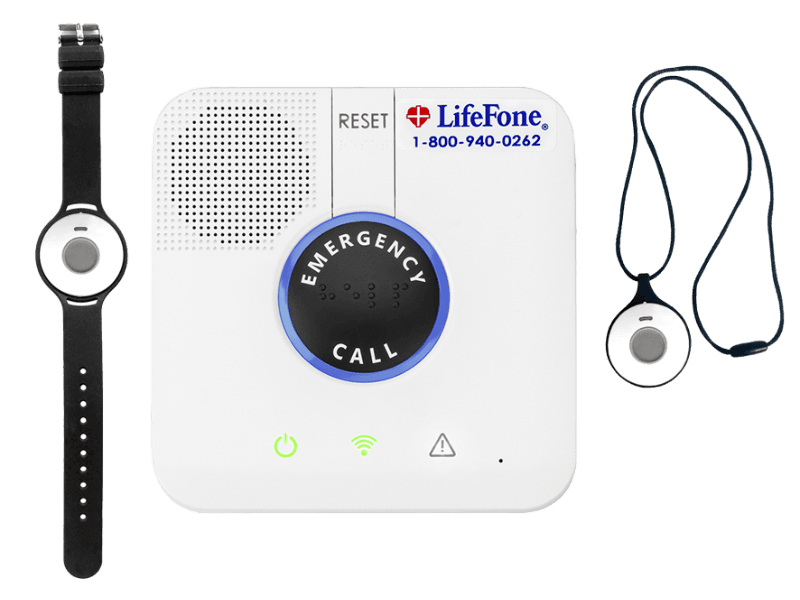
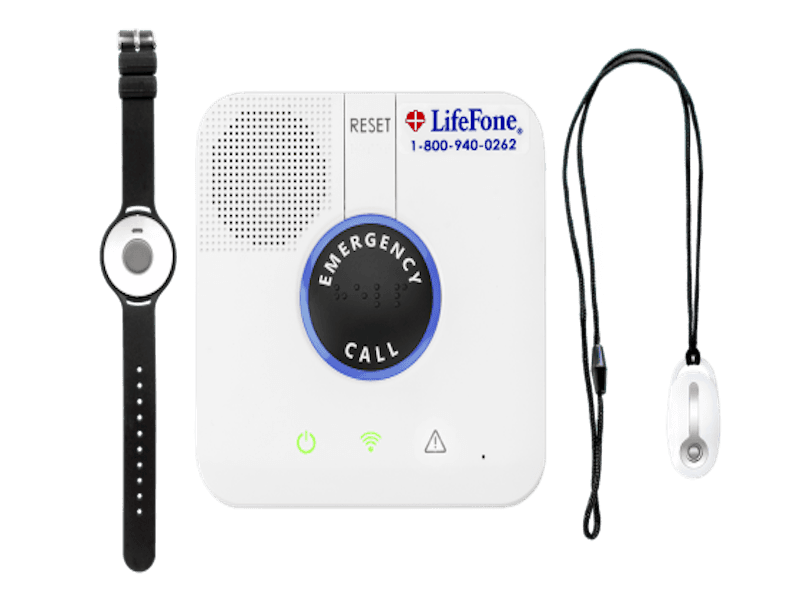
LifeFone’s home base is available in both Landline and Cellular models. The At-Home Landline lets you answer incoming calls from your necklace button. The At-Home Cellular uses AT&T, regardless of your cellphone carrier. At-Home units come with three options for wearables: a wristband, a necklace, and a "Vanity Pendant" for a more subtle look. The vanity device can’t support fall detection.
LifeFone At-Home
- 1,300 ft. range
- Optional daily test reminders
- Friendly customer service
- Device type: At-home
- Fall detection: Optional
- Max. battery life: 3 years
- GPS tracking: No
- Caregiver alerts: Optional
- Connection type: Landline or LTE (model dependent)
Pros
- Swift response times
- Temperature sensor
- Long battery life
Cons
- No call cancellation
- No 2-way talk
- Not discreet
What’s different about LifeFone's At-Home Cellular
The response time for At-Home Cellular averages 14 seconds, better than even Medical Care Alert's impressive 17-second response time. If you opt for the LifeFone VIPx, though, the response rate doubles to 30 seconds.
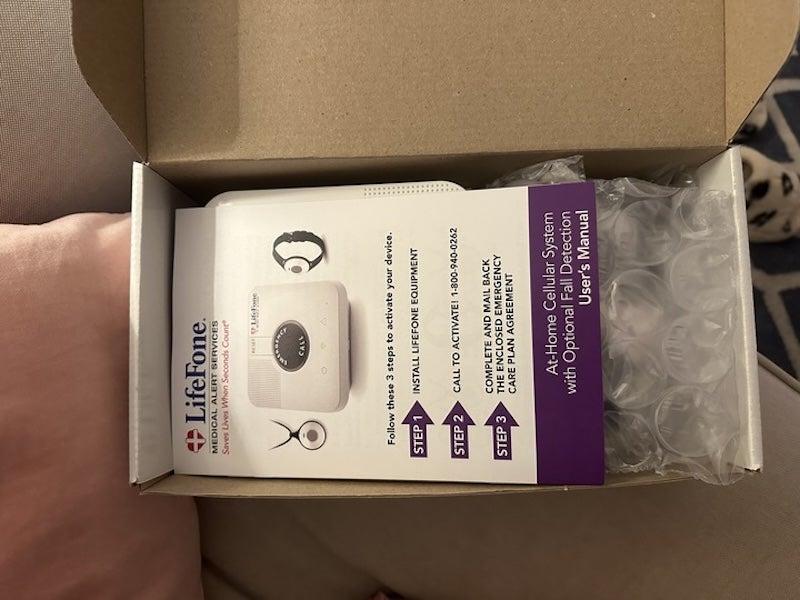
The LifeFone At-Home Cellular was not difficult to unbox, though our testers noted some of the closures on the included plastic baggies might be an issue for people with lower dexterity. The instruction manual is simple to follow. Setup involves plugging in the base and testing the emergency call system, which our testers rated “very simple” because the user manual guides you through the process. There is no app for the At-Home units, which makes setup straightforward.
You can’t communicate with LifeFone’s monitoring center via the help button on the At-Home wearables, but our testers report that the At-Home base unit can still hear you almost 50 feet away if you press it. “The audio quality was good, and I could understand the operator well,” said one tester.
Speaking directly with the folks at LifeFone is a similarly pleasant experience: LifeFone’s customer service scored 9.9 out of 10, which is on par with results from our survey of MAS users overall. More than 80% of respondents report having a “positive and helpful” experience with the monitoring center staff they’re connected to.1
Speaking of monitoring centers, as part of both of its At-Home systems, LifeFone has multiple routine-based triggers that can alert them that you need assistance:
- Temperature sensor: On At-Home devices only, a temperature sensor alerts LifeFone if your home temperature rises above or falls below a custom thermostat setting.
- Activity Assurance: Each day, at a time you choose, LifeFone pings your home system base unit. You have 15 minutes to press a button on your base console. If you don’t press the button, LifeFone will call you. If you don’t pick up, LifeFone activates your emergency response plan. Depending on your personal plan, this could involve calling a neighbor or notifying EMS and a caregiver.
- Daily check-in call service: LifeFone operators call you each day at the same time to check in and offer any type of reminders you’d like.
LifeFone VIPx: On-the-go option for active people
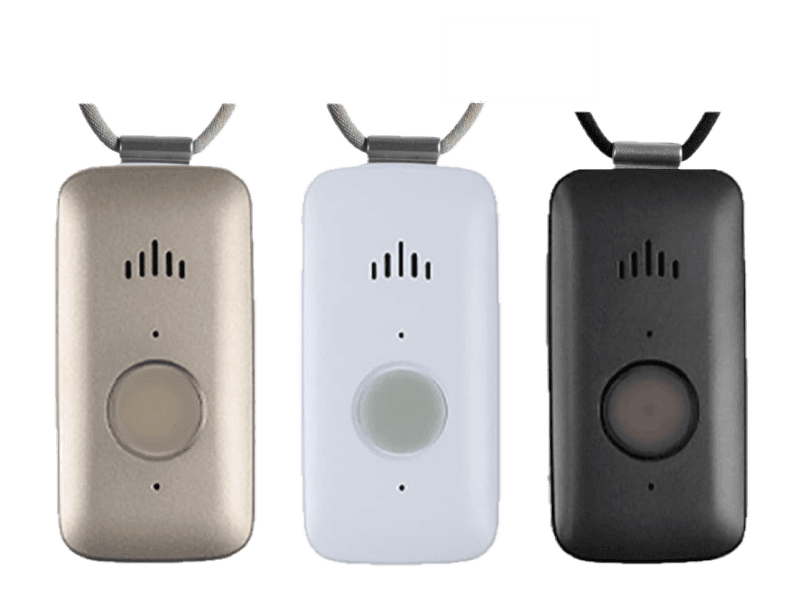
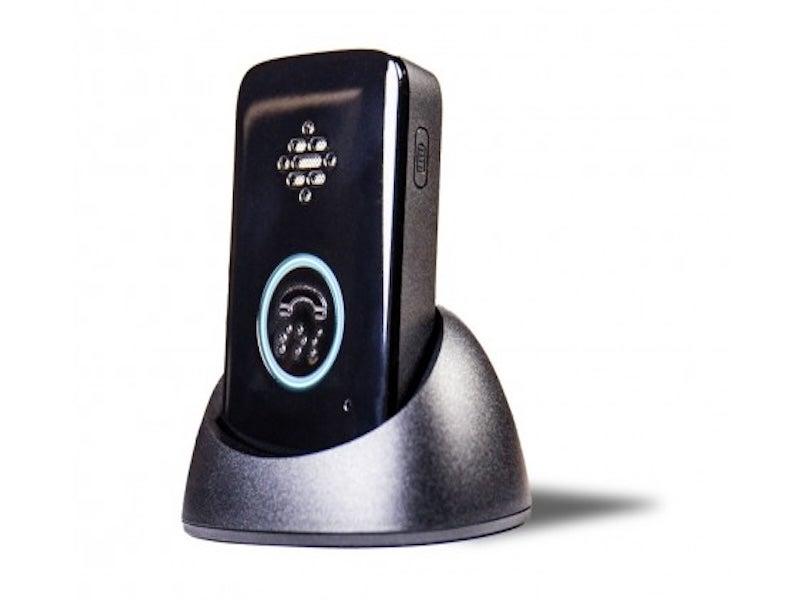
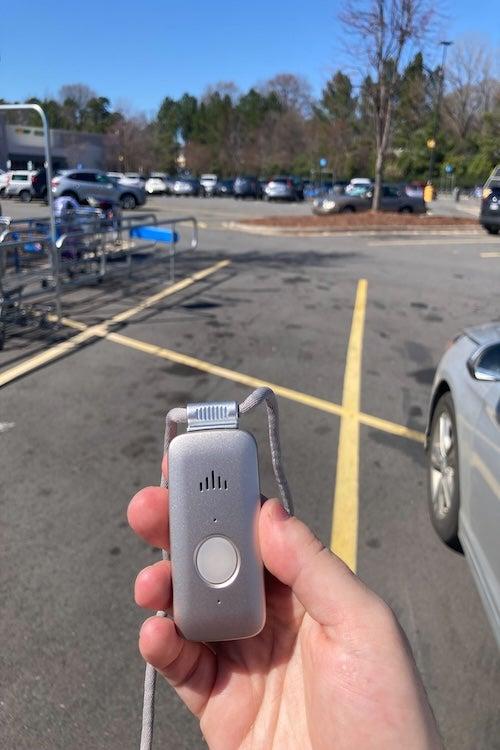
LifeFone has been around since 1976, but don’t let that fool you into thinking its tech is old. LifeFone’s At Home and On-the-Go VIPx features GPS tracking and a caregiver app, with a 10-day battery life. The VIPx has no temperature sensor, unlike At-Home Cellular or At-Home Landline. What the VIPx has that the At-Home doesn’t is color personalization. The VIPx comes in silver, white, or black.
LifeFone VIPx
- Water resistant
- Track battery life via app
- Button-press history available
- Device type: GPS
- Fall detection: Yes
- Max. battery life: 10 days
- GPS tracking: Yes
- Caregiver alerts: No
- Connection type: LTE
Pros
- Fall detection
- Subtle and comfortable
- Fast response times
Cons
- Difficult UX on the app
- Must charge before use
- Confusing volume control
What’s different about LifeFone's VIPx
The VIPx detected two of three falls during testing, compared to the At-Home, which detected all three. Note that fall detection will shorten the battery life of any LifeFone device. The VIPx's battery lasts 10 days, which is long for a MAS wearable. As with the At-Home, LifeFone will monitor your VIPx's battery life and send you a text to remind you to charge it.
Our testers found both VIPx wearables discreet: the necklace was “soft” and didn’t move, and the belt clip was so subtle that one tester said, “I forgot I was wearing the device.” Neither the lanyard nor the belt clip is adjustable, though.
When our testers took the VIPx out for a spin to confirm LifeFone’s GPS capabilities, LifeFone’s monitoring center identified their location without issue. One tester described the monitoring center as “friendly and helpful” and very understanding that the situation was a test, not an emergency. This is a bonus for when you might want to conduct your own tests at home.
Other LifeFone reviews
At-Home & On-the-Go VIP Active
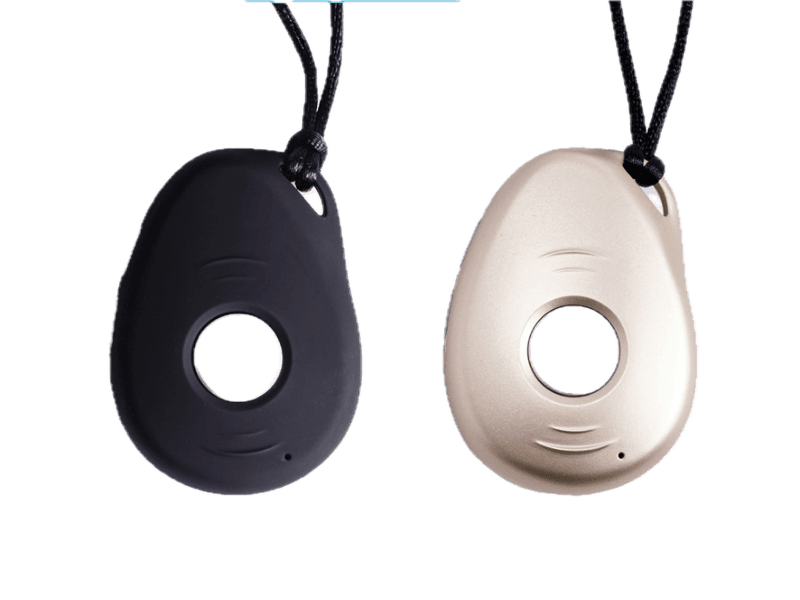
The Active has half the battery life of its rectangular sibling (On-the-Go VIPx), with five days of juice per charge. Like all the LifeFone mobile offerings, it has an unlimited range and optional fall detection. You wear the On-the-Go Active as a lanyard. The shape and feel are similar to the LifeStation Sidekick, and you can choose between black and gold. The At Home & On-the-Go VIP Active is water-resistant, so you can wear it in the shower, but don’t submerge it. Every LifeFone mobile device uses Wi-Fi or a cell signal.
At-Home & On-The-Go VIP Flex
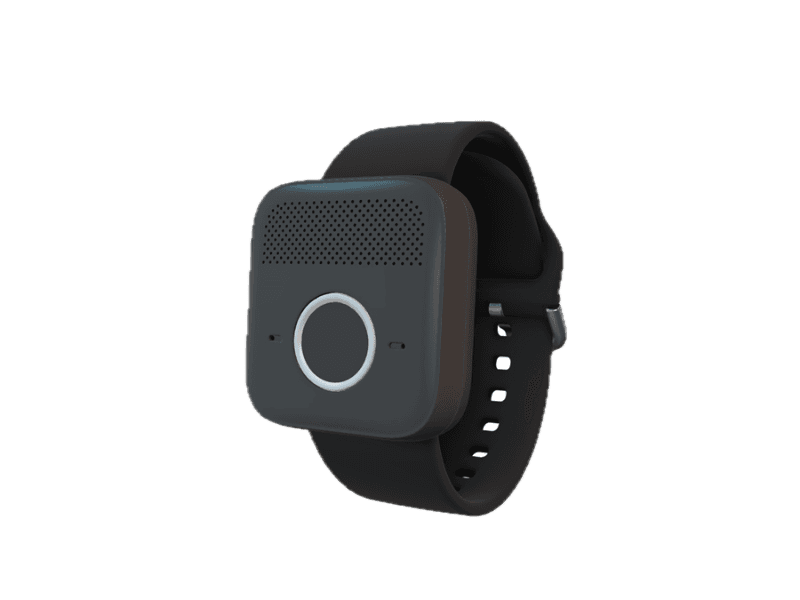
One of three wristband options in the LifeFone collection, the VIP flex falls between the At-Home wristband and the On-the-Go-Safe Watch Active in terms of cost and features. The VIP flex does not have a clock face, but its square shape looks like an Apple Watch, adding a discreet touch. There's a button in the bottom center of the wearable, and a speaker takes up the top half, similar to the Medical Guardian MGMini Lite.
The Location Service feature on the Safe Watch Active and VIP Active allows “approved” responders to see your device’s GPS location. Approved responders (such as caregivers) don’t need the Freeus app; just text “find” to LifeFone’s locator phone number, and you’ll receive a text with the wearable's location.
At-Home & On-The-Go Safe Watch Active
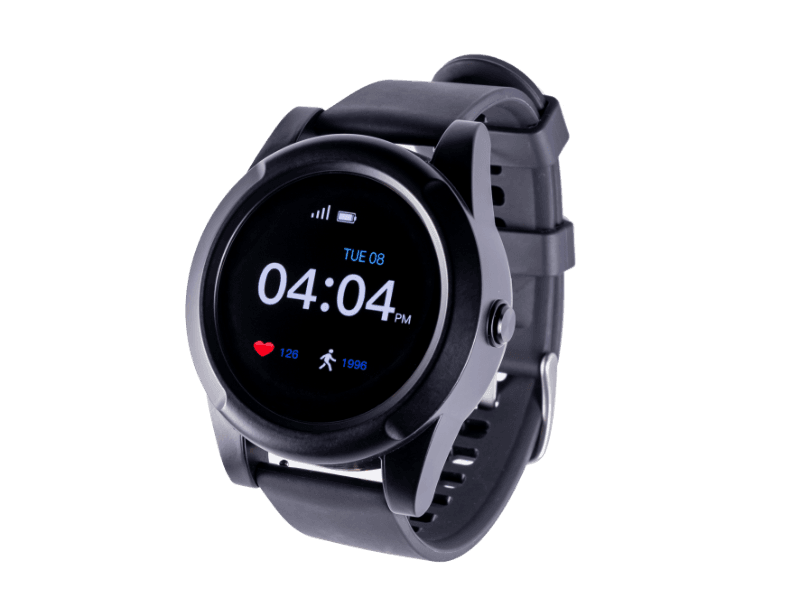
The Safe Watch Active is LifeFone’s medical alert smartwatch. Using nationwide AT&T LTE service (regardless of your carrier), the water-resistant Safe Watch Active offers location tracking and device finding. The watch features 24 hours of battery life per charge, and doubles as a pedometer and heart-rate monitor. You can reach LifeFone’s monitoring team through the watch’s two-way talk feature.
How much do LifeFone devices cost?
LifeFone devices cost $30–$44 per month, with a small discount (about $4) for an annual plan. Optional fall detection costs $5 per month per device. LifeFone’s protection plan is another $5 per month. It covers loss or theft of the button, as well as damage from normal wear and tear, heat and humidity, drops, spills, accidents, power surges, or battery replacements. LifeFone will replace one base unit and two help buttons during a 12-month period.
You can also opt into Activity Assurance for $6 per month and daily check-in calls for $19 per month. A single month with a fully loaded At-Home Landline (fall detection, protection plan, Activity Assurance, and Daily Check-Ins) costs $66. On the mobile side, a monthly subscription for the On-the-Go Safe Watch with fall detection, protection, and the app costs $62.
Comparing the cost of LifeFone devices
| Comparison Features | At-Home Landline |
At-Home Cellular |
At-Home & On-the-Go VIPx |
At-Home & On-The-Go VIP Active |
At-Home & On-The-Go VIP flex |
At-Home & On-The-Go Safe Watch Active |
|---|---|---|---|---|---|---|
| Monthly Cost for the annual plan | $25 |
$31 |
$40 |
$38 |
$40 |
$44 |
| Monthly cost (when paying month–to–month) | $30 |
$35 |
$44 |
$42 |
$44 |
$48 |
| Equipment fee | $0 |
$0 |
$0 |
$0 |
$0 |
$0 |
| Protection plan | $5 |
$5 |
$5 |
$5 |
$5 |
$5 |
| Fall detection (monthly) | $5 |
$5 |
$5 |
$5 |
$5 |
$5 |
How to save money on LifeFone devices
Paying quarterly or annually will help you save on LifeFone devices. LifeFone ships your device for free and includes a free month of coverage if you choose the quarterly or annual payment plans. Selecting the annual plan lowers your overall monthly costs (see table above). Annual LifeFone plans come with a free lockbox that emergency services can use to enter the home.
Your Medicare Advantage plan may include MAS coverage, but original Medicare generally does not cover medical alert systems. You might be able to pay for a medical alert system with your flexible spending account (FSA) or health savings account (HSA). LifeFone’s site FAQ explains that the medical alert system is covered by Medicaid programs in some states.
Regardless of the plan you choose, LifeFone offers a 30-day Money Back Guarantee that lets you cancel at any time, with no fee. You pay only for the time you’ve already used the LifeFone medical alert system.
LifeFone accessories and options
When it comes to add-ons, it’s free to add another wearable help button to your At-Home setup to cover your spouse. Anything else you’d like to add will cost extra, though.
- Activity Assurance: For $6 per month, you can sign up for a daily call and response, where LifeFone makes your At-Home system beep for 15 minutes until you hit the button on the base. This lets the monitoring center know you’re home and able to get to your device
- App: The Caregiver Mobile App (called Freeus when we tested it) pairs with the VIPx. For $8 per month, it can tell you the wearer’s first motion of the day, their most recent button press, the remaining battery life on their VIPx, their steps, and their location.
- Daily check-ins: At-Home users can add check-in phone calls for $19 per month. These calls can be tailored to your needs: medication reminders, appointment reminders, or social chats.
- Lockbox: LifeFone offers a lockbox for $30–$40 (or free with the annual plan) to allow emergency responders to enter your home. Other medical alert services offer monthly lockbox rentals.
- Vanity Pendant: If you’re worried about your medical alert button looking like a medical alert button, LifeFone offers a stylish necklace option for the At-Home Landline and At-Home Cellular. For $50, this necklace adds flair, but it cannot add fall detection.
- Wall-mounted help button: For a one-time fee of $40, you can add a Velcro-mounted wall button anywhere in your home to supplement your At-Home wearables. This button is not returnable after 30 days.
The LifeFone user experience
Our testers ranked both VIPx and At-Home Cellular highly for setup. The At-Home Cellular received a 5 out of 5 for its clear user manual. The volume on the VIPx was hard to control, earning the wearable a 4 out of 5 for device setup. One tester noted, “people who are sensitive to sound, or hard of hearing, may want to lower or increase the volume,” but they can’t do so easily. The same tester went on to say that the audio quality with the emergency operator was very clear. The At-Home Cellular had no volume control issues, and our testers found the audio “clear and very loud.”
Pairing the VIPx with the app was the largest pain point. For starters, a smartphone is necessary. You don’t need a smartphone to text the location services phone number for the VIP Active or the On-the-Go Safe Watch, but to get the most out of your VIPx, you will need a smartphone.
Finding the app on your smartphone is also difficult. The app isn’t named intuitively—it’s called “Freeus,” not LifeFone. This makes it hard to find in app stores if you lose the QR code included in the packaging. But even if you do have the instructions, they don’t match the prompts in the app. Our testers experienced multiple hurdles when logging in, including being told their email wasn’t connected with the devices they were trying to register. For this, LifeFone earned a 2 out of 5 on App Setup.
LifeFone customer service and warranty
LifeFone’s customer service scored a 9.9 out of 10. Its monitoring center is open 24/7, and customer service is available Monday through Saturday during normal business hours. LifeFone offers a 30-day money-back guarantee; you can cancel at any time. The 30-day period begins three business days after your device ships. You pay only for the time you’ve already used the LifeFone system.
All of LifeFone’s offerings have a lifetime warranty regarding manufacturer defects. Loss, theft, or breakage is covered under the $5-per-month protection plan.
Are LifeFone devices right for you?
Milica McDowell, doctor of physical therapy and co-author of Walk, explained that age-related muscle loss (sarcopenia, if you’d like to get technical) starts in midlife. “Our balance systems—eyes, ears, proprioceptors in the joints—get less sharp, and it becomes harder to respond to balance challenges as we normally age,” said McDowell.
While there are foot and leg-strength exercises you can start doing today to lower your fall risk at any age, a little added security from a medical alert could be a nice complement. Especially if, like 30% of our survey respondents, you’ve already had a fall or a similar scare.1
With its long battery life and subtle wearables, LifeFone is a good option for people aging in place, especially those who want the option to add Activity Assurance or phone call reminders (and can afford those add-ons).
If you find LifeFone’s long battery life and charging reminders appealing, the next step is to find the right device for your needs. Before committing, ask yourself these questions:
- Will I be out and about frequently, or will I be at home most of the time?
- Would I like fall detection?
- Do I want or need daily phone calls?
- How subtle do I want my wearable to be?
- Would I prefer the full app (VIPx), or would location text services be enough (VIP Active)?
Frequently asked questions
How much does LifeFone cost per month?
The cost of LifeFone per month depends on the device you buy, the payment plan you choose, and the add-ons you opt for. For example, a monthly payment plan for the At-Home Cellular with no add-ons is $30, but an annual plan for the same device, plus fall detection and the protection plan, is equal to $35/month ($420 for the entire year).
Are LifeFone devices waterproof?
No, but they are water-resistant, which means you can wear them in the shower or in the rain.
How long do LifeFone batteries last?
The batteries in the LifeFone At-Home wearables last up to three years, and the VIPx can last 10 days on a single charge. Adding fall detection lowers the battery life of the LifeFone Home devices by one year. LifeFone monitors battery life and will let you know when it’s time to charge or when it's time to send you a free replacement.
What is the range of LifeFone devices?
The LifeFone At-Home Cellular and Landline has a range of 1,300 ft. (about 0.25 miles). LifeFone’s wearable mobile options include GPS tracking and work wherever AT&T and Verizon cellular networks are available.
Questions? Email us at reviewsteam@ncoa.org