

Bay Alarm Medical vs. Lifestation Comparison
LifeStation and Bay Alarm Medical have a variety of medical alert systems, from home units to sleek smartwatches. This Bay Alarm Medical vs. LifeStation review compares features to help you choose a system that fits your needs.

- LifeStation and Bay Alarm Medical are two of the biggest companies selling medical alert systems. Both companies offer mobile devices, home units, and wearables.
- Pricing is similar for both companies, with monthly system costs ranging from $28–49.
- Bay Alarm Medical’s devices have a slightly lower monthly cost, but the brand’s $149–$199 equipment fees are higher than LifeStation’s $100 fee.
- Fall detection can be added to any of either brand’s devices for an extra $8–$16 per month.
- Our testers found that LifeStation’s devices had a longer battery life and home unit range. But Bay Alarm offered more customization for their wearables and exceptional customer service.
At NCOA, we take the time to research, test, and recommend products that aim to help you live a healthier life. We’ve spent more than 3,000 hours researching medical alert systems to give you the most accurate product reviews. To find the best medical alert systems, we:
- Consulted with doctors and licensed adult caregivers who specialize in working with older adults
- Put more than 35 devices through a series of 16 different tests at our in-house lab
- Mystery shopped more than 15 brands
- Surveyed more than 1,000 medical alert system users and caregivers
- Interviewed experts on older adults falls risk
- Worked with older adults to test medical alert systems and get their opinion
- Read thousands of verified customer reviews
We’re constantly testing new medical alert systems to give you the most accurate and up-to-date recommendations. Read more about our medical alert system review methodology.
Medical alert systems can help us maintain independence, especially if we’re aging in place or living alone. There are many medical alert system options out there—when we surveyed older adults who had medical alert systems, our respondents reported using more than 20 different brands.1
Many medical alert systems have similar offerings, so it might feel like there’s a lot of research standing between you and finding the best device for your needs. After testing 36 different models, we’re here to help. In this Bay Alarm Medical vs. LifeStation review, we’ll break down costs, features, and testing performance for two of our best medical alert systems: Bay Alarm Medical and LifeStation.
Bay Alarm Medical
Stellar customer service and swift call center response times
LifeStation
Amazon Alexa connection and multiple wearable options
Bay Alarm Medical vs. LifeStation: An overview
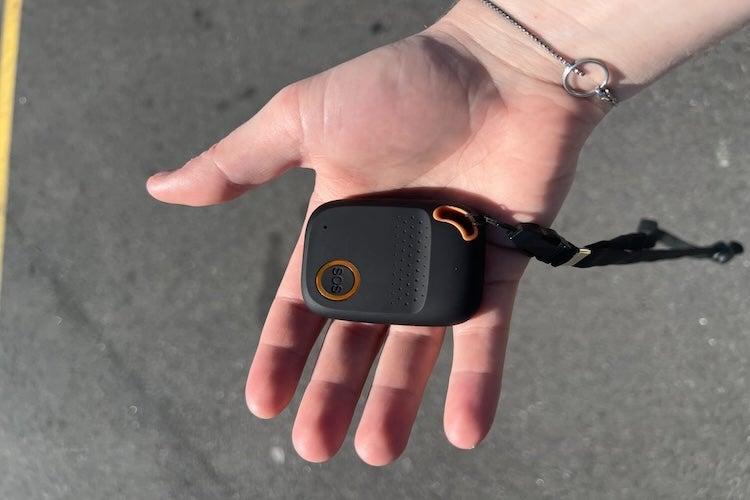
Both Bay Alarm and LifeStation have mobile devices, home units, and necklaces. The medical alert system smartwatch options from both brands look high-tech and discreet. The GPS wearables are equally bulky. But LifeStation’s Sidekick has a battery life of 120 hours, and Bay Alarm’s All-In-One 2 wearable can last for only 72 hours without a charge.
The home base unit for LifeStation (the LifeStation Sidekick Home) has 300 more feet of coverage than Bay Alarm SOS Home, which has a maximum range of 1,000 feet. Both medical alert systems offer fall detection for an additional fee.
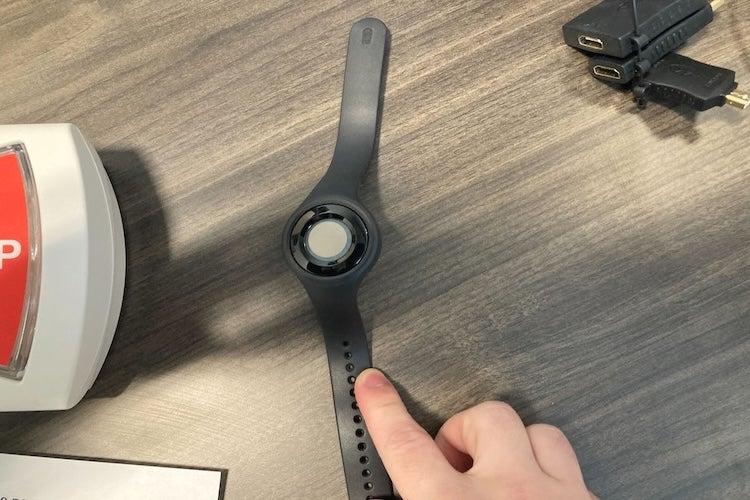
Out of the two, Bay Alarm is the only one that lets you customize the look of your medical alert necklace and wristbands. The brand’s Bella Charms can hide the help button on a Bay Alarm necklace. And the SOS Micro wrist device has interchangeable bands in an array of colors—you can even get a leather wristband for an extra $24.
Bay Alarm also edges out LifeStation in user experience, tying with Medical Guardian for our highest score of 9.4 out of 10. LifeStation won second place among all the medical alert systems we tested in user experience, with a score of 9 out of 10.
When it comes to wearables, our testers had some gripes with both brands. They didn’t love the look or feel of the LifeStation Sidekick. “It’s so bulky, and there is only one way to wear this device, so I am going to rate the wearability a three,” said one tester of the Sidekick. The Bay Alarm All-In-One 2 just looked too obviously medical. “The device constantly has a light blinking,” said a tester, adding that “the red help button makes it a bit obvious that it’s a medical alert system.”
LifeStation and Bay Alarm Medical devices compared
| Comparison Features | |||
|---|---|---|---|
| In-home system | Both available in landline and cellular | ||
| GPS wearable | SOS Micro is the size of an Apple watch, while the Sidekick is the size of a chicken nugget. | ||
| Hybrid (home + mobile) | Both are bulky, GPS-enabled, and water resistant. The Sidekick has longer battery life. | ||
| Smartwatch | Both have GPS and a pedometer. LifeStation has a heart rate monitor and 24 hours of battery to Bay Alarm’s 6–8 hours. |
Bay Alarm Medical review
Bay Alarm Medical
- Stellar customer service
- Seamless device setup
- Swift call center response times
- Device types: Home, mobile, wearable
- Fall detection: $10/month
- Caregiver alerts: Yes
- Connection type: Landline or LTE
Pros
- Best customer service of all the medical alert systems we tested
- Stylish ways to disguise help button
- Home unit works with both cellular and landline
Cons
- Shorter battery life than LifeStation
- Higher equipment fee than some competitors
- 1,000-foot range on home unit (some MAS offer 1,200-foot range)
Our testing experience with Bay Alarm Medical
Bay Alarm had an excellent help button response time. Our testers connected to the monitoring center in only 31 seconds for the SOS Home and 42 seconds for the SOS All-In-One 2. Bay Alarm’s response center personnel are pleasant, which is always a bonus considering 17% of our survey respondents feel their monitoring center staff interactions are “hit or miss.”1 At Bay Alarm, “the staff sounds cheerful and ready to help,” said one of our testers. Based on our testing, there might be slight screeching as your Bay Alarm help button connects to place a call for help. But it usually resolves within a few seconds.
While you can technically convert your Bay Alarm SOS Home wearable from a necklace to a wristband, we found that challenging. One of our testers accidentally hit the help button in the process because the button “took considerable effort to pop out of the holder.”
Bay Alarm Medical’s customer service and warranty
- Warranty information: Bay Alarm Medical’s standard warranty covers manufacturer defects or wear and tear (damage from regular use). You can purchase a protection plan for issues like loss or theft for $2.95–$4.95/month.
- Trial period: 15 days
Customer service:
- Phone: 877-522-9633, Monday through Friday, 6 a.m. to 6 p.m. PT; Saturday and Sunday, 8 a.m. to 12 p.m. PT and 12:30 p.m. to 4:30 p.m. PT
- Email: cs@bayalarmmedical.com
- Chat: Chat on website, Monday through Friday from 7 a.m. to 3:30 pm PT, and Saturday and Sunday from 8 a.m. to 4:30 p.m. PT
LifeStation review
LifeStation
- Simple setup
- Amazon Alexa connection
- Monitoring center will stay on the line
- Device types: Home, mobile, wearable
- Fall detection: $8-16/month
- Caregiver alerts: Yes
- Connection type: Landline or LTE
Pros
- Sidekick Home unit has long range
- Ready for immediate use after first charge
- LifeStation partners with some insurance providers
Cons
- Sidekick is very bulky
- Fall detection is more expensive than Bay Alarm’s
- Sidekick Home can be difficult to plug in
Our testing experience with LifeStation medical alert systems
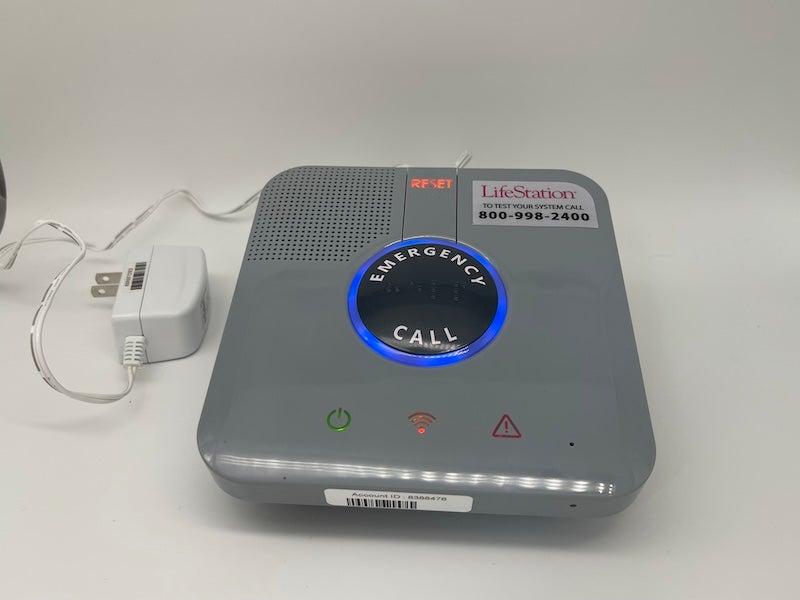
LifeStation came in just behind Bay Alarm for being the most user-friendly of all the medical alert systems we tested. Both brands scored 5 out of 5 for help button testing and simple setup. While our testers had concerns that LifeStation’s first contact with you is an automated voice, the system quickly transfers you to a human at the LifeStation monitoring center.
Our testers found that the Sidekick Home in-home unit connected to the monitoring center in 27 seconds. The mobile Sidekick connected in 45 seconds, and the smartwatch reached the monitoring center in 23 seconds. Note that the Sidekick’s longer connection times include a downtime of 20 seconds during which you can cancel the call if needed.
The LifeStation Sidekick Home was a little difficult to unplug, earning it 3 out of 5 for power testing. While the LifeStation Sidekick smartwatch charges with a USB-C cord you can easily swap out, the Sidekick Home has an attached proprietary cord. If you damage that cord while plugging in or unplugging, you may have to buy a new console.
LifeStation’s customer service and warranty
- Warranty information: LifeStation’s optional protection plan serves as a warranty, covering up to two free device replacements per year. If you’re unhappy with your LifeStation device, you can return it for a refund within the first 30 days.
- Trial period: 30-day money-back guarantee
Customer service:
- Phone: 800-998-2400 or 800-554-4600, Monday through Saturday, 9 a.m. to 5 p.m. ET
Bay Alarm Medical vs. LifeStation cost comparison
Bay Alarm is slightly more affordable than LifeStation, tying with MobileHelp for the most affordable of all the medical alert systems we tested. That said, LifeStation has lower equipment fees. In fact, every LifeStation device has the same equipment fee. Bay Alarm’s fees vary by device.
| Comparison Features | Bay Alarm |
LifeStation |
|---|---|---|
| Home unit monthly cost* | $28 |
$37 |
| GPS wearable monthly cost | $35 |
$41 |
| Smartwatch monthly cost | $40 |
$49 |
| Fall detection | $10 extra |
$8–$16 extra |
| Equipment fee | $149–$199 |
$100 |
| Lock Box | $30 one-time fee |
$3 per month |
*Pricing as of 2026
How to choose the best medical alert system for you
“Medical alert systems are most beneficial for people who value independence but face increased health or mobility risks,” said Tina Sadarangani, ANP-C, GNP-BC, PhD, RN, creator of The Enlightened Caregiver and a board-certified geriatric nurse practitioner. “That includes people who live alone, have a history of falls, manage chronic conditions, or are experiencing early cognitive or balance changes.”
The best medical alert system for you is one you’ll remember to use. If, like 47% of our respondents, you wear your medical alert system on your neck, you might be partial to the LifeStation Sidekick Home or the Bay Alarm SOS Home.1 Both brands’ home units have lightweight necklaces. And Bay Alarm even lets you customize your medical alert necklace so it doesn’t look as clinical.
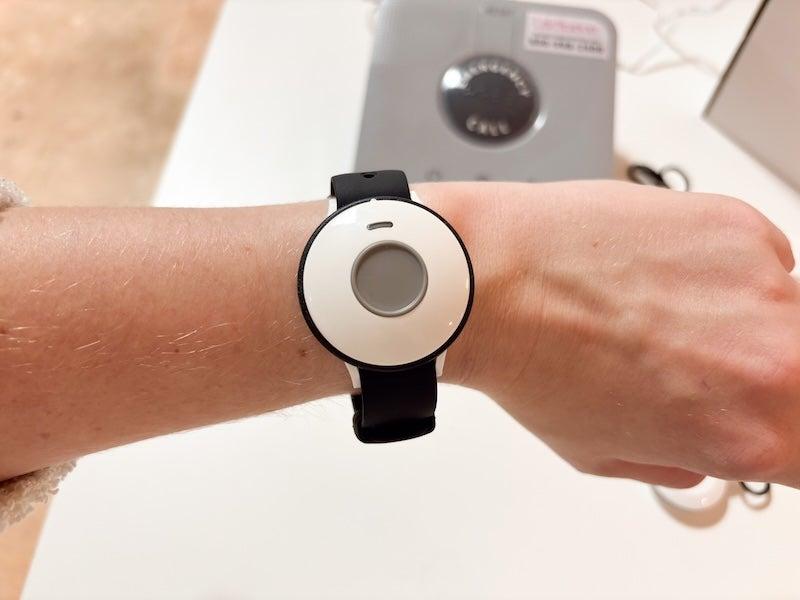
Exactly a quarter of our survey respondents wear their medical alert system on their wrist.1 Both Bay Alarm and LifeStation have smartwatch offerings and home base units that come with a wristband. Bay Alarm has one additional wristband model: the SOS Micro, which offers fashion bands to help you personalize it.
LifeStation’s only non-watch wristband offering is the convertible wristband that comes with the Sidekick Home. Research has shown that wristbands and smartwatches detect falls a little less accurately because of how often we move our hands, so you might want to keep your Sidekick on the necklace.2
For more medical alert comparisons, check out our Medical Guardian vs Medical Care Alert review comparison.
Frequently asked questions
What is the biggest difference between Bay Alarm Medical and LifeStation?
The biggest differences between Bay Alarm Medical and LifeStation are in customer service, device customization, and home unit range. Both brands ranked highly in user testing. But Bay Alarm took the lead in customer service and customization options. LifeStation’s home unit has a longer range than Bay Alarm’s by 300 feet.
Does LifeStation or Bay Alarm have better fall detection?
Fall detection is fairly similar between both brands. When we break out our results by device, our testers found that the Bay Alarm All-In-One 2 had the best fall detection in the Bay Alarm family. Bay Alarm charges $10/month to add fall detection to their devices. LifeStation charges between $8–$16.
Is LifeStation legit?
Yes, LifeStation is a legitimate medical alert system company. The company operates a monitoring center and customer service center, and sells an array of medical alert system products.
Is Bay Alarm Medical or LifeStation more expensive?
It depends on your payment tier and which device you choose. A quarterly or annual subscription to LifeStation is more affordable than a monthly service fee. Bay Alarm is also the most affordable if you select the annual payment plan. Bay Alarm has a higher equipment fee ($149–$199 to LifeStation’s $100).
Questions? Email us at reviewsteam@ncoa.org.